For online fashion sellers
Upload your product. Pick a model. Done!!
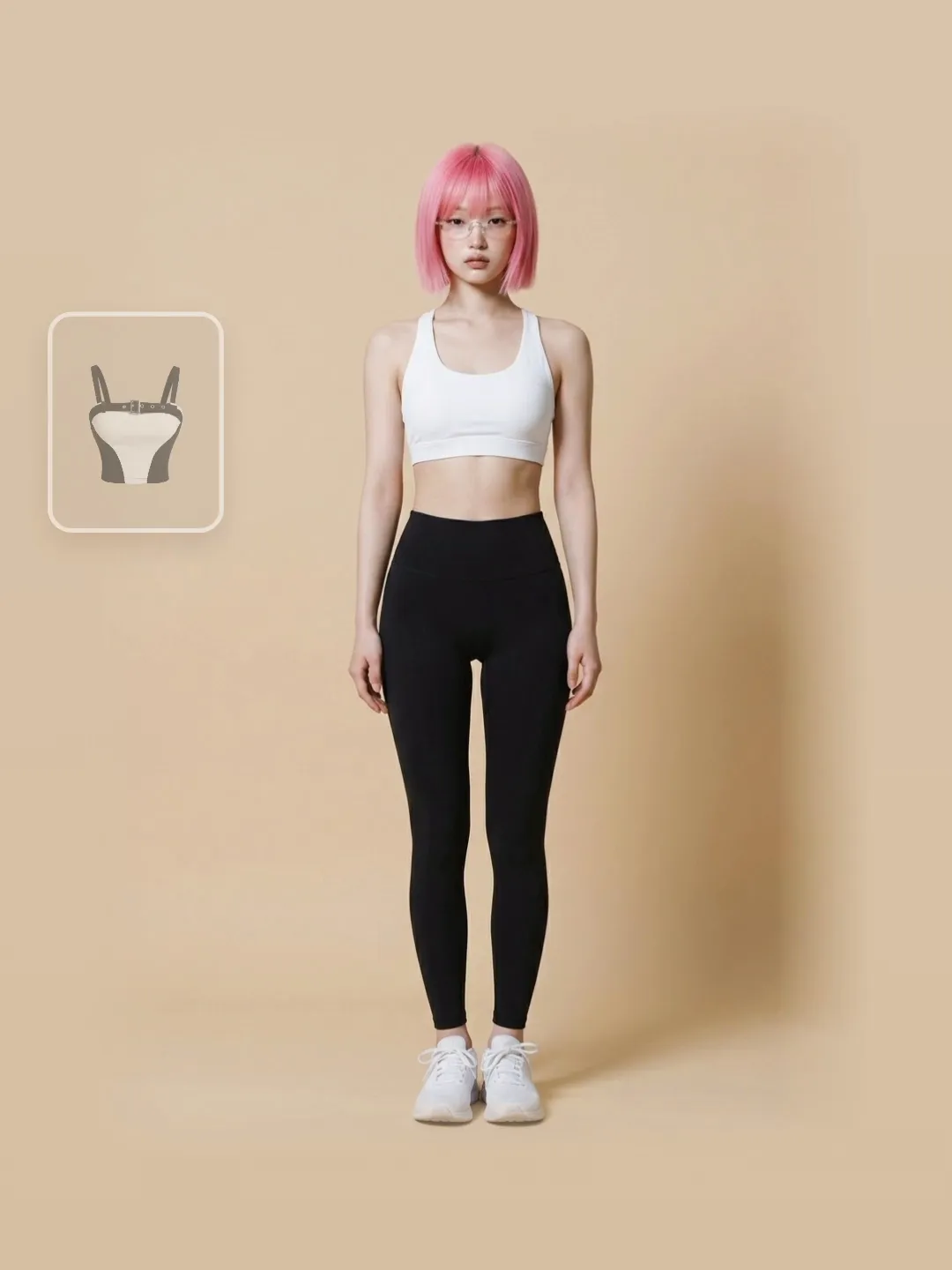

Never used AI? You'll be fine — there is nothing to type. Upload a product photo, pick a model, outfit, scene and pose from over 1,000 options, and get a lifelike photo in minutes.
No card required · start right after signing up
Why online stores are switching to AI
The old way
- Model + photographer + studio: thousands of baht per shoot
- Book weeks ahead just to get images to sell
- Need a new crop or scene? Reshoot the whole set
The Plien Roob way
- No per-shoot fees — see the exact credit cost before you generate, every time
- No booking anyone — upload tonight, have images to list tomorrow
- New scene, new pose, new crop — regenerate from the same photo, no reshoot
Your images come out ready to post on these channels
- Shopee
- Lazada
- TikTok Shop
- LINE Shopping
- Shopify
- WooCommerce
- Etsy
- Amazon
Same product — swap the model, the pose, the scene
All 161 of these came out of this system, and the tags under each one say exactly what was chosen to make it — not marketing copy, but the settings recorded when the image was generated.
Product to model
1 of 161
What one product photo can become
Every image in this section is a real result from our own system, not a sample sourced from somewhere else — and we never beautify your product beyond the real thing. The print, colours and lettering are locked to the original, front and back, because a photo that flatters too much is what gets your products returned.

Product photography
Product to Model
One flat-lay photo is enough. The system reads the print and the cut, then builds the person, the scene and the lighting around it — with the artwork, lettering and colours locked so they cannot drift. Garments with printed backs can be shot from behind too. Shoes, bags, glasses and hats work as well: upload just the item and the system dresses a model around it, or open the dressing room and pick the look yourself. You never type a prompt.

Front and back
Both sides in one image
A garment printed on both sides normally means two generations. One switch here returns both sides in a single image: the same person, the same hairstyle, the same scene and the same light. It costs the same as any single image, because it is still one generation, and it works in both Product to Model and Ghost mannequin. The photo you upload has to show the back for real — the system does not invent a back print.

Beyond clothing
Product Showcase
Perfume, creams, cups, plated food, dumbbells — even cars and motorcycles. Upload one product photo and tap its category, and the system creates a person holding, placing or using that product. Pose, setting and light follow the category: perfume held in the fingertips, food set on a table, a car parked on a road. Pick a model from the library or let the system create one. You never type a prompt.

Sleepwear · lingerie · swimwear
Product-Sexy
Lingerie is the hardest shoot to cast a model for. Here all you need is one product photo with nobody wearing it, and no photo of a real person is accepted at all. The model's look, the scene and the pose are all picked with buttons, and the system creates a new person wearing your product. Every image is checked before it is delivered — if one fails, your credits come back.

Swap clothes on your own photo
Virtual Try-On
Already have your own model photos? Upload one. The system changes only the garment and pins the original pose and face on every run. Chain it piece by piece to get a whole range of products on the same model in the same pose.

Your house model
The same person every time
Pick one of 300+ models from the library once and use the same one for every product. The system sends that person's real photo as a reference on every run rather than a written description, so your shop reads like it has a house model — without hiring one.
Catalogue photography
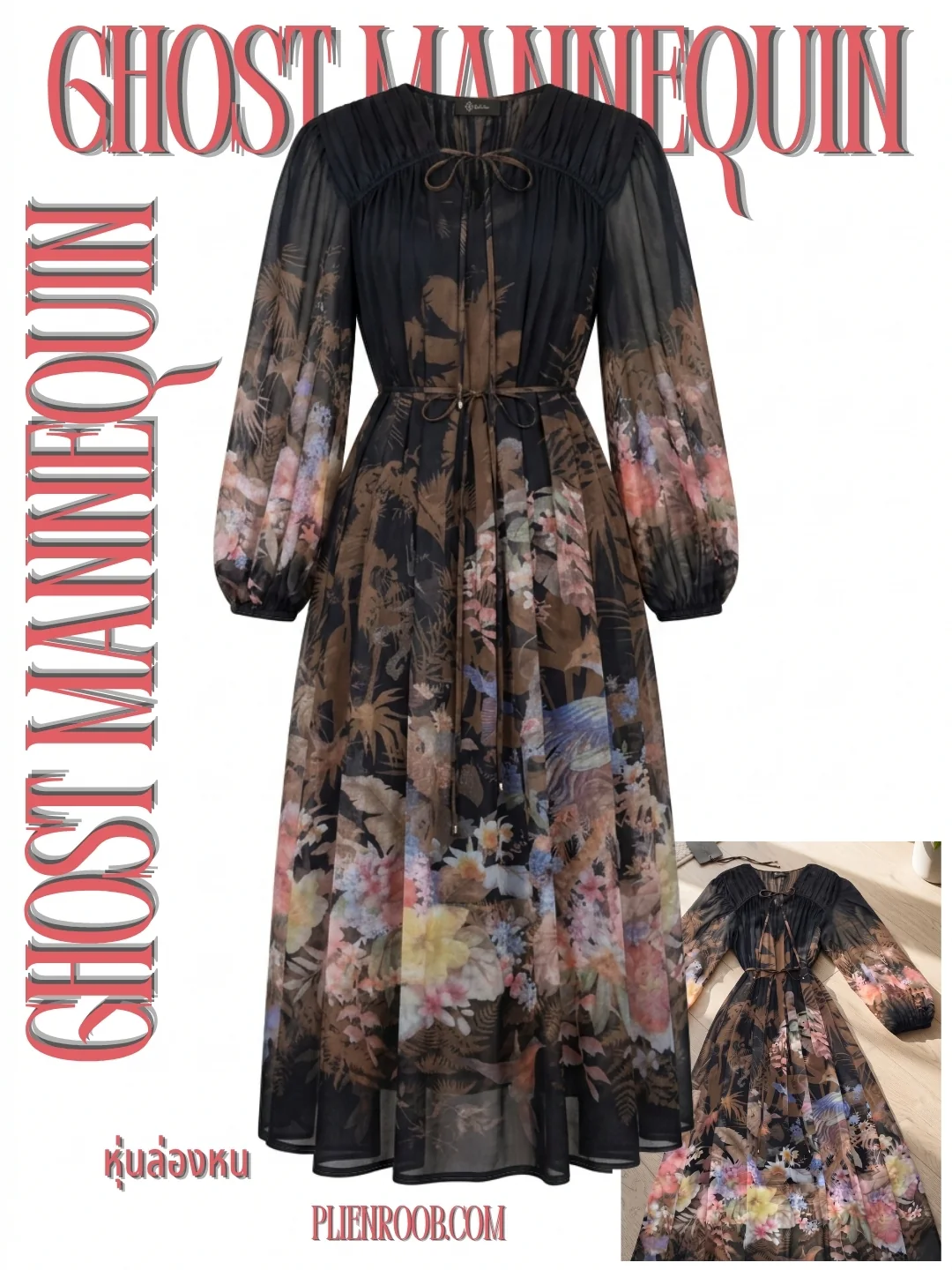
Ghost mannequin
The garment holds its worn shape — fabric thickness and the inside of the collar are visible — with no person and no mannequin in frame. It is the standard clothing catalogue shot, and it works from flat-lay photos as well as worn ones.
Who it is for
Problems we solve
Everything below is what the system can do today, not what is planned
We do not have real customers to cite yet, so this page carries no testimonials or sales figures from anyone. We will publish them once they exist.
Plans and pricing
Start free with no card, buy credits once when you need them, and subscribe once you are using it seriously
Buy credits once
Pay once by card — no subscription and nothing charged automatically. Your credits never expire.
No watermark and everything in Basic, until you use these credits
On the Premium plan, this same amount gives you 105 credits
No watermark and everything in Basic, until you use these credits
On the Premium plan, this same amount gives you 250 credits
No watermark and everything in Premium, until you use these credits
On the Premium plan, this same amount gives you 530 credits
Using it often? A monthly plan gives you more credits for the money
Free
See real results before you decide
Free
10 credits, one time
- 5 images — enough to see how your products turn out
- All 7 tools — Try-on · Product to model · Product Showcase · Product-Sexy · Ghost mannequin · Upscale · Remove background
- A selection of models and scenes — 304 items · a flat 1 credit per image when you use them
- Credits refunded in full, automatically, if a job fails
- Your first image has no watermark — later results carry one and aren't ready to sell with
Basic
Shops listing new products every month
180 credits per month · $0.20 per image
- No watermark — download and list it straight away
- 4K quality on demand — 16× the pixels, lace and fabric hold up
- 90 images per month*
- Wardrobe unlocked — 114 items: jackets, shoes, bags, accessories
- Up to 5 library items per image — model, scene, pose, wardrobe — for a flat 1 credit extra
- 418 library items to choose from in total
- Credits refill every billing cycle, nothing to click
- Everything in Free
* Based on 2 credits per image · 4K quality uses more credits · library picks add a flat 1 credit per image
Premium
Shops shooting a whole collection
465 credits per month · $0.17 per image
- The entire library unlocked — 1020 items: 116 models · 210 faces · 84 poses · 360 scenes · 250 wardrobe
- Library extras cost nothing — models, scenes, poses and wardrobe on every image, free
- 4K quality on demand — 16× the pixels, lace and fabric hold up
- 232 images per month*
- 602 more items no other plan can pick — including 86 models and 125 scenes
- Everything in Basic
* Based on 2 credits per image · 4K quality uses more credits · library picks add nothing
Trust
Try it with nothing to lose
- Sign up free, get 10 credits instantly, no card required
- Every image is saved to your shop's private library only — it goes on a public page only if you turn that on yourself
- See the quality tier and credit cost before you generate, every time
Frequently asked questions
What can Plien Roob actually do?
Seven tools: Virtual Try-On (put a garment on an existing model photo), Product to Model (auto-generate a model wearing your product), Product Showcase (a person holding, placing or using a non-clothing product, across 15 categories), Product-Sexy (sleepwear, lingerie and swimwear on models built from buttons), Ghost Mannequin (catalog-style product shot with no person), Upscale, and Background Remove.
Do I need my own model photos first?
Not necessarily — Product to Model can use one of 300+ models from the dressing room, or design a person for you automatically. Virtual Try-On works with a model photo of your own that you upload.
What kind of product photo works best?
A large, sharp photo taken on your own phone works best. Re-compressed images — like photos forwarded through LINE — often come out wrong. We check every upload and warn you before any credits are spent if the image is too small or too blurry.
How far do the 10 free credits go?
Each job costs credits based on the quality tier you pick (Draft/Standard/Premium). The exact credit cost and estimated time are shown before you generate, every time.
Does the output have a watermark?
On the free plan your first image has no watermark; every image after it carries one. Basic, Premium and the launch pack never add a watermark.
What aspect ratios are supported?
Pick one at generation time: 1:1, 4:5 (IG feed), 3:4, and 9:16 (Reels/TikTok) — no extra cropping step needed.
Is my uploaded content safe?
Every image is stored in your shop's private library and never shared with other accounts — except an image you turn on "True to the photo" for yourself. That AI image and its product photo can then be opened from a link or QR code (not listed on Google), and you can turn it off any time; the page stops showing immediately.

Plien Roob
Ready for your first product photo?
Nothing to type, no card required — sign up and get 10 credits instantly