Studio tool
Ghost Mannequin
Your garment holds a worn shape on a white background, with no person and no mannequin in the shot — no mannequin to buy and none to retouch out.
2
credits per image
4,800
pixels on the long edge, roughly, at Premium 4K
0
mannequins to buy
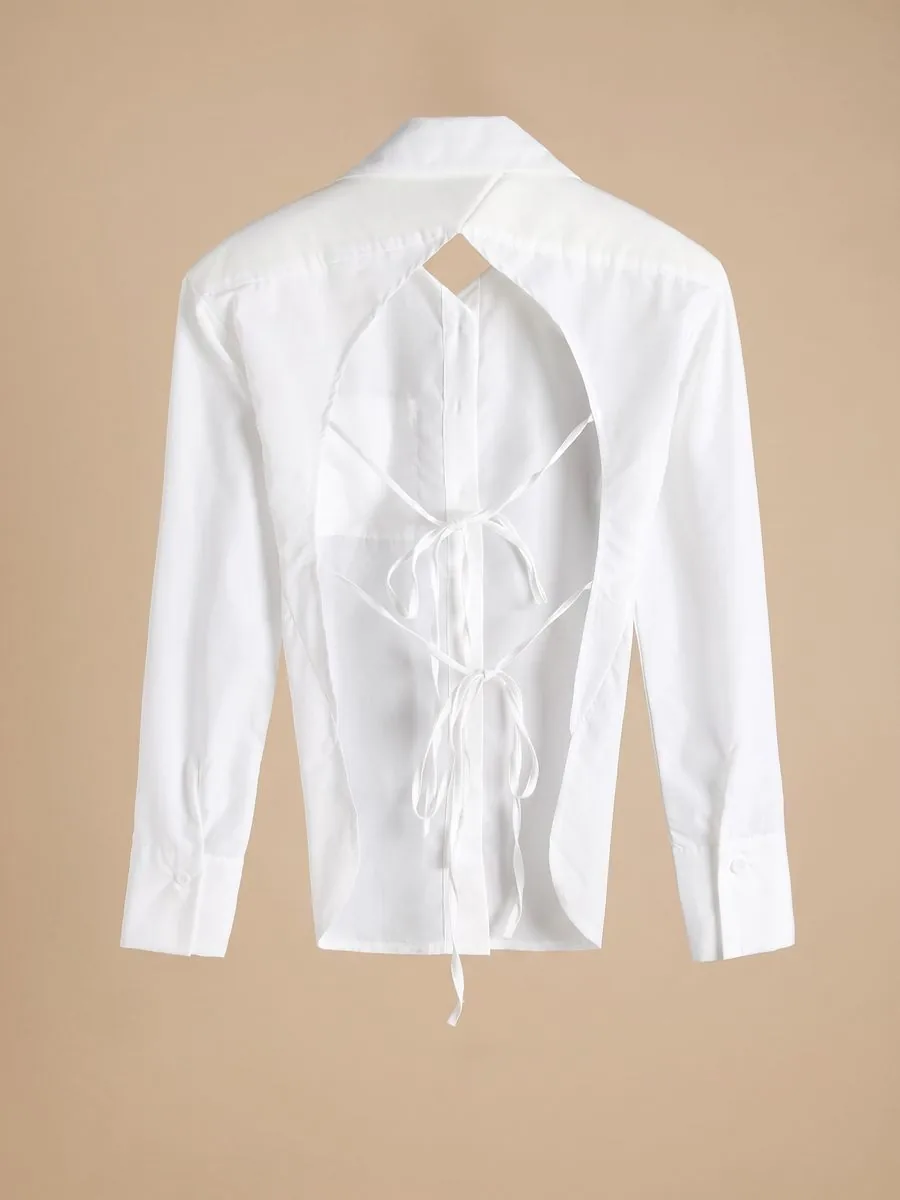 Uploaded
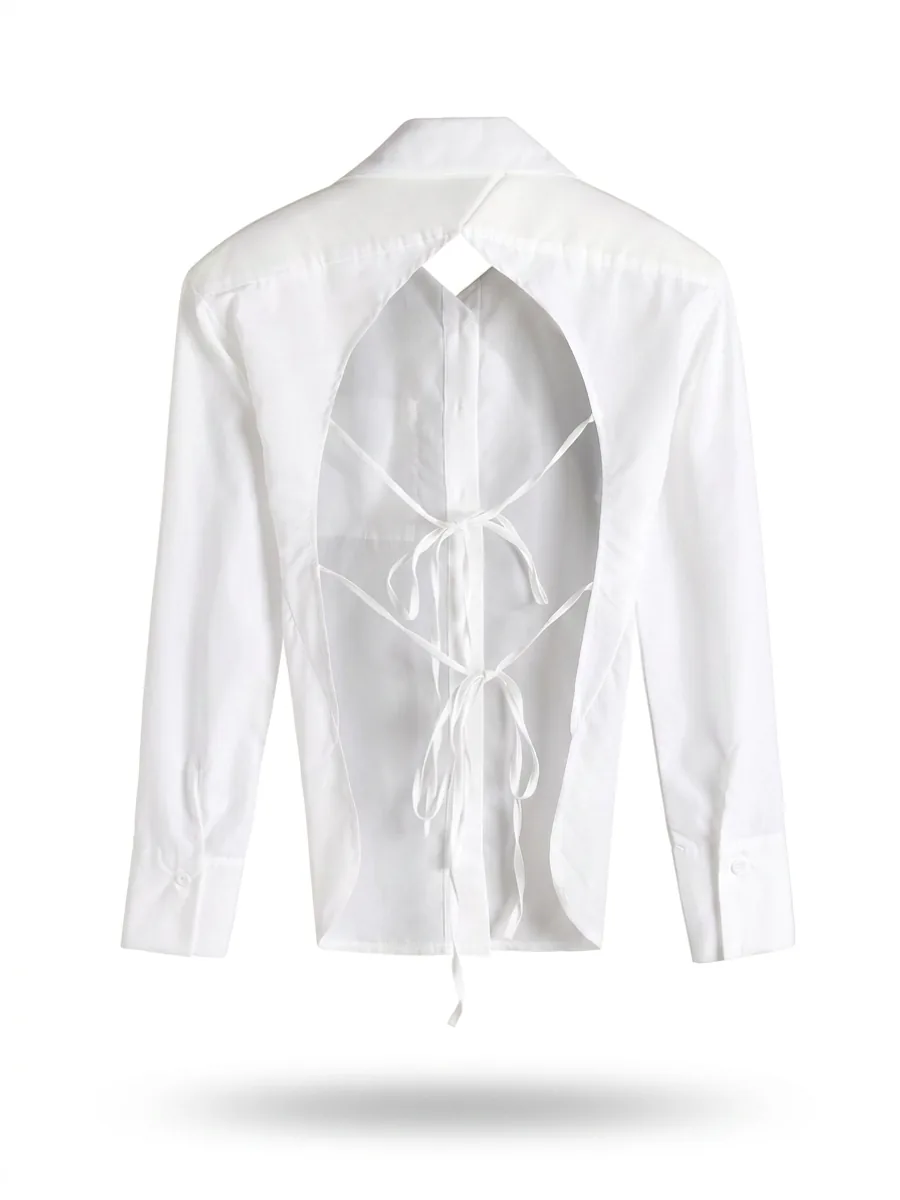 Result
A garment on a white background, holding the shape of a body with no person and no mannequin in the shot, is the standard catalogue photo for clothing. Buyers see the real shape and the inside of the collar, nothing pulls their eye away from the product, and a whole shop of them looks like one consistent set.
Plien Roob was built by someone who spent 10 years as a model and ran a rental photo studio. In studio work this photo is made in two stages: dress a mannequin and light the shot, then retouch every photo to remove the mannequin — so you pay for the mannequin, the shoot and the editing. Ghost Mannequin cuts both stages out and leaves you with one garment photo you take yourself.
What a white-background product photo costs when you hire it out
฿1,500 from
Fastwork's white-background packshot category
฿200 per item
Starting price, for small items shot in bulk
฿300 from
Retouching afterwards, in the photo editing and retouching category
฿4.17–฿7.00
2 credits per image depending on your plan, ready in about half a minute, with no mannequin to remove
Reference prices come from pages anyone can open on Fastwork and the studio site toptana.com, checked on 17 September 2026 — prices from listings we found, not a market average. Fastwork prices are each category's starting price, and how many images a job includes depends on the freelancer. Our per-image price is calculated from real plan prices, from Premium yearly up to the smallest credit top-up.
Front + back in one image, at no extra cost
A garment printed on both sides normally means two shoots and two rounds of editing. If your photo already shows the front and the back of the same garment, choose Front + back in one image and both sides take shape together, front on the left and back on the right. It is charged as a single image, because it is still a single generation.
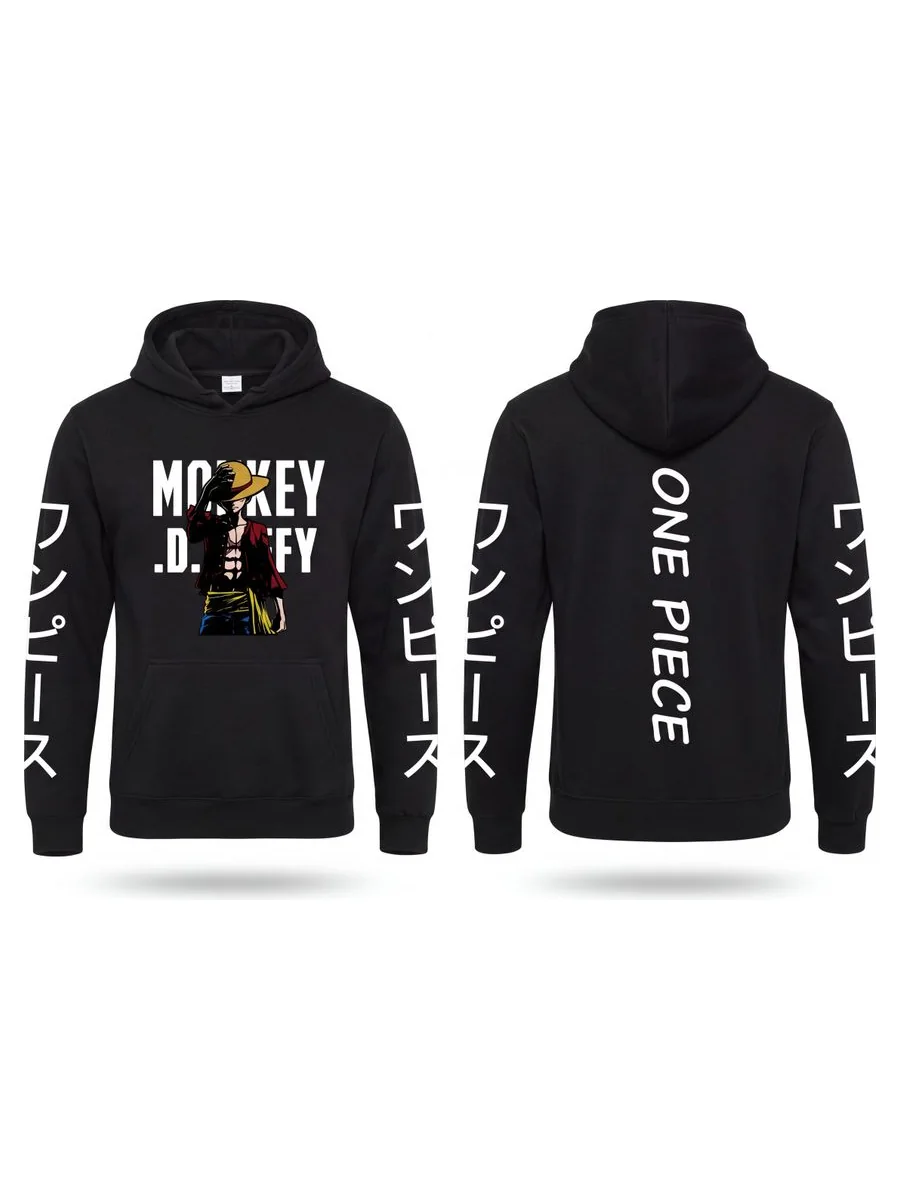
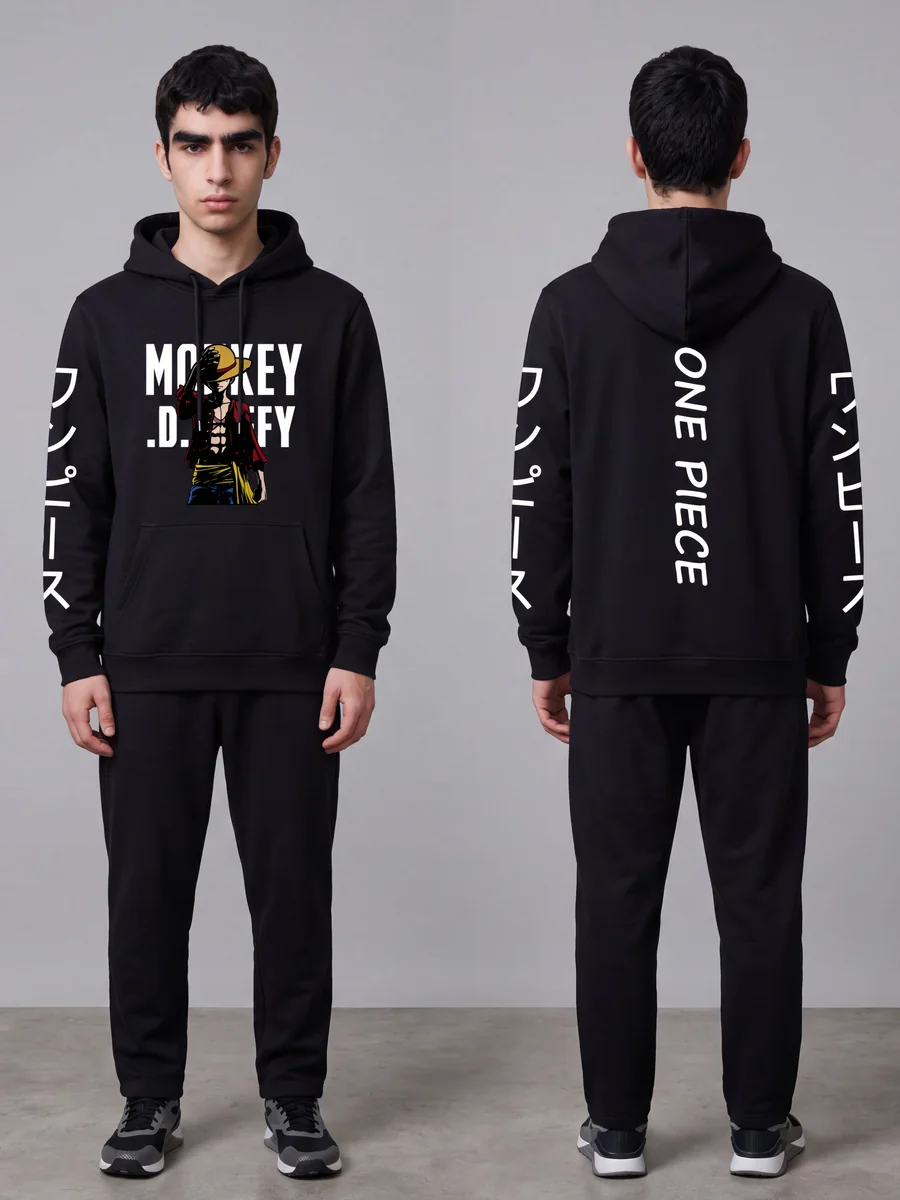
If you only have one side, choose Front or Back, and the system tells the AI to shape the body for that side: the front swells across the chest, while the back has no chest at all and follows the shoulder blades instead.
What the system tells the AI in every image
A plain white background, a soft shadow under the garment, and no person, mannequin or hanger in the shot
Fabric the same shade as your photo, never lightened or washed out
Prints and lettering unchanged, and no brand tag or lettering added that isn't really there
The original proportions, body length and sleeve length, with no nipped-in waist and no shortened body
Existing wear, fading and cracked prints kept as in your photo, never made to look newer than the garment is
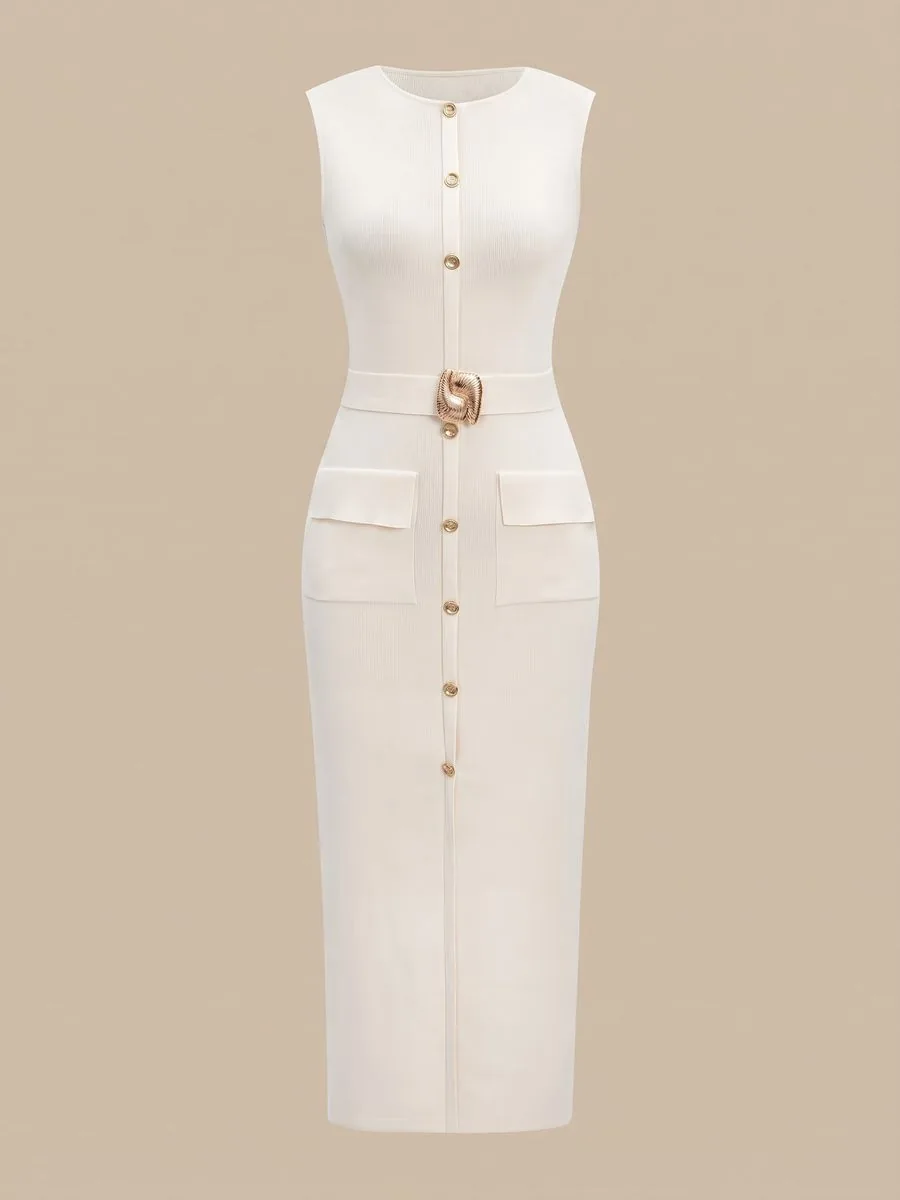 Uploaded
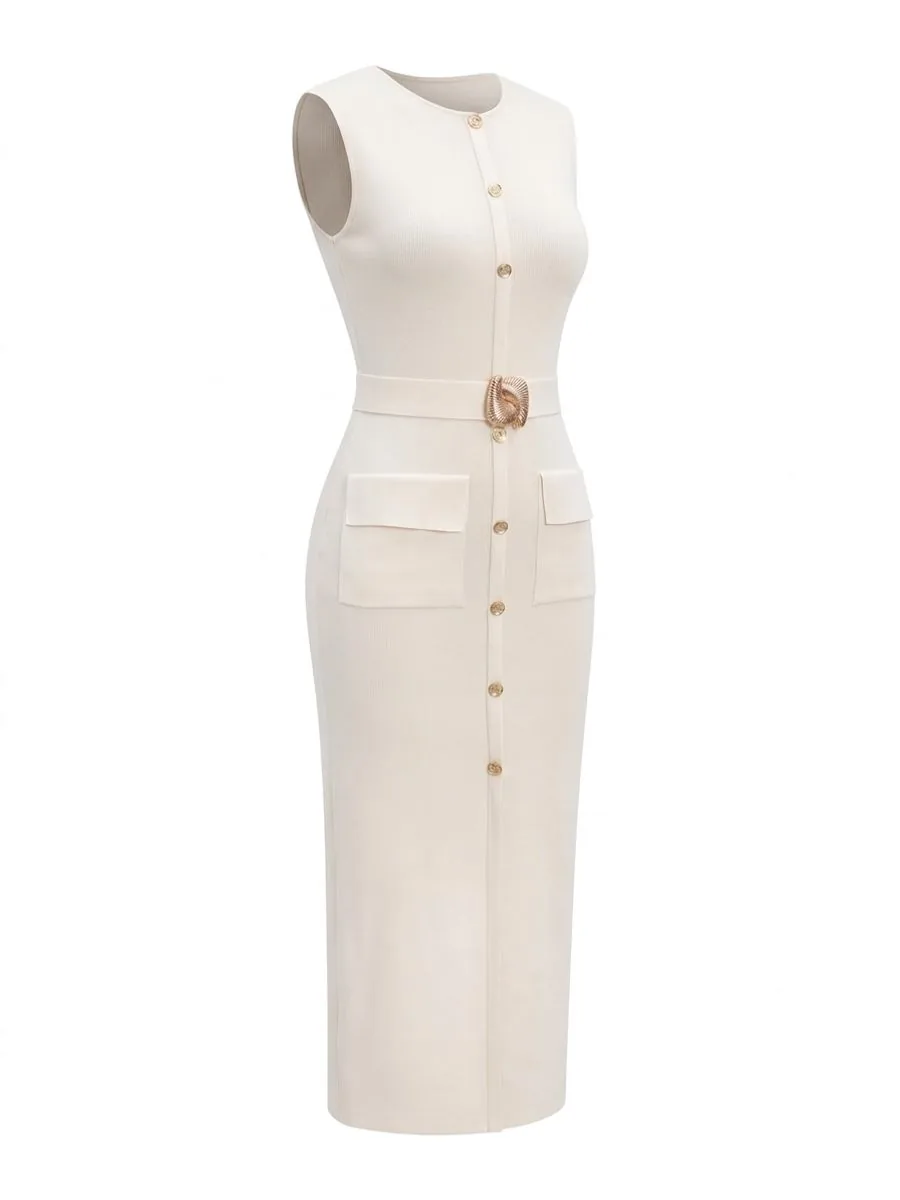 Result
Not a single word to type
Upload a garment photo, or pick one you uploaded before
Choose the garment category: Tops, Bottoms, Dresses, or let the system guess
Choose the source photo type: Flat-lay, Worn by a person, or let the system guess
Tap Garment side and choose Front, Back, or Front + back in one image
Choose the aspect ratio and the quality tier, Standard 1K or Premium 4K
Check the credit count on the button, then generate
Carry on in one tap
To Try-On or Product to Model, for a photo of someone wearing the garment
To Upscale, when you need a larger file from a Standard 1K image
To Remove Background, when you need a transparent file
A flat-lay top with shoulder ruffles spread out can be read as long sleeves if you send it straight to Try-On. Run it through Ghost Mannequin first, then carry it on: once the garment has its shape, it is clear where the shoulder is and where the sleeve is.
Pricing
1K · 4K2–4credits / image
- Standard 1K: 2 credits per image, about 1,200 pixels on the long edge
- Standard 2K: 3 credits per image, twice as large on each side, about 2,400 pixels on the long edge
- Premium 4K: 4 credits per image, four times larger on each side, about 4,800 pixels on the long edge, for print or close zoom
- Every tier uses the same AI and differs only in size. A larger image does not make small lettering on the garment any more accurate
- Front + back in one image adds nothing at any tier
- If a job fails, the credits come back automatically
Studio tips for photos ready to sell
Source photo quality matters more with this tool than with any other. A sharp photo of a well-arranged garment gives a clearly better result, so use the original file rather than one sent through a chat app
Arrange the collar, shoulders and hem so all three are visible before you shoot — they are what define the shape
Iron before you shoot. Creases are deliberately kept as they are in your photo, not smoothed away
For white or pale garments, don't shoot on white. Use grey or something darker so the edges and folds show
If the print has small lettering, crop so one garment fills the frame and run one side at a time. Front + back splits the frame between two garments, so the lettering gets roughly half the detail — and that mode only works from a photo that already shows both sides
Before you list, zoom in on the collar and the lettering, and compare the colour with the real item — it sometimes comes out slightly lighter than the real thing
Frequently asked questions
Do I need to buy a mannequin first?
No. Shoot the garment laid flat, or use a photo of someone wearing it, and the system gives it a worn shape. The result has no person and no mannequin in it, so there is nothing to pay a retoucher to remove. It costs 2 credits per image at Standard.
My top is printed front and back. Do I need two images?
No. If your photo already shows the front and the back of the same garment, choose Front + back in one image to get both sides in a single image, charged as one: 2 credits at Standard and 4 at Premium. If the print has small lettering buyers need to read, crop to one side at a time and run them separately, so the lettering keeps more detail.
All I have are photos of a model wearing it. Can those become ghost mannequin shots?
Yes. Set the source photo type to Worn by a person, and the system removes the person while keeping the shape the garment had when worn. Any part of the garment hidden by an arm or hair has to be guessed by the AI, so zoom in on those areas every time before you list.
How long does it take?
At Standard, half of real jobs on the system finish within about 24 seconds and nine in ten within 44 seconds. You can close the page while you wait; the image goes into your library.
Sign up free for 10 credits
Given once, with no card needed — enough for 5 Standard ghost mannequin images. Your first free-plan image has no watermark; the images after it do.
Sign up freeRead in depth
- Ghost mannequin: catalogue photos with nobody in them
- Ghost mannequin front and back in one photo, and when to do one side at a time
- Flat lay clothing photos that still show the shape
- White-background product photos, ready for a marketplace listing
- Only flat-lay photos? Give them the shape of a worn garment
Still stuck?
Message us, and include the email you signed up with so we can answer the right question straight away.