Studio tool
Product to Model
One product photo becomes a photo of a model wearing it. Choose the person, pose and scene from nearly 10 million combinations on the Premium plan
2
credits per image, from
326
people in the Premium library
0
words to type
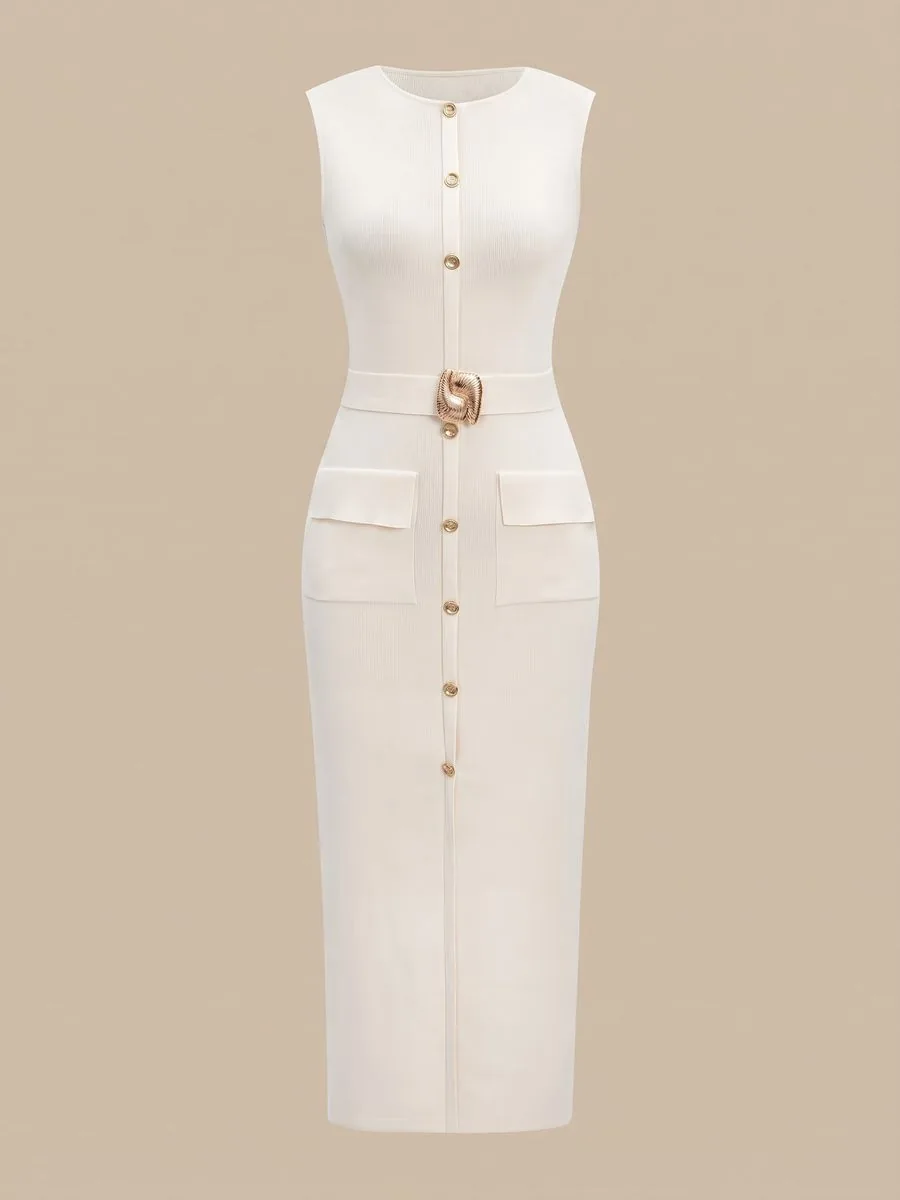
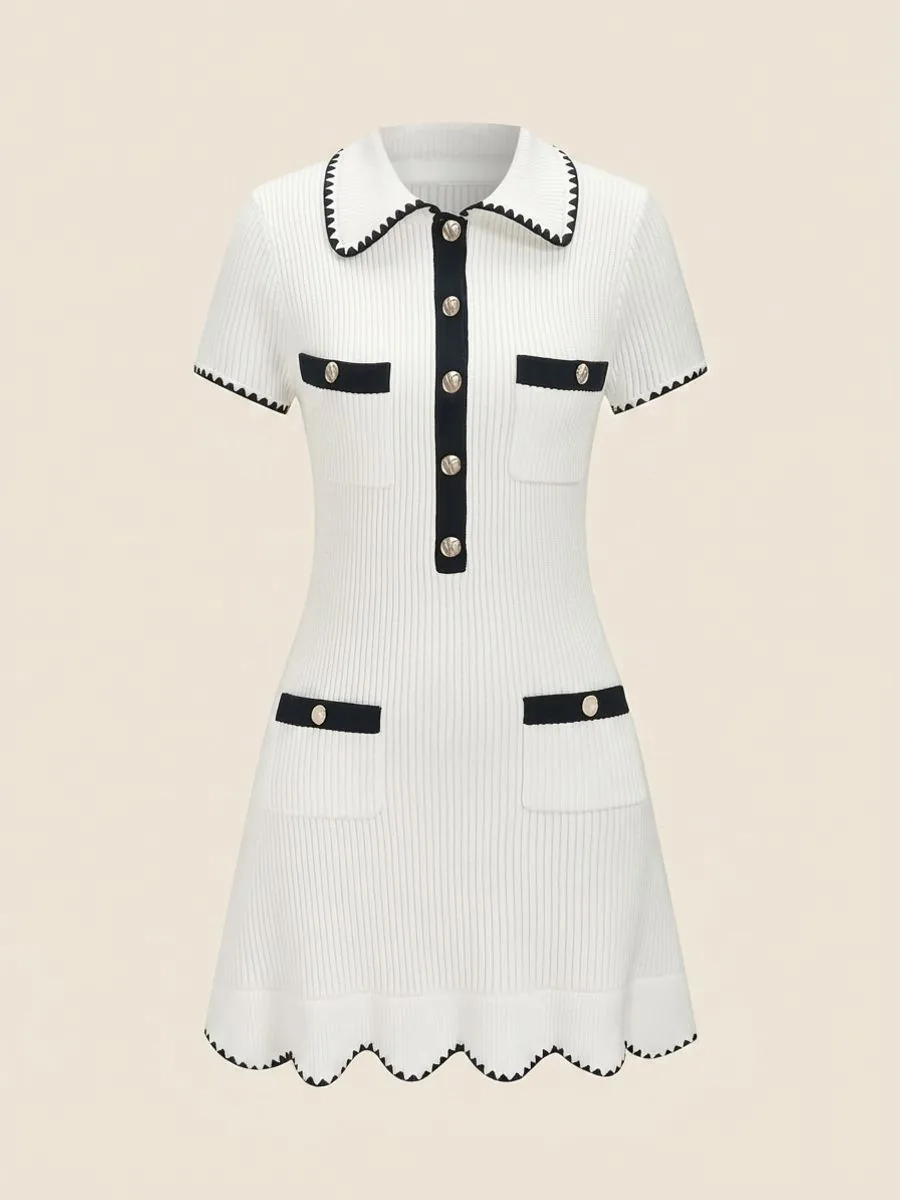 Uploaded
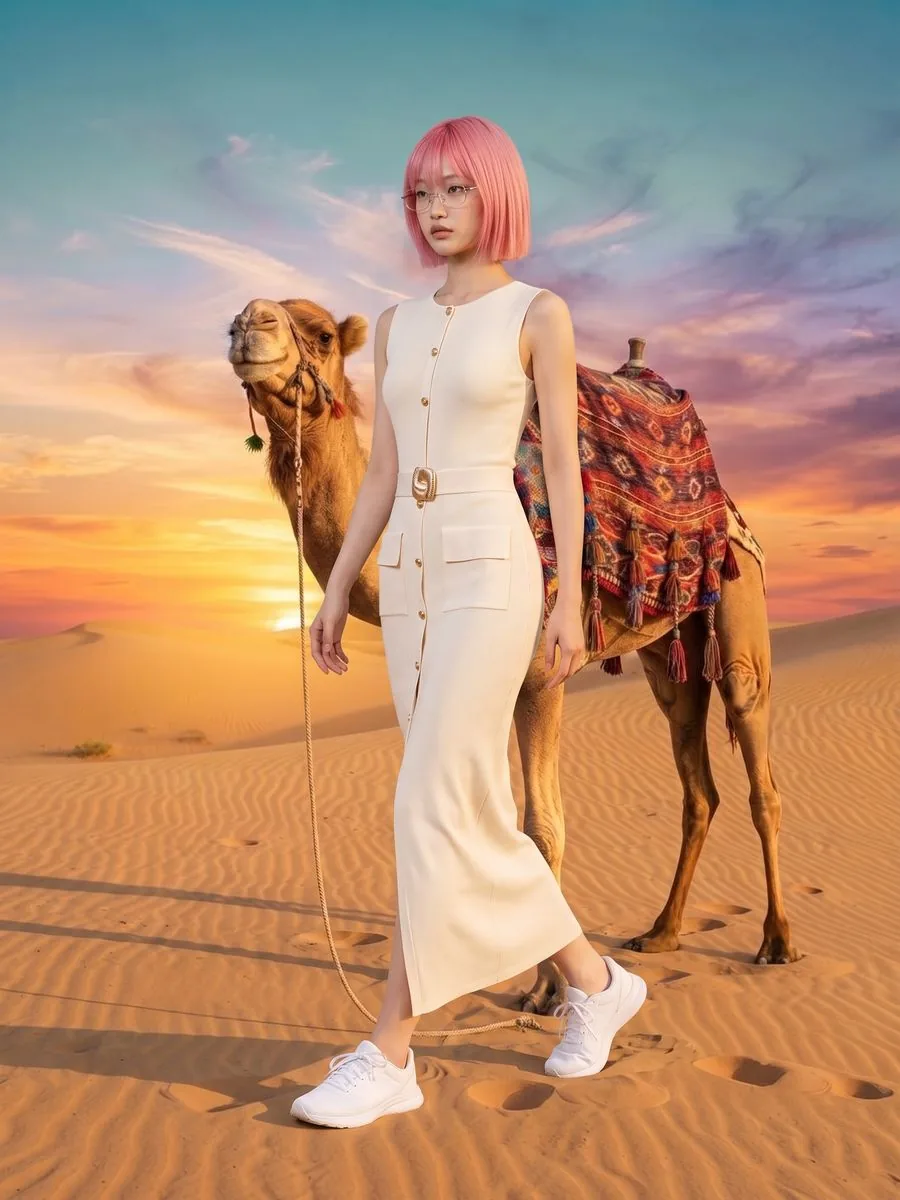
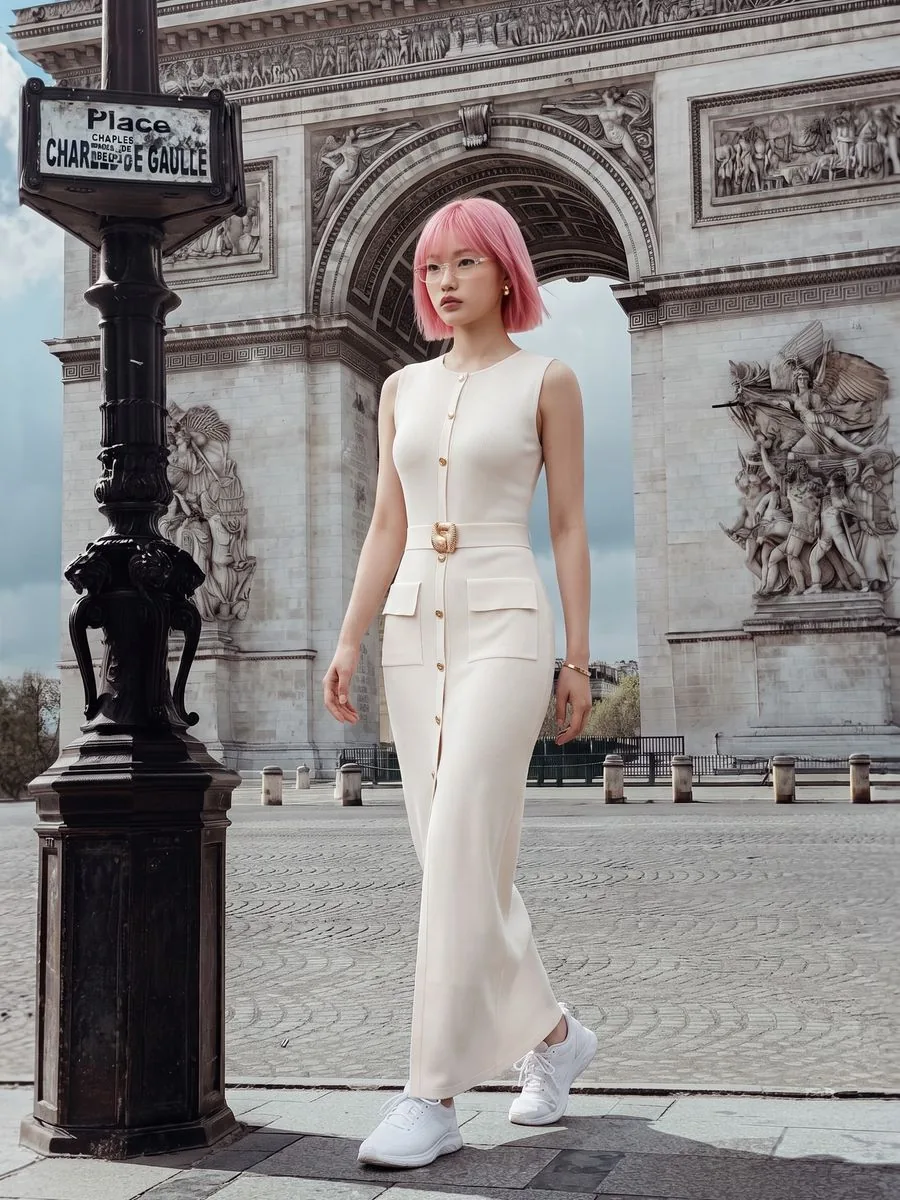
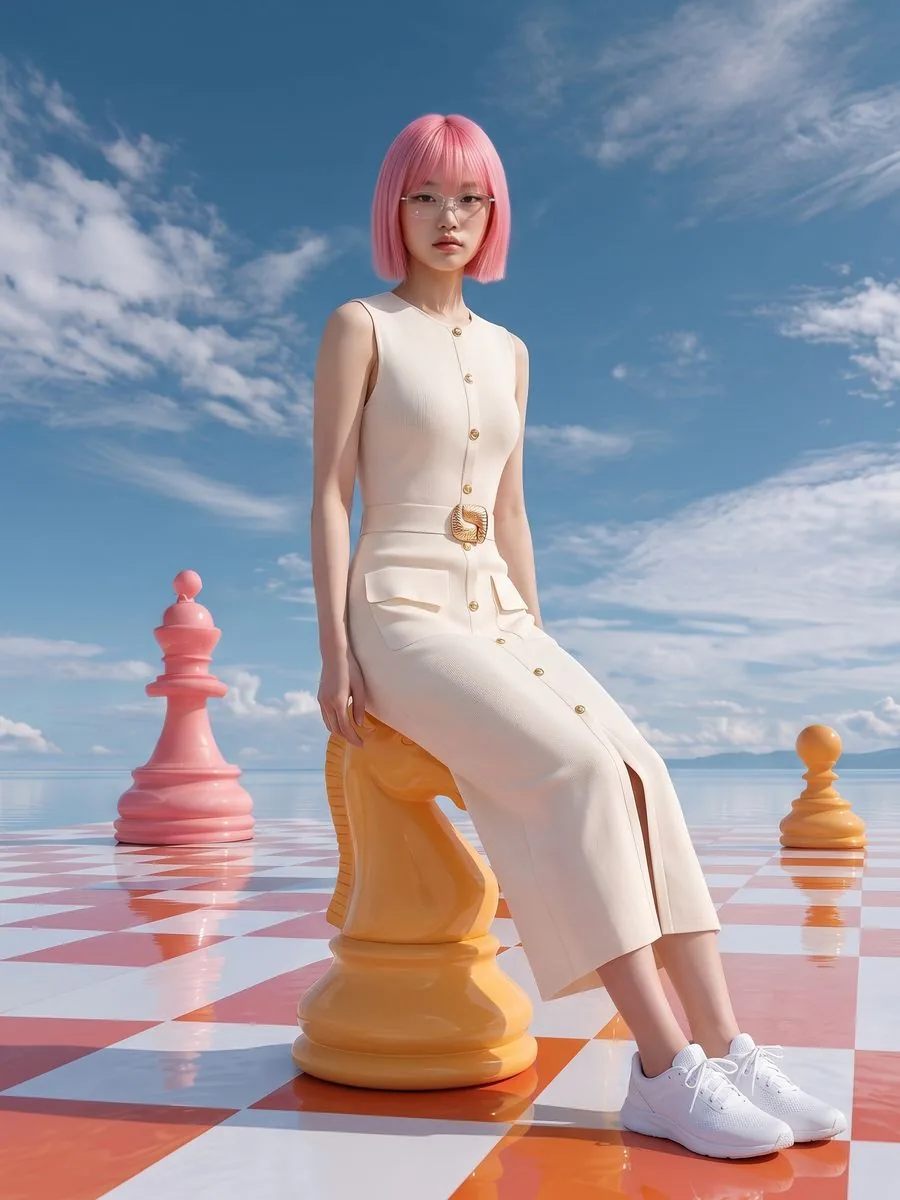
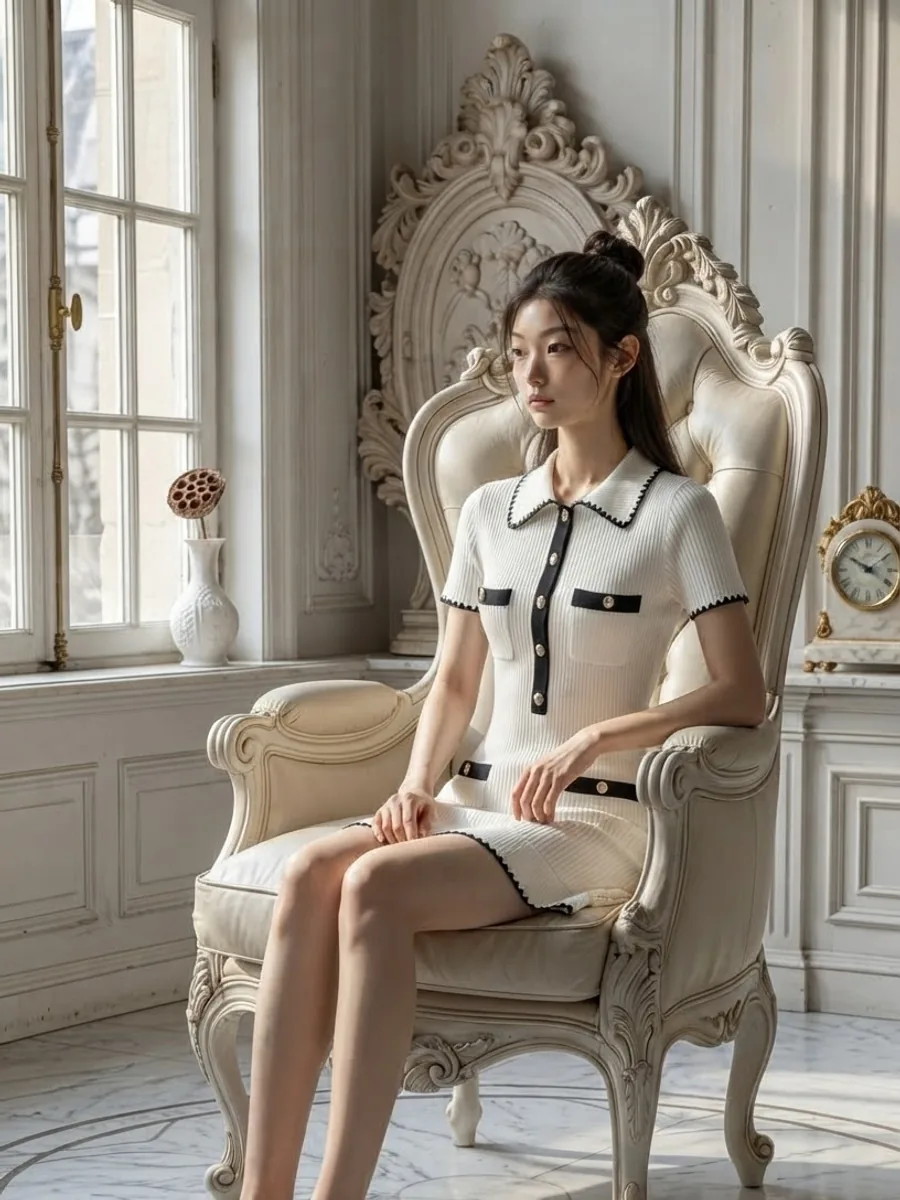 Result
A garment laid flat tells a customer its colour and its print. It can't tell them how it hangs when worn, how long it is, or whether it will suit them. A photo of someone wearing it answers all of that at a glance. The catch is that every new drop means booking a model, booking a studio and waiting days for the photos.
The person behind Plien Roob spent 10 years as a model and ran a rental photo studio, so we have seen clothing shoots from both sides of the camera. Product to Model starts from what your shop already has — a single product photo — and creates the photo of a model wearing that item, without booking anyone.
What this photo costs when you hire a shoot
฿16,500
6 products with a model, photographer, creative and studio, delivered in 4–5 days
฿1,000 from
The fashion models and clothing reviewers category, starting price
฿4.17–฿7.00
From 2 credits per image depending on your plan, ready in about half a minute
Reference prices come from pages anyone can open on Fastwork, checked on 17 September 2026 — prices from listings we found, not a market average. Our per-image price is calculated from real plan prices, from Premium yearly up to the smallest credit top-up.
Nearly 10 million combinations on the Premium plan
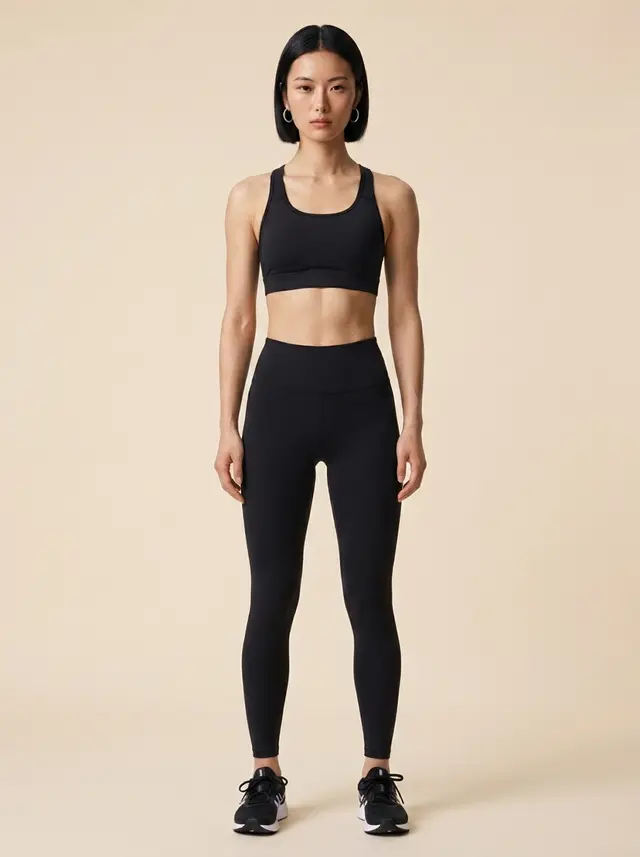
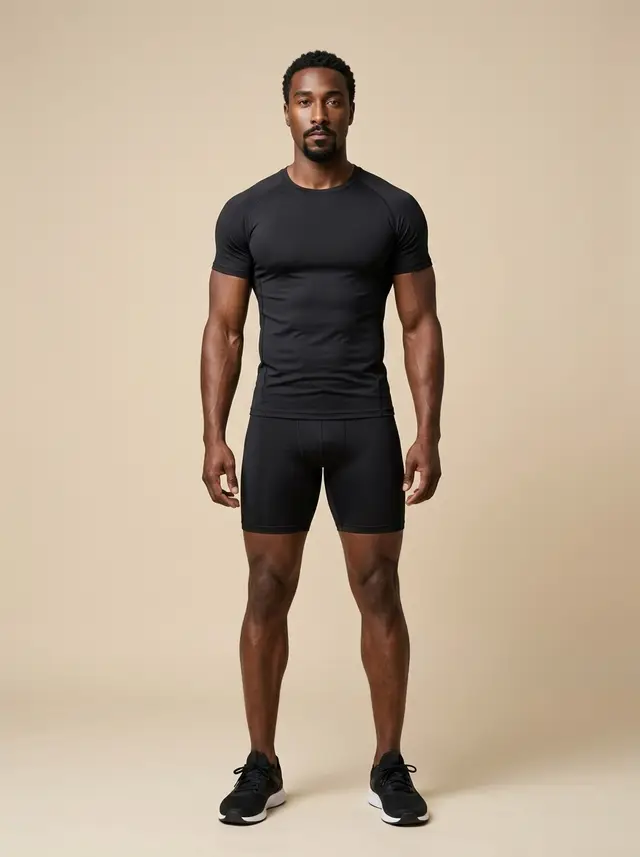
326 people in the library: female models, male models and face portraits
84 poses, including back-facing poses that show the back of the garment
360 scenes across Thailand, international, indoor, outdoor and plain backdrops
250 styling pieces in the dressing room: tops, jackets, trousers, skirts, shoes, hats, jewellery and glasses
People, poses and scenes pair up into nearly 10 million combinations in the full library of the Premium plan
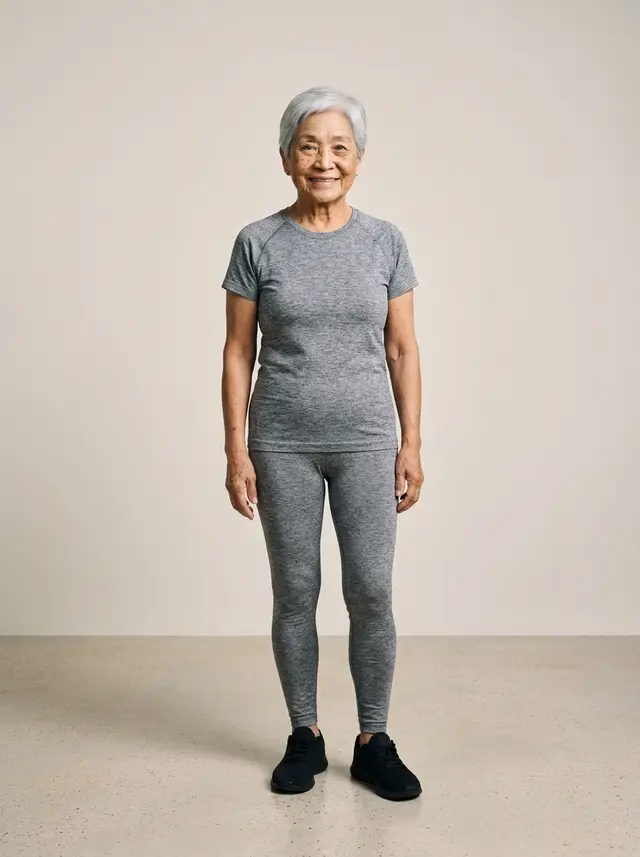
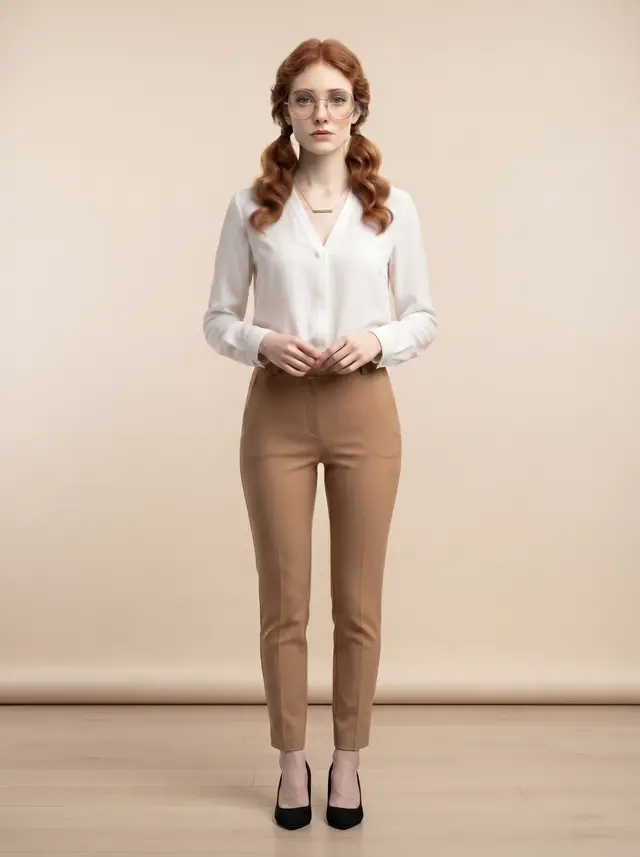
What the system tells the AI in every image
The garment's shape, length, print, numbers and lettering follow your photo — nothing redesigned or simplified
Cut-outs, open backs and laced openings stay open at the same size, never filled in with fabric
No logo or brand tag is added that isn't really there, whether on the garment or on any bag, shoe, jewellery or prop in the shot
No coloured lights or neon washing over the garment and throwing its colour off
Existing wear, fading and cracked prints stay as they are — nothing is made to look new
Not a single word to type
Upload a product photo, or pick one you uploaded before
Tap Product type — for example Clothing, Footwear or Bag
Pick a model from the library, or let the system create a person
Choose a pose, shot, scene and dressing-room pieces if you want to direct the photo yourself
Choose a quality tier: Standard 1K, Standard 2K or Premium 4K
Check the credit count on the button, then generate
Every option has a default, so you can generate without touching a thing — the system poses the model, sets the scene and dresses the rest of the outfit to suit the product. Tapping a product type also sets a suitable shot: footwear brings the model down to floor level so the face and both shoes are in frame, and earrings become a side-on close-up. You can change it any time.
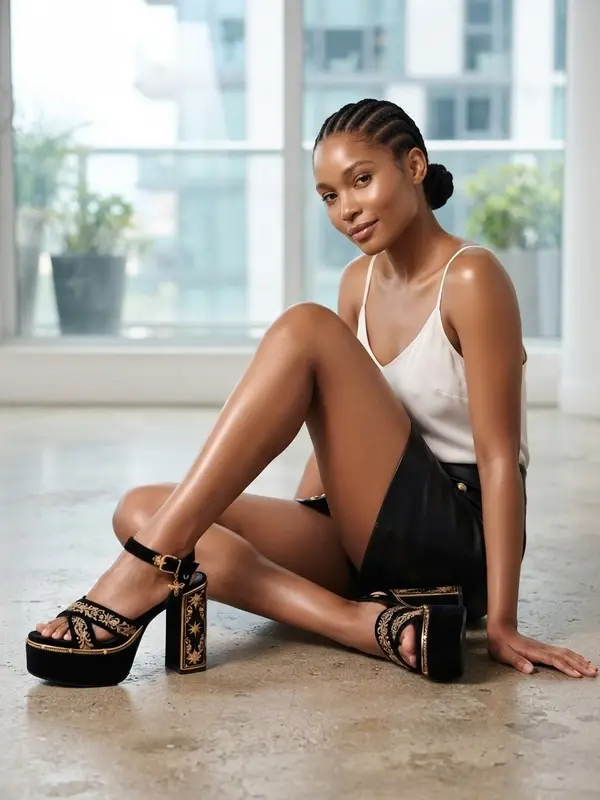
Three shots, chosen for where the photo will be used
Full body: head to toe, with the whole silhouette in view — best for the main product photo
Half body: cropped at the waist so the top half of the garment fills the frame — best for tops, collars and chest embroidery
Close-up: near enough to see the fabric, print and stitching, with the face out of frame — best for lace and fine detail
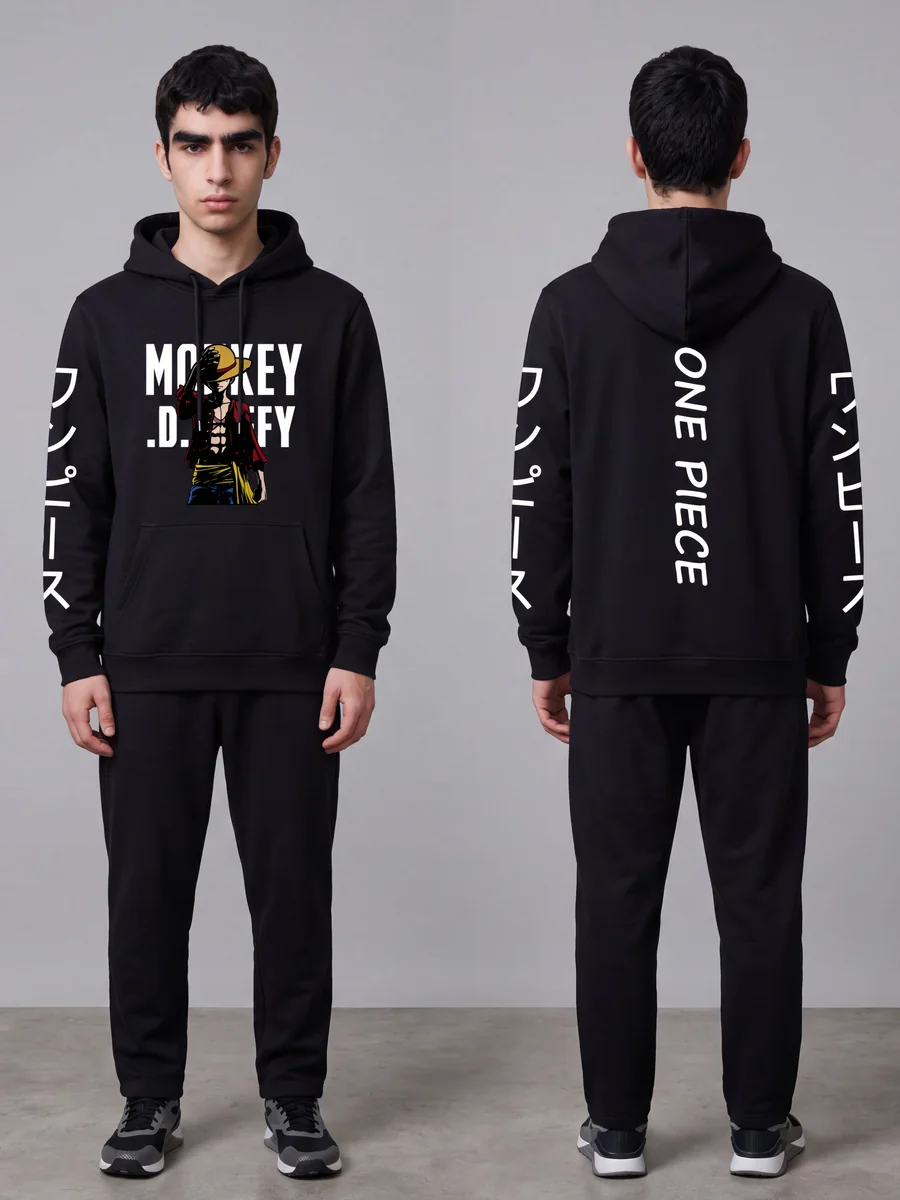
Front and back in one image, at no extra cost
For a garment printed on both sides, tap Sides shown and choose Front + back: you get the same model from the front and from behind in one image, for the price of one. The back has to be in your photos for real — in the same product photo, or uploaded separately under Garment back. If you only have the front, the AI will draw the back of the garment itself.
Need several photos? Use the Image set tab
One product photo and one press give you 7 images: 3 full body, 3 half body and 1 ghost mannequin, each in a different scene and pose, with the same model in every one. You pick the model first, from the library or from an image you made before. The whole set costs less than making the same images one by one, and the screen shows the difference before you press. This 7-image set is for clothing, because the ghost mannequin in it only works for clothing; for products that aren't clothing, such as perfume, creams or food, the same tab makes a 6-image Product Showcase set.
Take the result further in one click
Use this model
the next images keep the same face, skin, hair and build. It works across products, and the model isn't charged again
Send to Virtual Try-On
the result becomes the model photo, so you can put another garment on the same person, in the same pose and scene
Send to Upscale
for 1K images you want as a larger file, since Upscale accepts images up to 2048x2048 pixels
Send to Remove Background
a transparent PNG the same size as the original, ready to place on your shop's own colours
Pricing
1K · 2K · 4K2–5credits / image
- Standard 1K: 2 credits per image, about ฿4.17–฿7.00, around 1,024–1,376 pixels on the long side — for tees, shirts and plain-fabric skirts
- Standard 2K: 3 credits per image, about ฿6.26–฿10.50, 2,400 pixels on the long side, using the same image engine as Premium
- Premium 4K: 5 credits per image, about ฿10.43–฿17.50, 4,800–5,504 pixels on the long side — for lace, evening wear, sheer fabric and beadwork
- A model from the library adds 1 credit at 1K and 2K; Premium 4K already includes it
- More picks from the library — scene, pose and dressing-room pieces — count together: 1–2 items add 1 credit, 3–5 add 2
- Front + back in one image, and the same model from an image you made before, cost nothing extra
- An image set of 7 costs 16 credits at 1K, 22 at 2K and 34 at Premium 4K; a library model adds 1 per set at 1K and 2K
- If a job fails, the credits come back automatically
Studio tips for photos ready to sell
Use a sharp original file, at least 1280 pixels on the short side. From a small or blurred photo, the lettering on a garment gets guessed as new words — zoom in and check every word before you list
Use photos your shop took of the real item. If a photo carries another site's watermark, the AI copies the watermark into the result
Shoes, bags, hats and glasses work too — shoot them so the shape reads clearly, and tap the matching product type
If you pick a back-facing pose, the back of the product must be in your photos too, or the AI will draw the back of the garment itself
Dressing-room pieces set a style rather than giving you the exact item on the card, and they make a job more likely to fail
There is no prompt box. What controls the result is the photo you upload and what you pick from the library
Revealing garments such as sleepwear, lingerie and swimwear are often refused by the AI's filter in this tool — use Product-Sexy for them. For perfume, creams and food, use Product Showcase
The AI creates a new image every time. If one misses, generate again or change the source photo
Frequently asked questions
I only have a photo of the garment laid flat. Will that work?
Yes. Product to Model takes a single product photo — laid flat, on a hanger, on a mannequin or already worn — and uses only the product from it. The sharper the photo, the closer the shape and print stay to the real thing.
Can I use photos of my shop's own model?
Not in Product to Model — it doesn't accept photos of people that you upload. The person comes from the system library, from an image you made before via Use this model, or is created by the system. If you already have photos of your own model, use Virtual Try-On, which puts a new garment straight onto that photo.
Can I keep the same model in all my photos?
Yes. Press Use this model under an image you like, and the next images keep that face, skin, hair and build, while the pose, camera angle and scene can still change. It works across products, and the model isn't charged again. Very different camera angles can make the face look somewhat different.
How fast are the images?
On real jobs, half finish within about 18 seconds at Standard 1K, about 27 seconds at Standard 2K and about 52 seconds at Premium 4K. You can close the page while you wait; the image goes into your library.
Sign up free for 10 credits
Given once, with no card needed. Your first free-plan image has no watermark; the images after it do.
Sign up freeRead in depth
- How Product to Model works, and why there is no prompt box
- One photo showing both the front and the back of a garment
- Why the model stays the same person across every photo
- Choosing an AI model that fits your shop
- Thai lettering on a garment: why AI rewrites it, and how to stop it
- Photographing bags and shoes, and how it differs from clothing
- Photos of your product being worn, with no model and no studio
Still stuck?
Message us, and include the email you signed up with so we can answer the right question straight away.