Studio tool
Virtual Try-On
Put a new garment onto a model photo you already have. Same person, same pose, same scene — only the piece you send changes.
2
credits per image
4,096
pixels on the long side
0
words to type
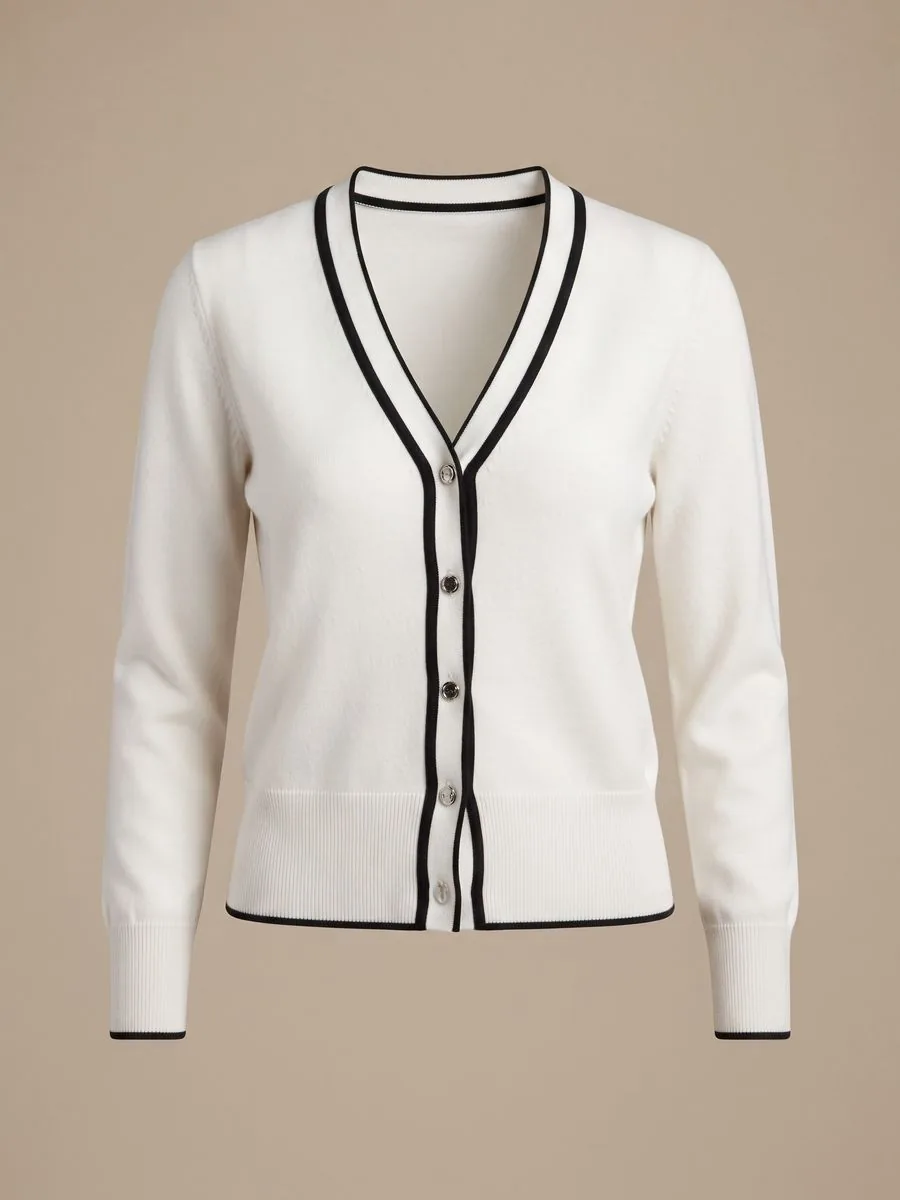 Garment
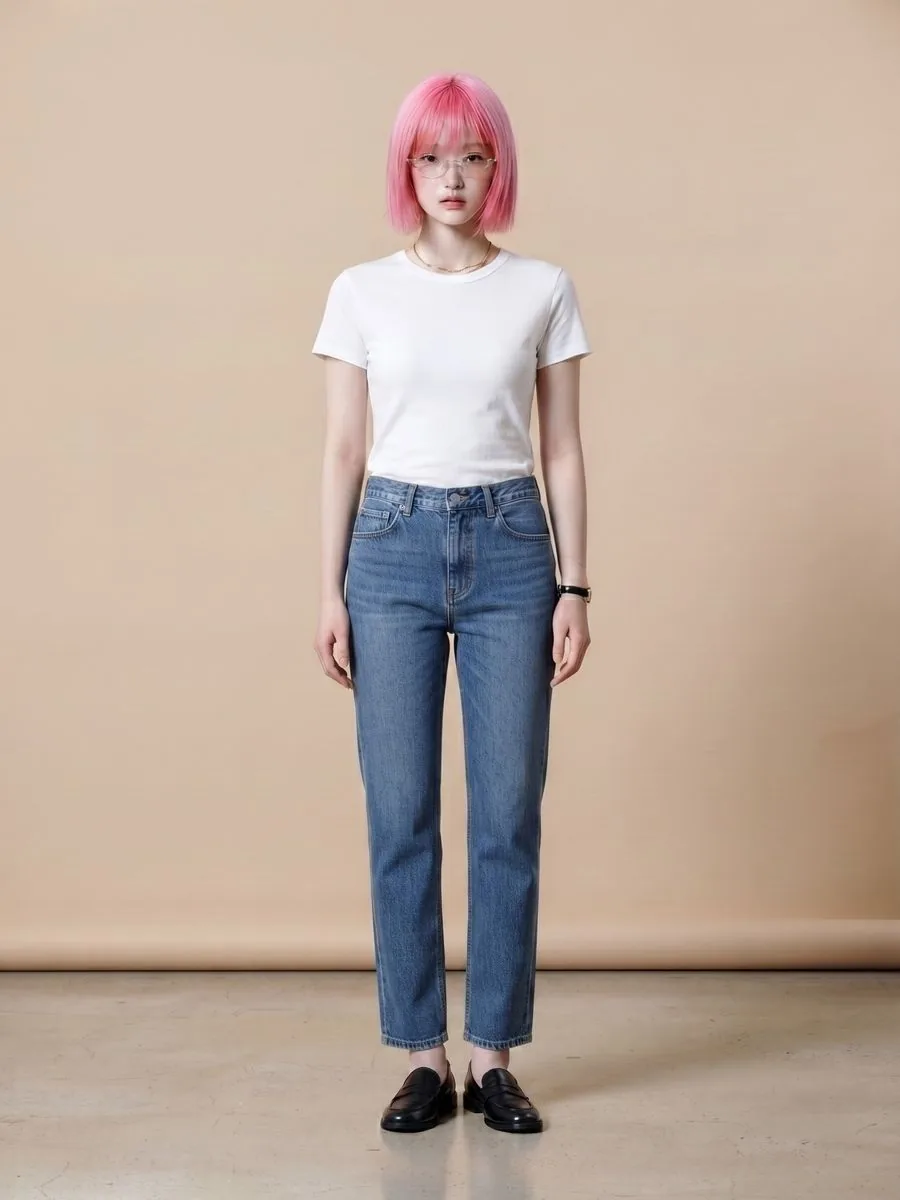 Model
Model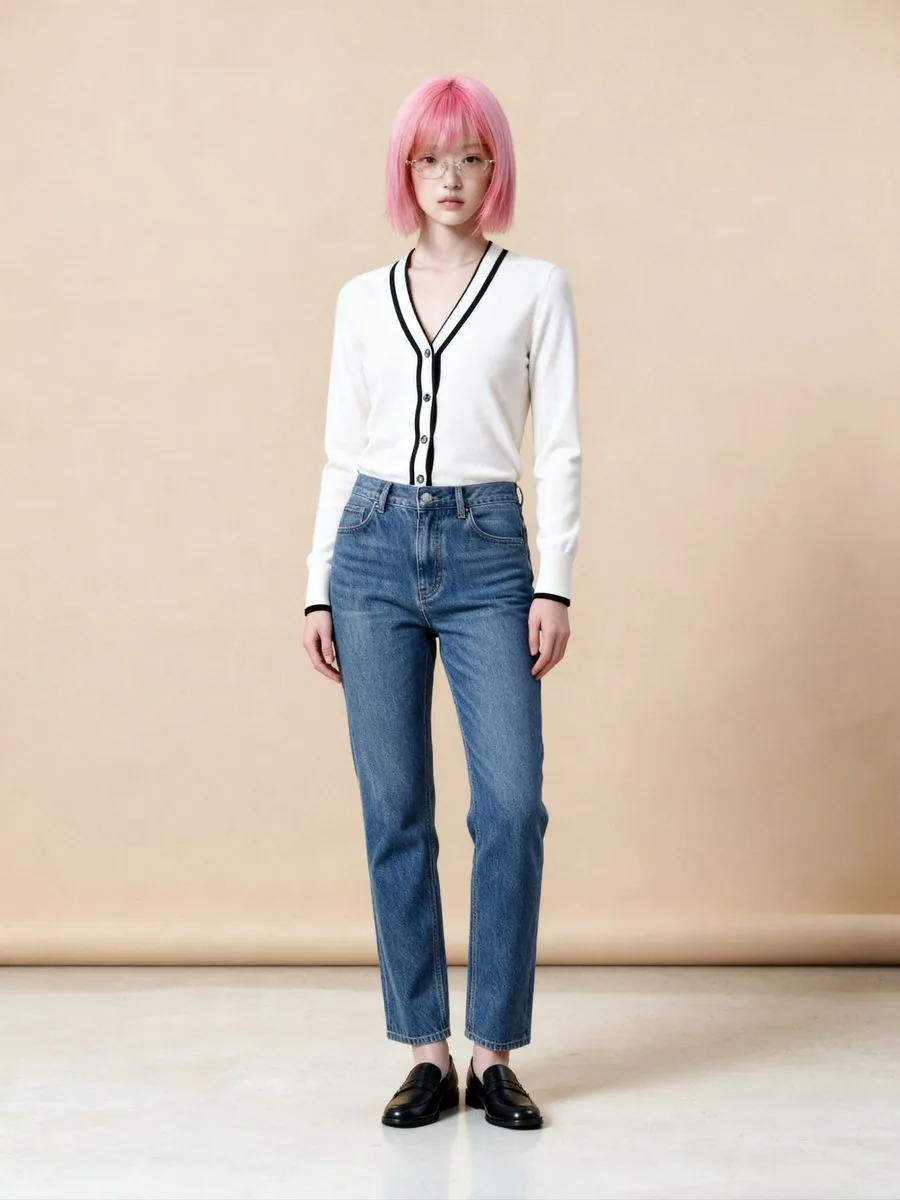 Result
A set of model photos means a shoot day: booking the model and the studio, setting up the lights, doing the make-up. When the next drop arrives, it all starts again — even though the shop was happy with the same model, the same angle and the same backdrop. The only thing that really changed is the garment.
The person behind Plien Roob spent 10 years as a model and ran a rental photo studio, so we know what one well-shot model photo is worth. Virtual Try-On keeps that photo working through every collection: upload the new garment, and get the same person in the same pose and scene, wearing it instead.
What a garment swap on a model photo costs when you hire it out
฿16,500
6 products with a model, photographer, creative and studio, delivered in 4–5 days
฿300 from
The photo editing and retouching category, starting price
฿4.17–฿7.00
2 credits per image depending on your plan, ready in about a minute
Reference prices come from pages anyone can open on Fastwork, checked on 17 September 2026 — prices from listings we found, not a market average. Our per-image price is calculated from real plan prices, from Premium yearly up to the smallest credit top-up.
Same person, same pose, same scene — only the piece you sell changes
Every run tells the AI to keep the original pose of the person in your photo
The face, the hairstyle and anything on the face, such as glasses, stay as they were
The backdrop stays the same, so a whole collection reads as one set
The file comes back at 4,096 pixels on the long side
Shoot a model once, use the photo for every collection
Already have model photos
Shops that already have their own model photos: put each new garment onto an existing photo instead of booking a shoot every time stock arrives
One look across the whole shop
Shops that want one model, one pose and one backdrop across the whole store, so the shop front reads as one set
No model yet
Shops without a model: pick a person from the library at no extra cost, or create a model with Product to Model first and send the result here
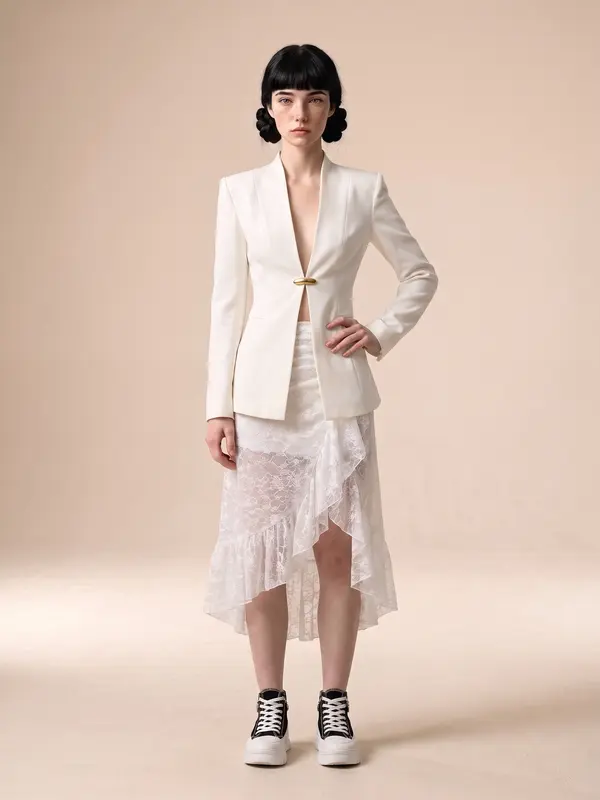
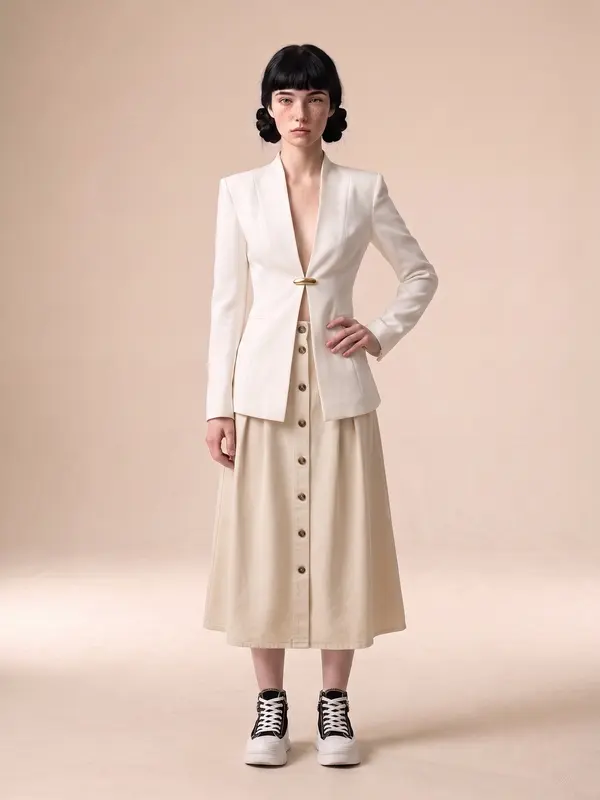
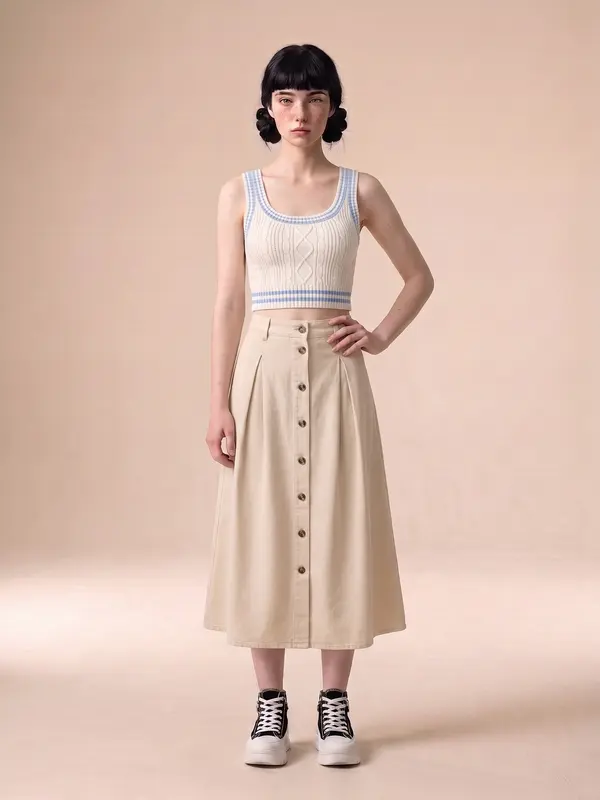
Not a single word to type
Upload the garment photo, or pick one you uploaded before
Choose the model photo: upload your shop's own, or tap Library person instead — one or the other
Choose an aspect ratio, or let the system choose
Check the credit count on the button, then generate
Virtual Try-On changes only the piece in the garment photo. Everything else the person is wearing, such as trousers and shoes, carries over into the result — so when you send a top, pick a model photo whose lower half suits it. If you want the whole look styled from scratch, use Product to Model.
What you can do with the result
Add dressing-room pieces to this photo
the person, pose, scene and your garment all stay exactly as they are, and only what you pick — such as a hat, glasses or jewellery — gets added. Available from the Basic plan
Send to Remove Background
a transparent PNG the same size as the original
No need to upscale
the result is already 4,096 pixels on the long side, larger than Upscale accepts, which is up to 2048x2048 pixels
Pricing
One quality level2credits / image
- 2 credits per image, about ฿4.17–฿7.00 depending on your plan
- One quality level, returning 4,096 pixels on the long side
- Uploading your own model photo or picking a person from the system library costs nothing extra either way
- Adding dressing-room pieces afterwards is a separate job, charged at Product to Model prices
- If a job fails, the credits come back automatically
Studio tips for photos ready to sell
A sharp model photo that shows the whole torso works better than a tightly cropped close-up
Stand straight with free hands — no folded arms, nothing held. Whatever the pose hides on the garment, the result hides too
Only the piece you send changes; everything else in the model photo carries over. A bag, scarf or necklace sitting where the new garment is drawn may disappear or change
Small hardware such as a belt buckle or fashion buttons may be redrawn in a new shape — zoom in and check before you list
There are no text instructions, so you can't choose a scene, a pose or styling pieces. If you need control over those, use Product to Model
For a model photo you upload, the person in it must be an adult, your shop must have the right to use it, and the person must consent. The system asks you to confirm before upload
The AI creates a new image every time. If one misses, generate again or change the source photo
Frequently asked questions
I already have photos of my model in an old top. Can I swap in the new one?
Yes. Upload the new top together with that model photo. The system changes only the piece you send, and the face, pose and scene stay as they were, while the trousers and shoes the model is wearing carry over. You need the consent of the person in the photo, and the system asks you to confirm it before upload.
My shop has no model at all. Can I still use it?
Yes. Tap Library person instead of uploading, at no extra cost. Or create a model photo with Product to Model first, then press Virtual Try-On under the result — that image becomes the model photo for your next garments.
Can it pick trousers, shoes or a background to go with my top?
Not in Virtual Try-On, because this tool takes no instructions — the person's existing outfit and the original scene carry over. To add a hat, glasses or jewellery, press “Add dressing-room pieces to this photo” under the result, available from the Basic plan. To have the look and scene styled from scratch, use Product to Model.
How fast are the images?
On real jobs, half finish within about 44 seconds and nine in ten within 72 seconds. You can close the page while you wait; the image goes into your library.
Sign up free for 10 credits
Given once, with no card needed. Your first free-plan image has no watermark; the images after it do.
Sign up freeRead in depth
Still stuck?
Message us, and include the email you signed up with so we can answer the right question straight away.