Selling Online
Selling with AI model photos: platform rules
Last updated 2026-09-20From Plien Roob — AI model photography for online stores

Yes, on both Shopee and TikTok Shop, with conditions. On Shopee, clause 3.3 of the Shopee AI Terms of Service (the version dated 21 February 2568 in the Thai calendar, which is 2025) says that AI-generated content not created with Shopee's own AI tools, when used on the platform — including on product listings — “must be identified as AI-generated content”, and a Shopee Video containing AI content must have the AI-generated Inform option switched on. On TikTok Shop Thailand, the seller is responsible for AI images in a listing matching the real product, and the content policy requires creators to label content as AI-generated. The point both platforms share: an image must not make the product look different from what the buyer will actually receive.
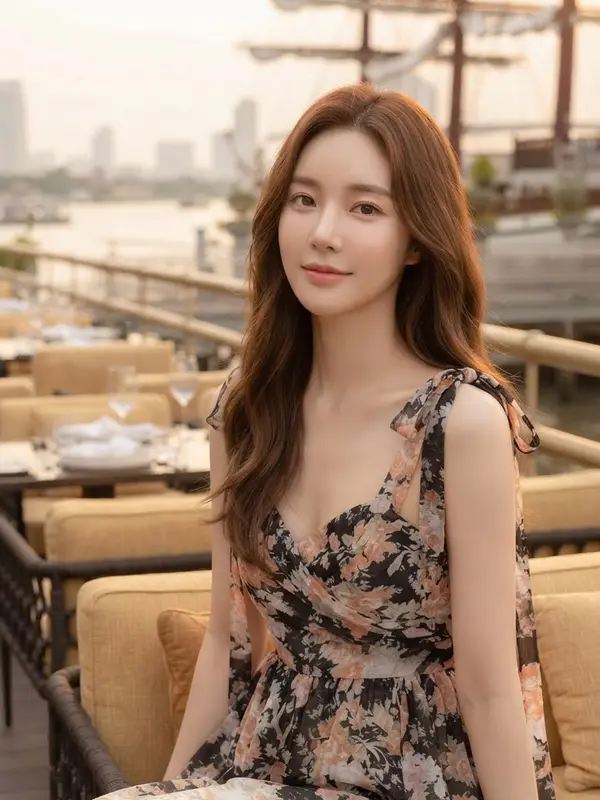
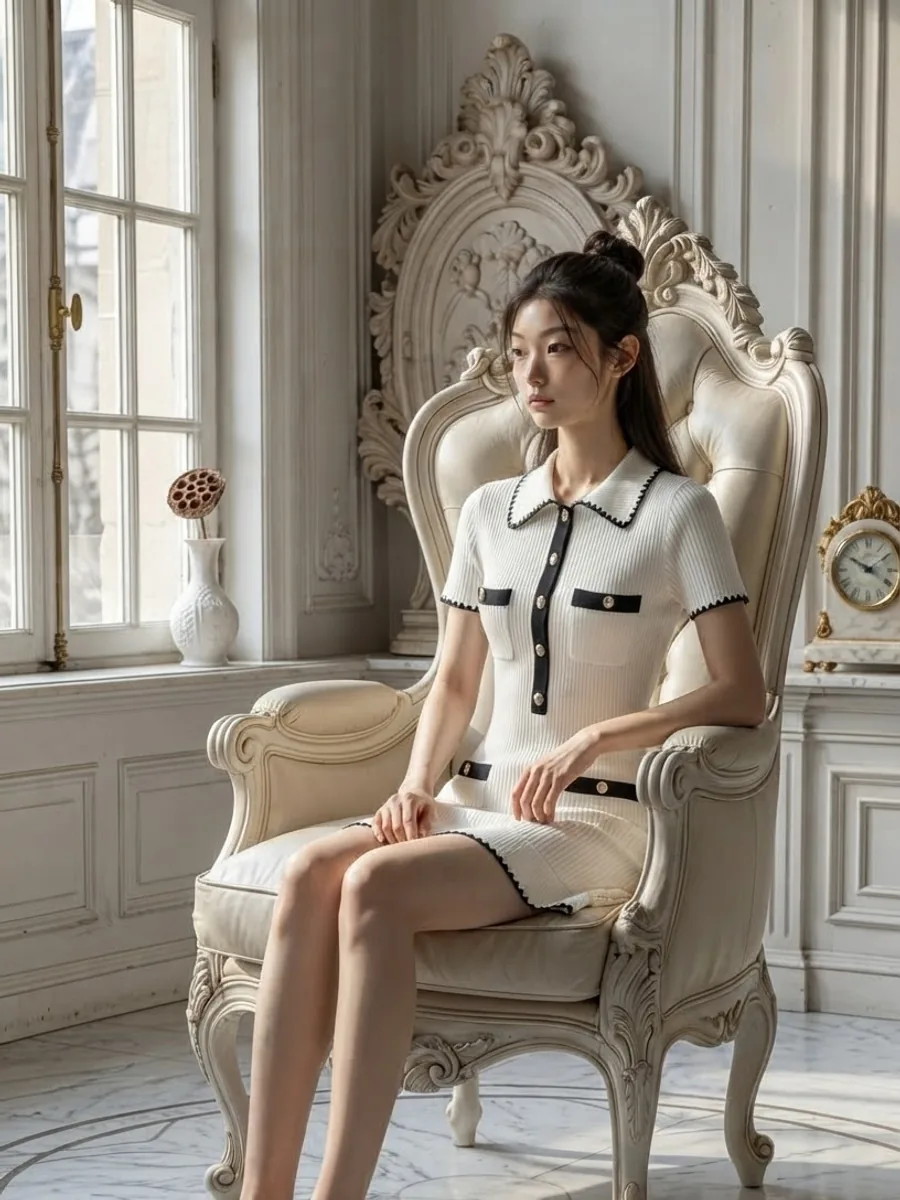
This page summarises the official Shopee and TikTok Shop Thailand pages we read on 20 September 2026. Shopee's pages are in Thai, so quotes from them are our translation; TikTok Shop's pages also have an official English version, which we quote as published. We are not lawyers, and this is not legal advice. Platform rules can change at any time; the name and date of every page are listed under Where to check the current rules, near the end. The photo at the top of this page is an AI-generated model image made with our system.
What Shopee says
Shopee's rule on AI images sits in the Shopee AI Terms of Service, in the Shopee Help Centre. The terms say they apply when you use Shopee's AI tools, or when you use or create AI-generated content on the Shopee platform. The clause that matters most for a shop making images with an outside tool is 3.3.
Clause 3.3 covers AI-generated content that was not created with Shopee's own AI tools, when it is used on the platform. The terms give examples, including product listings, Shopee Live and other videos. A model photo made with an outside website or app falls under it.
Such content “must be identified as AI-generated content”.
You warrant that you hold all the rights needed in that content, and clause 3.1.5 asks the same of any content or file you upload to the platform.
Shopee's quality listing criteria page in the Seller Education Hub, dated 23 September 2025, has two cover-image rules that need special care with AI images. First, the image “must not be edited so that the product looks different from reality”. Second, the cover must have no watermark, logo or text covering the product.
Shopee Video has guidelines of its own. Shopee's page on AI guidelines for Shopee Video (แนวทางปฏิบัติการใช้ AI บน Shopee Video), in the Seller Education Hub and dated 7 May 2026, says that if a video contains AI-generated content you must switch on the “ระบุว่าเป็นเนื้อหาที่สร้างโดย AI” (AI-generated Inform) option, after which an AI label appears on the video. Realistic AI images of people under 18 are not allowed, nor are other people's logos, portraits or likenesses without permission, and videos that break these rules can be removed or lose access to Shopee Video, temporarily or permanently. The same page says using AI-generated content affects ranking and campaign eligibility on Shopee Live and Shopee Video.
What TikTok Shop Thailand says
TikTok Shop has a page on exactly this, titled False Display of Information and AIGC Guidelines, in TikTok Shop Academy. It is dated 16 September 2026 and marked as applying to Thailand. Its key passage reads: “AI-generated content (AIGC) can help you create product images more efficiently when setting up your product listing. However, you are responsible for ensuring that the final listing accurately represents the actual product customers will receive.” It then sets three requirements.
Show accurate product information. The page gives examples of what must be right, such as SKU, materials, quantity, features, functions, results, certifications and delivery condition.
Do not alter or exaggerate: avoid using AI-generated images to create unrealistic or misleading pictures or results.
Check the listing before publishing: make sure every AI-generated image matches the real product and the information in your listing.
The page says that if a violation is found, “you may have enforcement actions taken against your account”, and it attaches a guide called [TH] AIGC Playbook.
A second page, the TikTok Shop Content Policy, dated 16 March 2026, says users may use AI-generated content — images, video or audio — on TikTok Shop if they follow the TikTok Community Guidelines and that policy. Creators must label such content as AI-generated, and the platform does not allow any content, AI-generated or not, intended to mislead, deceive or impersonate someone else. On the same page, promoting a product that does not match the real one is listed as one kind of misleading content. The same page prohibits content featuring minors under 18 promoting or representing products unless an adult is present, and TikTok Shop's Product Listing Guidelines say the content guidelines also apply to listing images and videos where relevant. The pages we read do not say whether AI-generated people count under that rule.
Where to say that an image is AI
The Shopee AI Terms of Service say AI content must be identified, but not where in a listing or in what words. Where Shopee does spell it out is video: switch on the “ระบุว่าเป็นเนื้อหาที่สร้างโดย AI” (AI-generated Inform) option, as described above. TikTok Shop's content policy says creators must label AI content as set out in the TikTok Community Guidelines, but the pages we read do not explain how to do that for listing images. The listing suggestions below are therefore ours, not a platform rule.
Write it in the product description, as one short sentence people understand at once — for example: The model photos in this listing were made with AI. That wording is our example, not wording either platform prescribes.
Do not stamp a label on the cover image. Shopee's cover rules exclude watermarks, logos or text covering the product, and TikTok Shop's listing guidelines say the product must not be obscured in any image. If you want it on an image too, put it on one that is not the cover, in a corner that does not touch the product.
On Shopee Video, switch on the “ระบุว่าเป็นเนื้อหาที่สร้างโดย AI” (AI-generated Inform) option when you post — that one is Shopee's own guideline, not our suggestion. Clause 3.3 also covers Shopee Live, so tell viewers during the stream. On TikTok, label the content as AI-generated as the content policy requires; if the app offers a setting for that label, use it.
If a buyer asks in chat whether a photo is real, say plainly that the model photo was made with AI, and send a photo of the real product alongside.
What an AI image that doesn't match the product looks like
An AI model photo is not your product cut out and pasted in. The AI draws a new image from the photo you give it, and wherever the source is unclear or missing, it guesses. The differences those guesses create are exactly what TikTok Shop tells you to check before publishing, and what Shopee's cover rules do not allow. Before you list, zoom the image to full screen and compare it with the real item, point by point.
Lettering on the product: read it letter by letter. Small lines tend to go wrong first, and sometimes the AI writes a new, correctly spelled word that looks perfectly plausible.
Colour: compare it with the real item in daylight. When a model is placed in a scene, the scene's light can fall on the fabric, and some images come out lighter or darker than the real thing, so the buyer gets a different shade.
Neck labels, logos or lettering that appear in the image but are not on the real item.
Parts the source photo doesn't show, or that aren't there, such as the back of a garment, a zip or a collar: the AI fills these in itself. One result from our own system opened the front zip and folded out a lapel, when the jacket in the uploaded photo was zipped to the neck.
Small hardware such as a belt buckle or decorative buttons can be redrawn in a new shape.
Items in the picture that you are not selling, such as trousers, shoes or a bag the AI added to complete the outfit. If you don't say so, buyers may assume they are included, and TikTok Shop names quantity among the information that must be accurate.
Another site's watermark or logo on the source photo: we have seen first-hand that the AI copies it into the result.
The corners: zoom into all four and check for a small mark or lettering you didn't add. If there is one, don't use that image as the cover, since Shopee's cover rules exclude watermarks and logos.
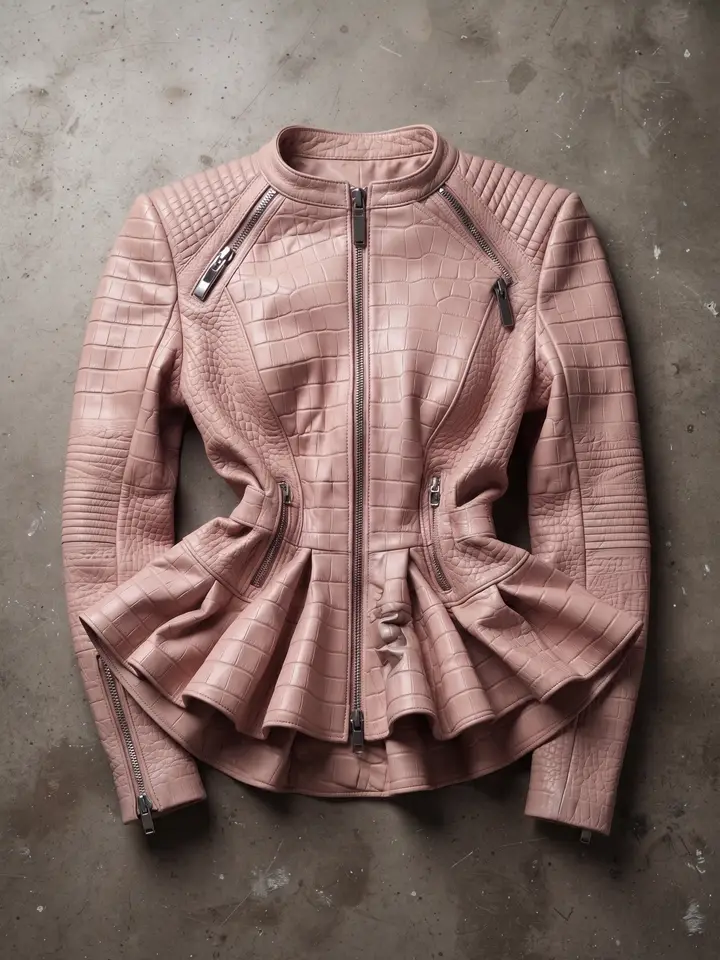
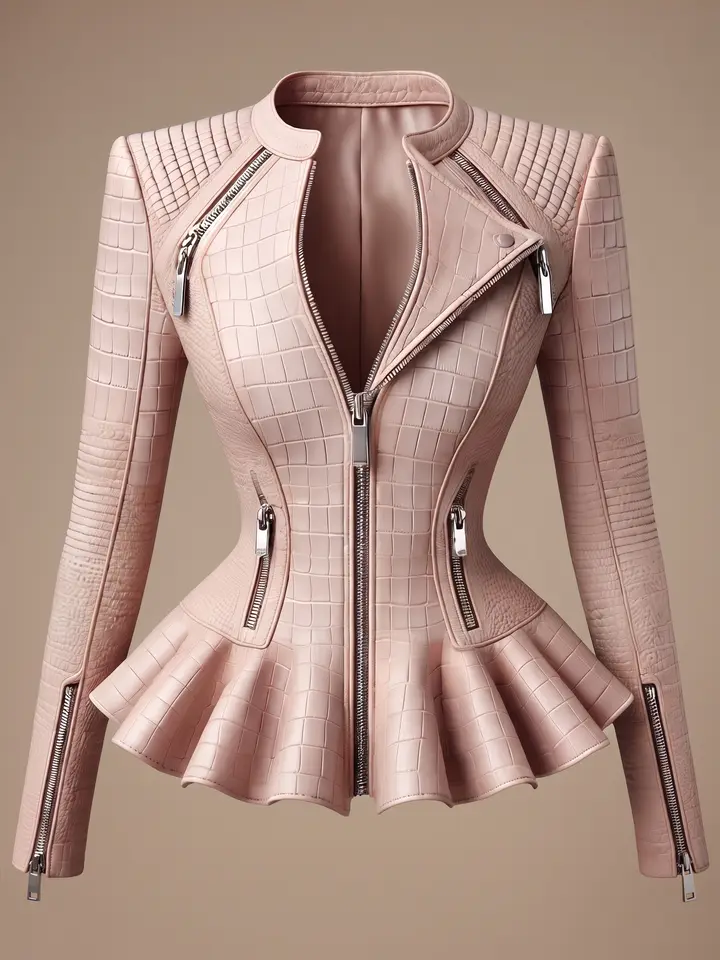
AI draws a new image every time. The same source photo, generated twice, never comes out exactly the same: one image can be right and the next can drift. Check every image you are going to list, not just the first one.
Use AI images alongside real photos, not instead of them
TikTok Shop's Product Listing Guidelines, dated 16 March 2026, ask for a main image with a solid background — white is recommended — where the product should fill at least 60% of the frame, the whole product is visible, and the front of the product being sold is shown. Shopee's cover rules ask for the product to take up more than half of the image and recommend placing it in the centre and using a white background. A model photographed against a location backdrop therefore does not meet TikTok Shop's solid-background rule for the main image, or Shopee's white-background recommendation for the cover.
The route we recommend is to use a real photo of the product on a plain background as the main image, and put the AI model photos after it so buyers can see how it looks on. The real photo also lets buyers check that the model photo matches what they will receive.
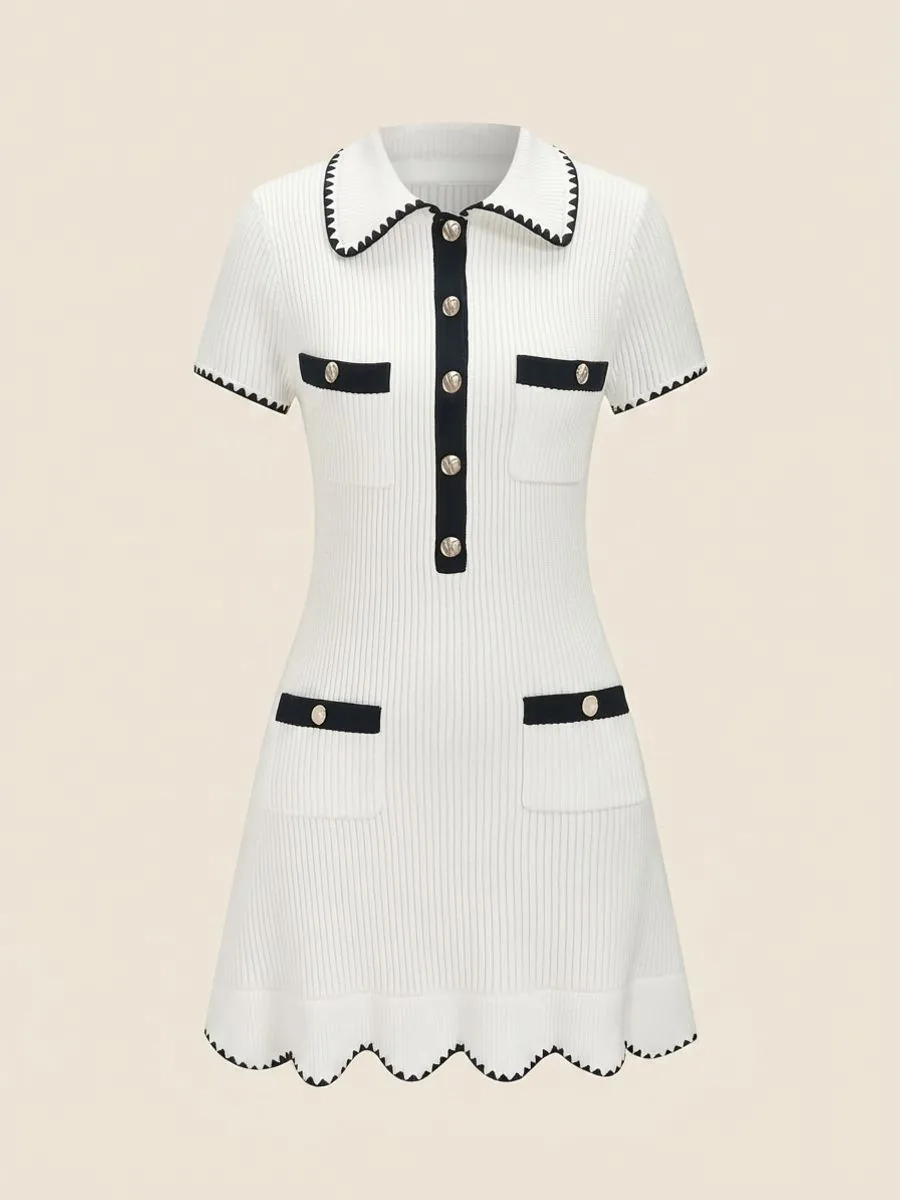
If you sell secondhand, real photos showing the condition and any flaws must always stay in the listing, because small flaws may not come out in an image the AI generates.
Rights in the source photo
Shopee's clauses 3.1.5 and 3.3 ask you to warrant that you hold the rights in the content and files you put on the platform. Running someone else's photo through AI does not make it yours. Supplier and brand photos usually belong to the photographer or the brand. The same goes for a real person's photo used for a clothes swap: section 3.8 of TikTok Shop's Product Listing Guidelines does not allow people's images to be used commercially without their express permission, and Shopee Video's guidelines prohibit using other people's portraits or likenesses without permission. Each tool's terms also say different things about commercial use, so read the terms of the one you use before you sell with its images.
Where to check the current rules
Shopee: the Shopee AI Terms of Service (ข้อกำหนดการใช้บริการ Shopee AI) in the Shopee Help Centre, version dated 21 February 2568, which is 2025.
Shopee: the quality listing criteria page (เกณฑ์การลงขายสินค้าที่มีคุณภาพบน Shopee) in the Seller Education Hub, dated 23 September 2025 (shown on the page as 23-09-2025).
Shopee: AI guidelines for Shopee Video (แนวทางปฏิบัติการใช้ AI บน Shopee Video) in the Seller Education Hub, dated 7 May 2026 (shown on the page as 07-05-2026).
TikTok Shop: False Display of Information and AIGC Guidelines (การแสดงข้อมูลเท็จและการใช้ AI ในรายการสินค้า) in TikTok Shop Academy, dated 16 September 2026 (shown on the Thai page as 16/09/2569).
TikTok Shop: TikTok Shop Content Policy (นโยบายเนื้อหาของ TikTok Shop), dated 16 March 2026 (shown on the Thai page as 16/03/2569).
TikTok Shop: TikTok Shop Product Listing Guidelines (แนวทางการลงรายการสินค้า TikTok Shop), dated 16 March 2026 (shown on the Thai page as 16/03/2569).
We read every page on 20 September 2026. Search for these titles on each platform's own site.
This page covers Shopee and TikTok Shop only; if you also sell elsewhere, check that marketplace's seller help centre.
If you make images with us: what the system does, and what is left to you
In the tools where our system writes the instructions to the AI itself, such as Product to Model and Ghost Mannequin, those instructions tell it to keep the product's print, lettering and colour as in your photo, and not to add labels, logos or lettering the source doesn't have. The AI still draws a new image every time, so every check above applies to our images too, and in Product to Model, when you choose a scene, its light can shift the fabric colour slightly on purpose, so the photo looks as if it was taken there. One more thing to know: the information our system writes into the image file is only our brand name, the tool name, the quality level and reference codes, with no text saying it was made with AI, so declaring that under Shopee's and TikTok Shop's rules is up to you.
Frequently asked questions
Do I have to tell buyers that a product photo was made with AI?
On Shopee, yes. Clause 3.3 of the Shopee AI Terms of Service, version dated 21 February 2568 (2025), says AI-generated content not created with Shopee's own AI tools, when used on the platform — including on product listings — must be identified as AI-generated content, and a Shopee Video containing AI content must have the AI-generated Inform option switched on. On TikTok Shop, the TikTok Shop Content Policy, dated 16 March 2026, requires creators to label content as AI-generated, and the False Display of Information and AIGC Guidelines page, dated 16 September 2026, holds the seller responsible for AI images matching the real product. This summarises the platform pages Plien Roob read on 20 September 2026 and is not legal advice.
Will TikTok remove products or videos that use AI images?
The official TikTok Shop Thailand pages we read do not ban AI images. The TikTok Shop Content Policy, dated 16 March 2026, says AI-generated content may be used if the guidelines are followed, but it does not allow content intended to mislead, deceive or impersonate someone else. The False Display of Information and AIGC Guidelines page, dated 16 September 2026, says that if a violation is found, you may have enforcement actions taken against your account. These pages do not say how violations are detected, or which kinds of AI image get removed, so we cannot say whether any particular image will be. What you control is making the image match the real product and labelling AI content as the policy requires. This comes from pages we read on 20 September 2026 and is not legal advice.
Is it against Shopee's rules to post AI model photos?
In the pages we read, Shopee does not ban AI images in listings, but it sets conditions. Clause 3.3 of the Shopee AI Terms of Service, version dated 21 February 2568 (2025), requires AI-generated content from outside tools, including on product listings, to be identified as AI-generated, and asks you to warrant that you hold the rights needed in it. Shopee's quality listing criteria page, dated 23 September 2025, does not allow a cover image edited so the product looks different from reality, or a watermark, logo or text covering the product on the cover. If you use the same images in a Shopee Video, separate guidelines apply: the AI-generated Inform option must be switched on, and realistic AI images of people under 18 are not allowed. This comes from pages we read on 20 September 2026 and is not legal advice.
Can I use an AI model to sell clothes?
Yes. In the official pages we read, neither Shopee nor TikTok Shop bans AI-generated images in listings, but the rules set three conditions. First, on Shopee the image must be identified as AI-generated, under clause 3.3 of the Shopee AI Terms of Service. Second, the image must match the real garment — print, colour, lettering and detail — which both platforms require. Third, you must hold the rights in the images and files you use, under Shopee's clauses 3.1.5 and 3.3. Two more points are our recommendation, not rules: use a real product photo as the main image with the model photo as a supporting image, and read your tool's terms to check that commercial use is allowed. For video, choose a model who clearly looks adult: Shopee Video's guidelines do not allow realistic AI images of people under 18, and TikTok Shop's content policy does not allow minors to present products without an adult present. This comes from pages we read on 20 September 2026 and is not legal advice.
Where should I say that a photo is AI-generated?
The Shopee AI Terms of Service say it must be identified, but not where in a listing or in what words. What we recommend, which is not a platform rule, is one short sentence in the product description, for example: The model photos in this listing were made with AI. Do not stamp a label on the cover image, because Shopee's cover rules do not allow a watermark, logo or text covering the product. For a Shopee Video, Shopee's guidelines require the AI-generated Inform option to be switched on when you post; in a live stream, tell viewers. On TikTok, label the content as AI-generated, as the TikTok Shop Content Policy requires. This comes from pages we read on 20 September 2026 and is not legal advice.

Plien Roob