Selling Online
Swimwear photos without hiring a bikini model abroad: why general AI tools fail and what works
Last updated 2026-10-23From Plien Roob — AI model photography for online stores
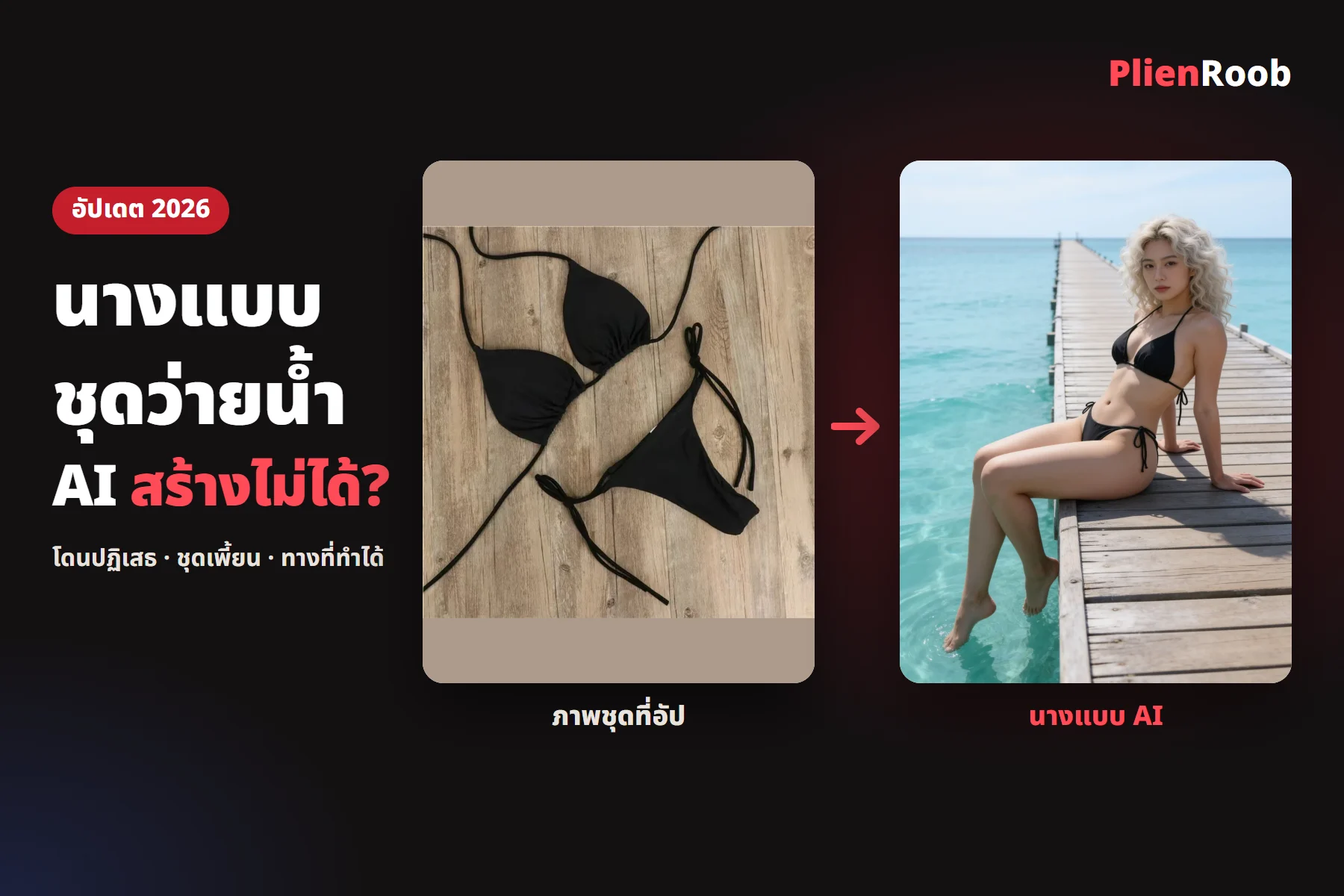

You can photograph swimwear for sale without hiring a bikini model abroad, but general AI tools often can't make an AI model in your swimwear for three reasons: filters refuse the image, the garment doesn't match the real one, and the face changes in every image. What works is uploading a photo of the garment with nobody in it and picking the model from buttons in Plien Roob, at 3 credits an image.
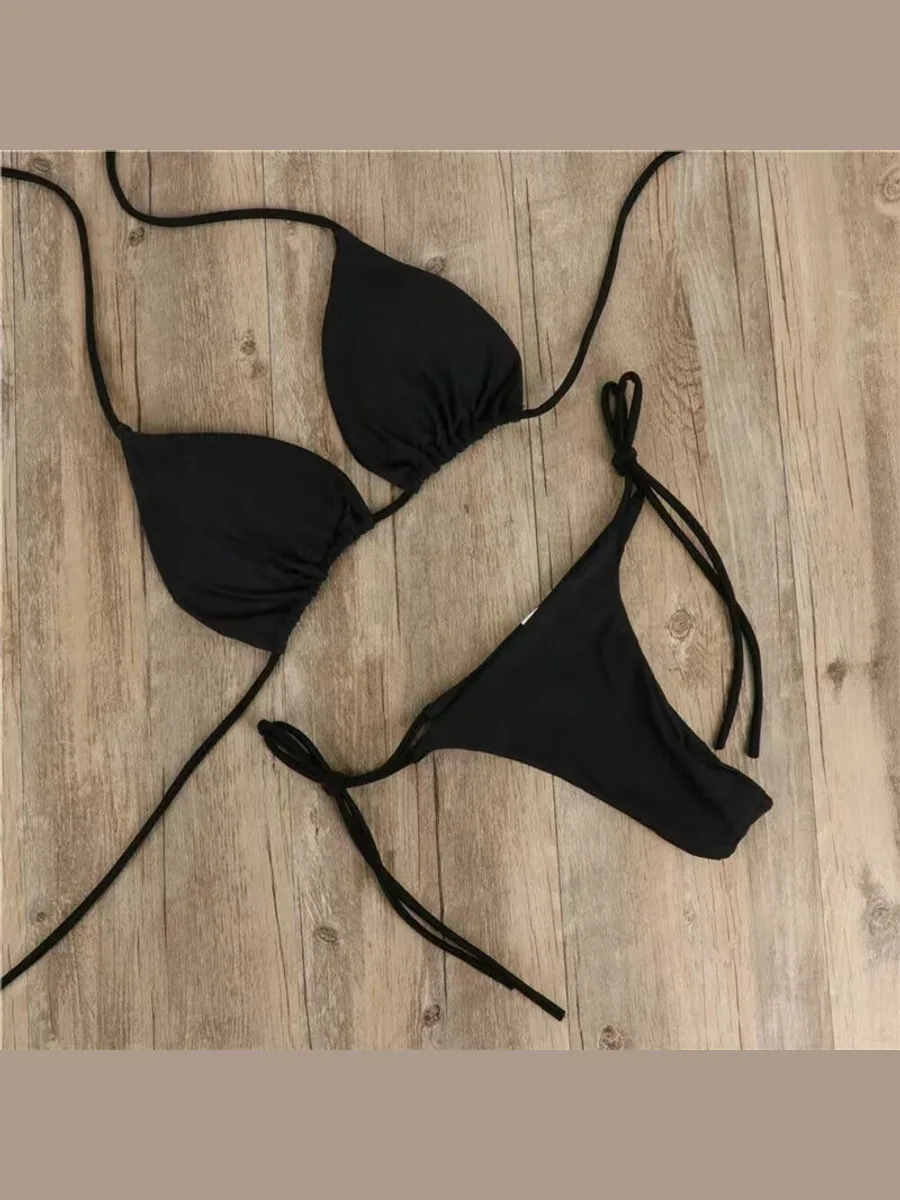 Garment photo
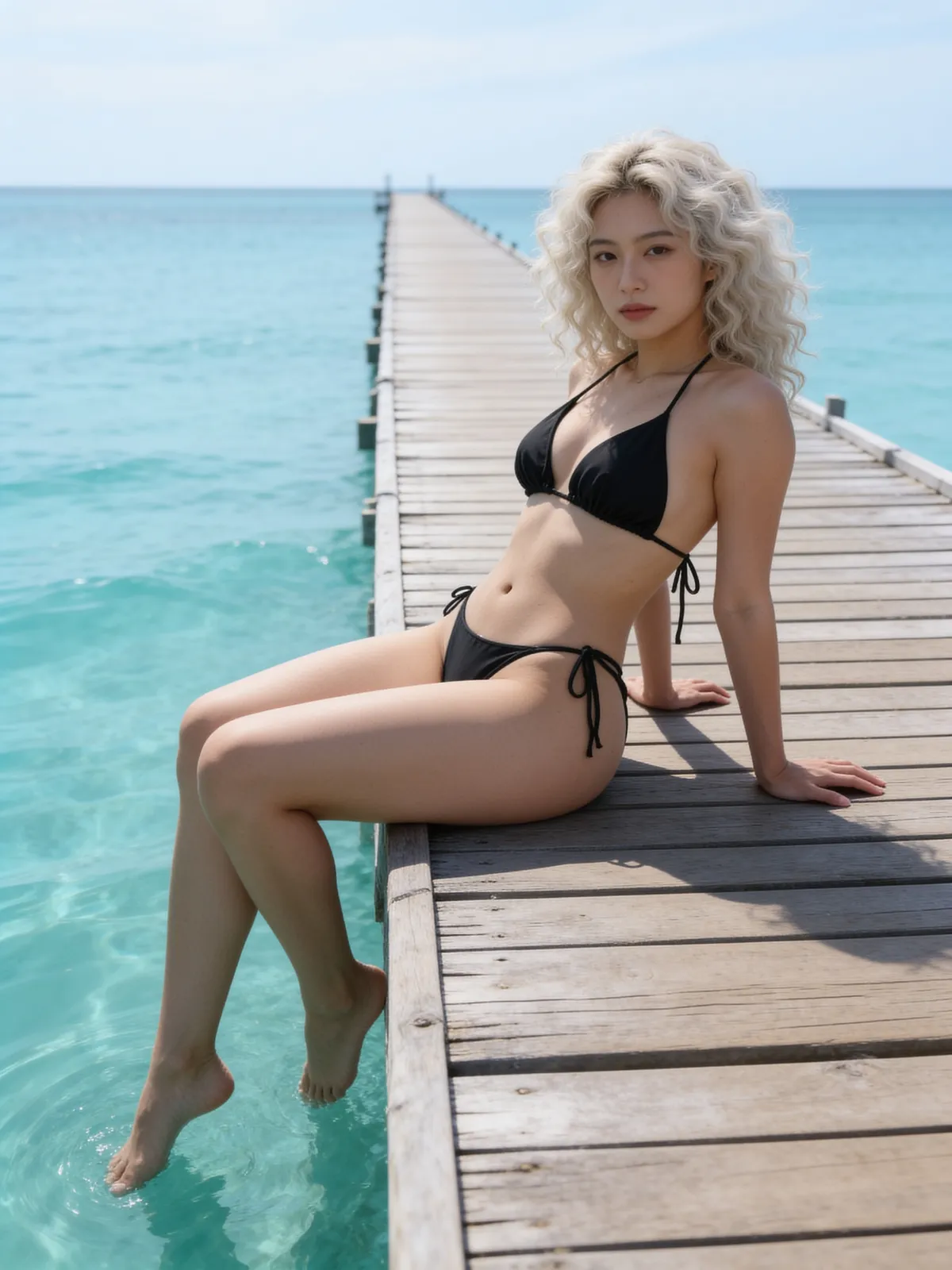 Real result
Where a two-piece swimwear model from a general AI tool breaks
Shops that try to make an AI model in swimwear with a general image app usually hit these three symptoms.
Refused · AI providers screen images with a person and bare skin more strictly than ordinary clothing photos, and sheer garments get caught most often
Garment doesn't match · the AI adds bows, straps or parts the product doesn't have, or drops parts it does
The face changes every image · a different person each time, so the shop doesn't look like one brand
These numbers come from Plien Roob's internal test in September 2026, a small sample that shows direction only. When a photo of a model was sent to one AI provider to be restyled, the bikini passed the filter 5 times out of 5 but the sheer garment passed only 1 time out of 5, and a bikini that passed in one round had side bows the real garment doesn't have.
In this page, general AI means image apps that apply one filter setting for everyone. It doesn't mean every provider fails on every garment: results change with the garment, the photo and the day the provider changes its rules.
Shooting swimwear yourself, hiring a bikini model abroad, or using AI: how they differ
Cost
- Shoot it yourself with someone you know
- No model fee, but you need someone willing
- Hire a model, including a bikini model abroad
- You pay the model and photographer as agreed
- An AI model in Plien Roob
- 3 credits an image
Garment matches
- Shoot it yourself with someone you know
- Yes, you shoot the real thing
- Hire a model, including a bikini model abroad
- Yes, you shoot the real thing
- An AI model in Plien Roob
- You check every image; the AI can distort small parts
Image rights
- Shoot it yourself with someone you know
- Agree it with the person yourself
- Hire a model, including a bikini model abroad
- Agree image rights with the model and photographer
- An AI model in Plien Roob
- No real person's photo is used; the person is built from buttons
Same face every time
- Shoot it yourself with someone you know
- Yes if the same person shoots each time
- Hire a model, including a bikini model abroad
- Yes if you hire the same person each time
- An AI model in Plien Roob
- Not the same person; the face changes every image
| Shoot it yourself with someone you know | Hire a model, including a bikini model abroad | An AI model in Plien Roob | |
|---|---|---|---|
| Cost | No model fee, but you need someone willing | You pay the model and photographer as agreed | 3 credits an image |
| Garment matches | Yes, you shoot the real thing | Yes, you shoot the real thing | You check every image; the AI can distort small parts |
| Image rights | Agree it with the person yourself | Agree image rights with the model and photographer | No real person's photo is used; the person is built from buttons |
| Same face every time | Yes if the same person shoots each time | Yes if you hire the same person each time | Not the same person; the face changes every image |
7 things you can do in Plien Roob
What you can make on this site. Each card is that tool's cover image; tap it to read how the tool works.






How to get an AI model in swimwear
Don't have the AI edit a photo of a person. Use a photo of the garment alone as the source, and build the model from words the system writes for you from the buttons you pick. In the same test, when the model was described in words instead of sent as a photo, the sheer garment passed all 4 times out of 4 and the bikini passed all 4 times out of 4.
In the studio, open the Product-Sexy tool and pick or upload a photo of the garment with nobody in the frame
Tap the garment-type button, choose the kind of garment, then choose a female or male model
Tap the model button and choose the age range, ethnicity, skin tone, hairstyle, hair colour and body shape
Pick a scene and a pose, check the 3-credit price on the button, then tap generate
For men's swimwear pick the men's swim shorts type, and for women's pick the swimwear type. You get a portrait 3:4 image in 4K, and if an image fails or doesn't pass the check before delivery, the credits are returned automatically.
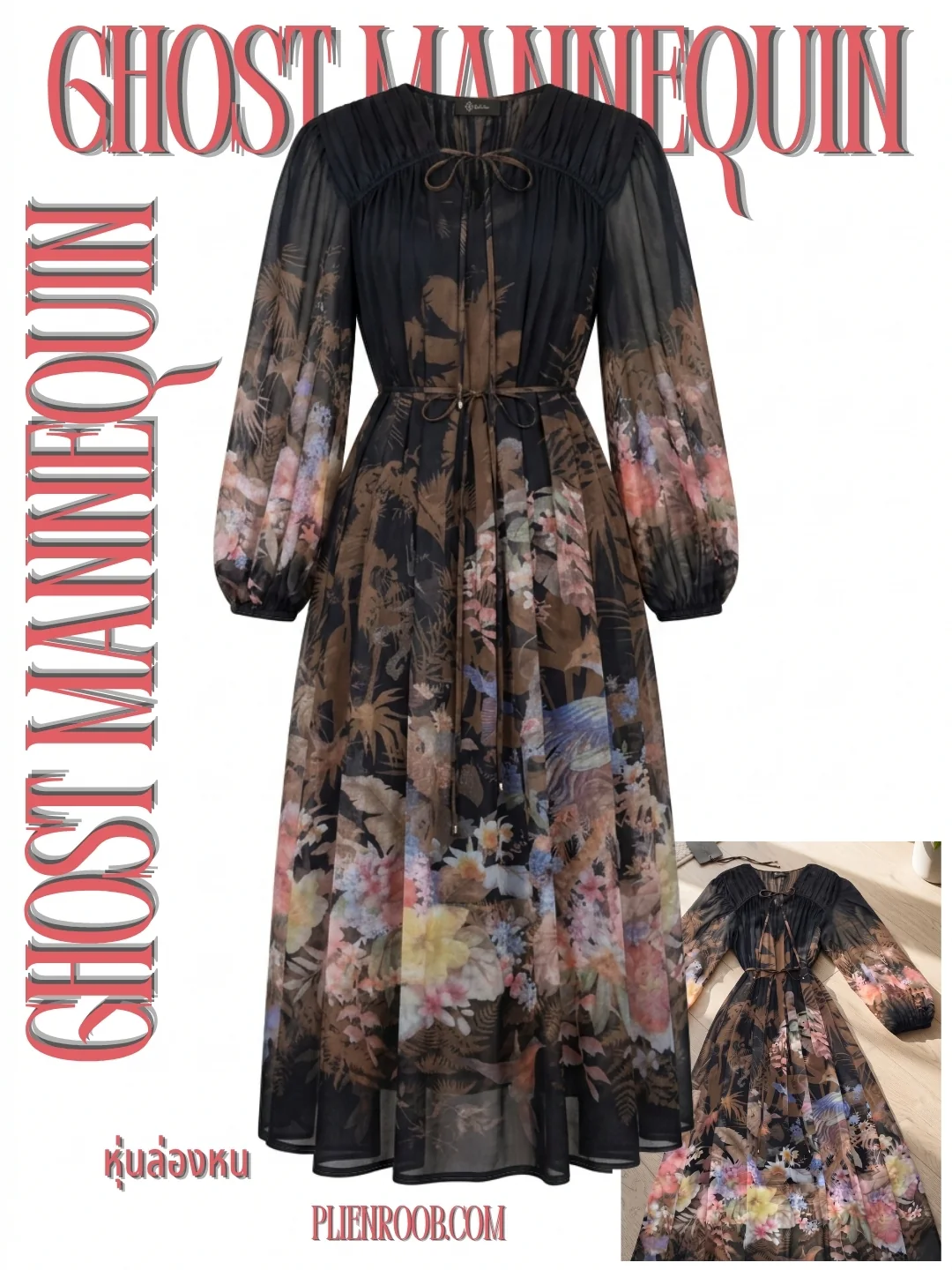
One swimsuit, front and back
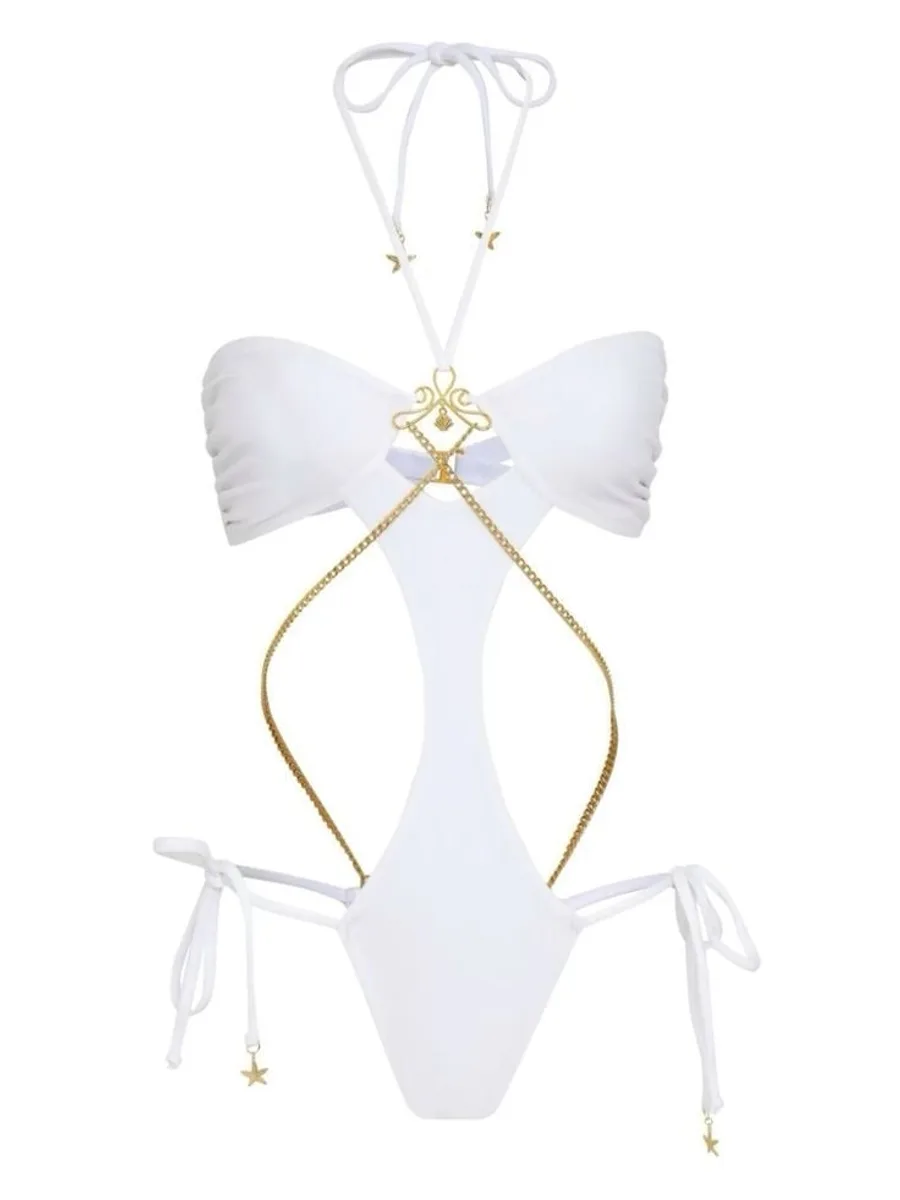 Garment photo
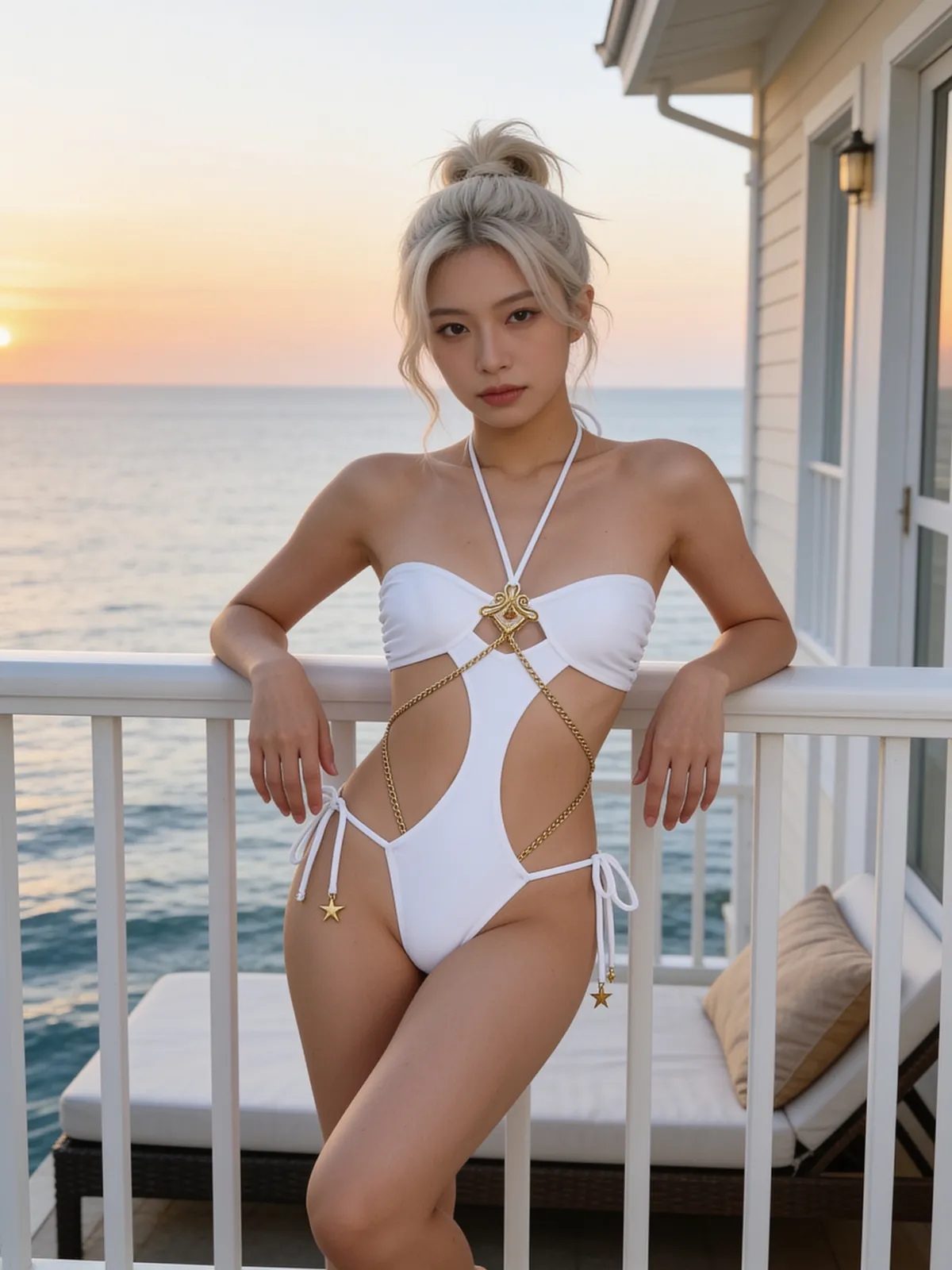 Front
Front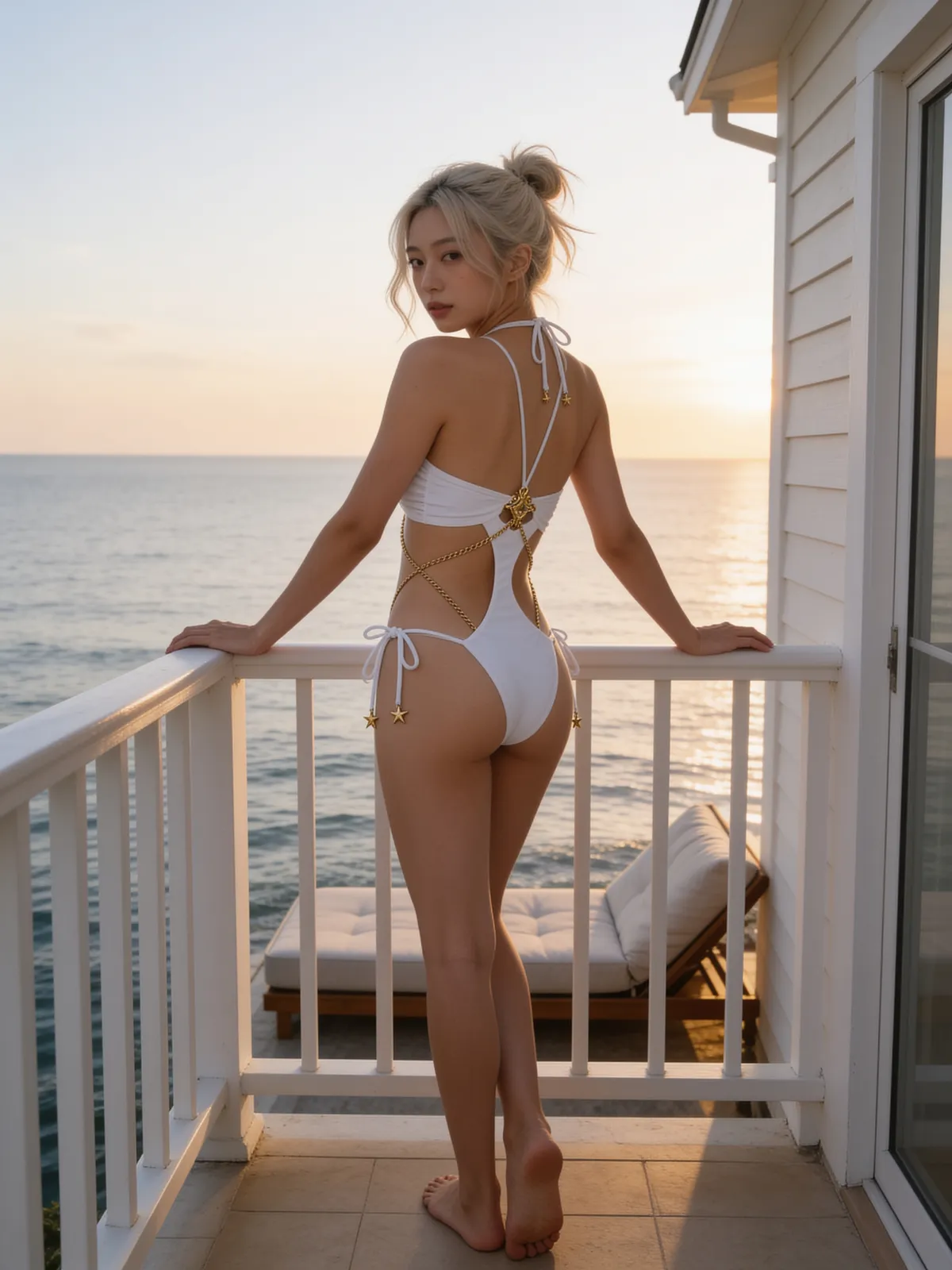 Back
BackBefore you list, check five things against the real garment
Straps and ties: the count, position and tie style match the real garment
Print and colour: the colour hasn't shifted and the print sits where it should
Trims: metal flowers, charms, chains and bows haven't been added or lost
Cut: leg height, cut-outs and neckline depth
The side missing from the product photo: the back is what the AI drew, so check it against the real garment most closely
Frequently asked questions
Can AI make a model in a two-piece swimsuit
Yes. Upload a photo of the two-piece with nobody in it to Product-Sexy, pick the swimwear type, then choose the model, scene and pose from buttons. It's 3 credits an image and you get a portrait 3:4 image in 4K.
Do I need to hire a bikini model abroad to photograph swimwear for my shop
No. Photograph the garment laid flat or on a mannequin yourself, then have Plien Roob make an AI model wearing it. Check it against the real garment before you list, because the AI can distort small parts.
Why can't AI make my swimwear model, and no image comes out
The usual cause is the AI provider's filter refusing images with a person and bare skin, especially when a photo of a model is sent in. Uploading a photo of the garment alone and describing the model in words helps more images pass, but nobody can guarantee every image will.
Can I sell using a photo of a woman in a bikini from the internet
Not recommended. Those photos belong to their owners and the models need to give permission. Plien Roob doesn't give legal rulings for you; the safer route is to photograph your own garment and make an AI model from that photo.
Can I use a cut-out PNG of a celebrity swimwear model
Not recommended. A cut-out PNG of another model is still the original owner's image. To cut the background from a photo of your own garment, use Plien Roob's background removal on a photo you took yourself.
Can I make swimwear images with AI here right now
Yes, it's open. Sign up free for 10 credits, given once, with no card needed — enough for 3 Product-Sexy images. Your first free-plan image has no watermark; the images after it do.

Plien Roob
Ready for your first product photo?
Sign up free for 10 credits, given once, with no card needed — enough for 3 Product-Sexy images. Your first free-plan image has no watermark; the images after it do.