Selling Online
AI can't make a male model in sheer wear: why menswear like this is hard and what works
Last updated 2026-10-23From Plien Roob — AI model photography for online stores
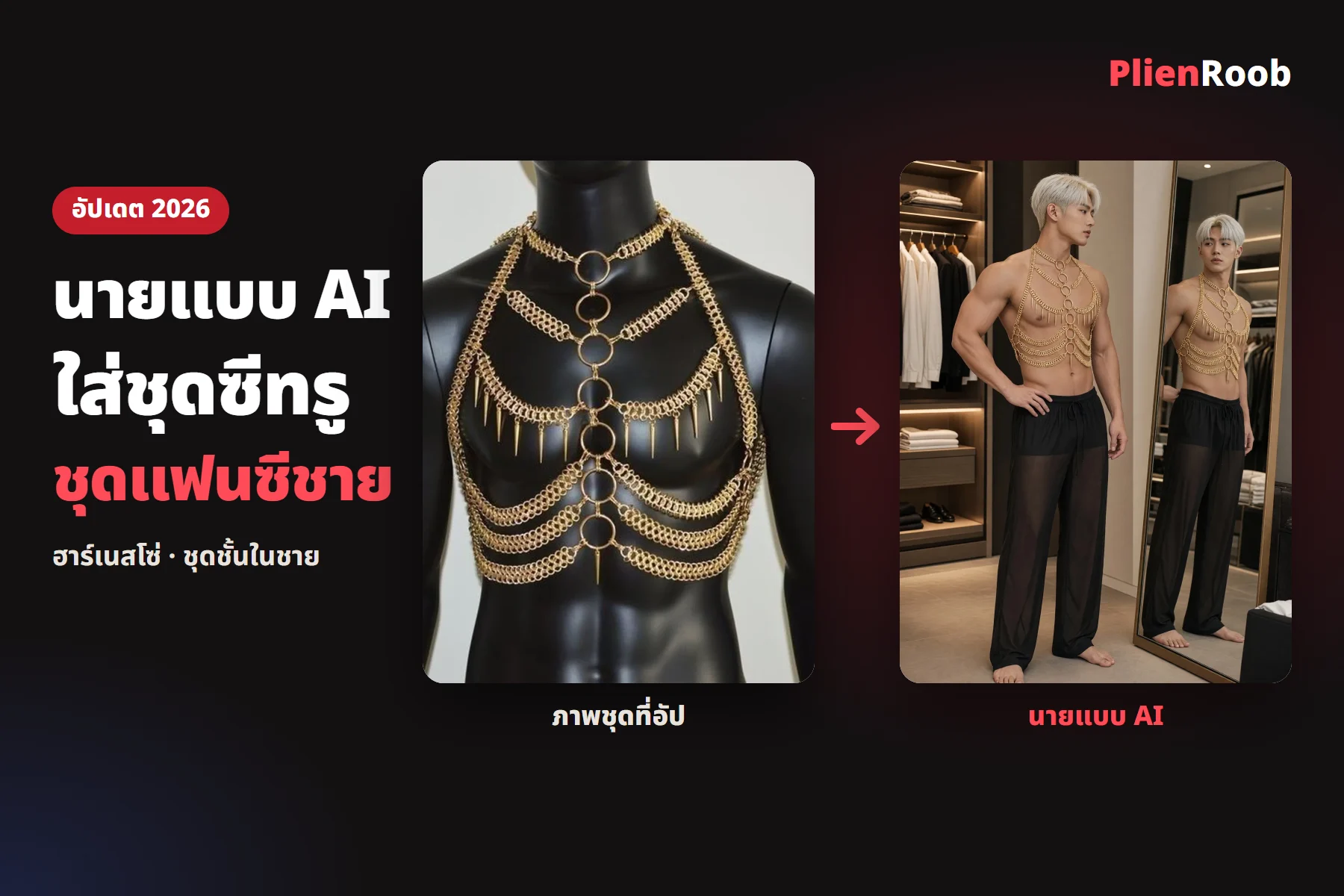

Shops that sell men's sheer wear, chain-harness fancy wear and men's underwear, including shops for gay customers, can make an AI male model image by uploading a photo of the garment with nobody in it and picking build, facial hair and hairstyle from buttons in Plien Roob, at 3 credits an image. General AI tools often fail here because they usually refuse images of a person in sheer or skin-showing garments, and they often give a model who doesn't look like the shop's customers.
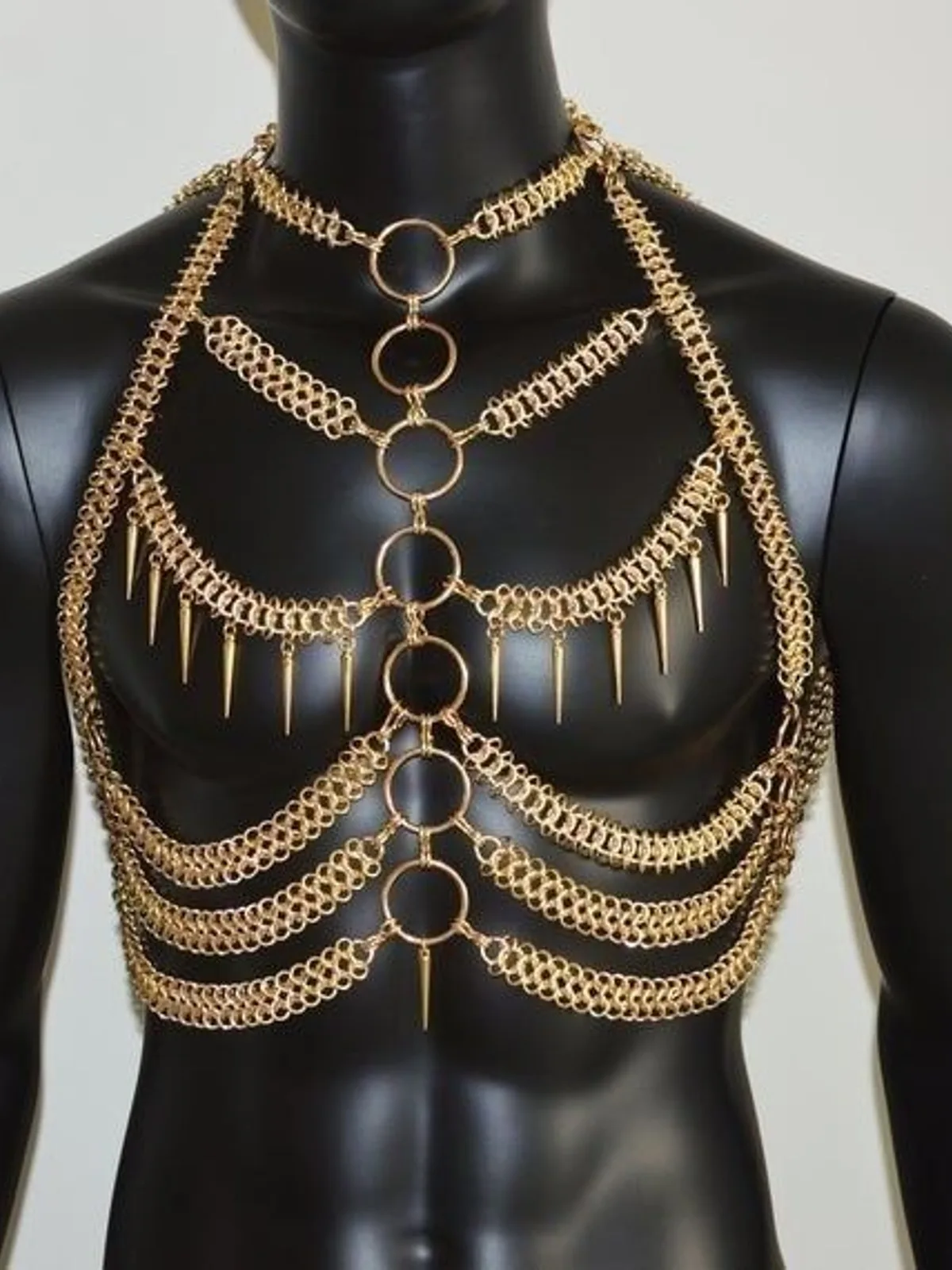 Garment photo
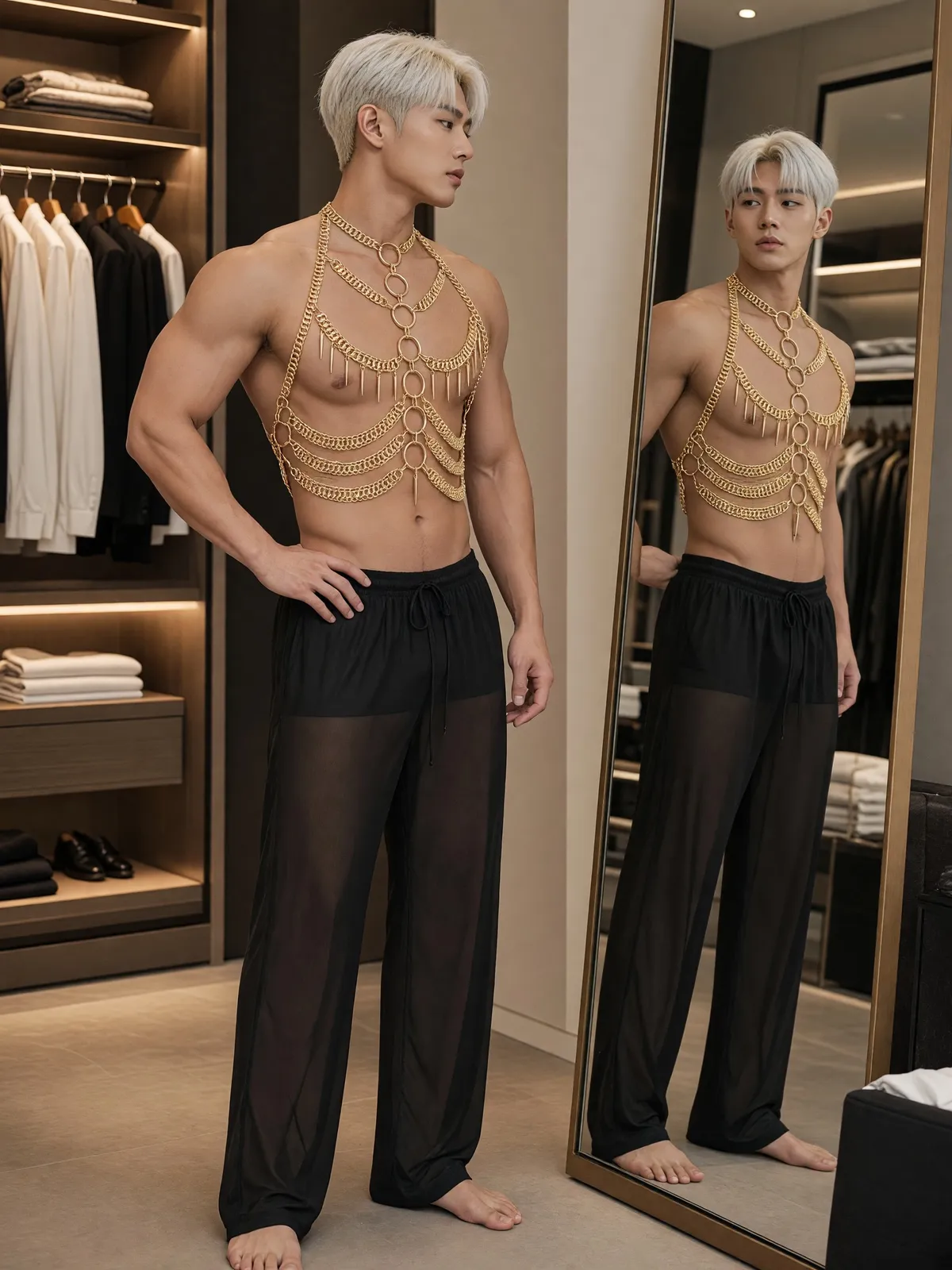 Real result
Where an AI male model in sheer wear or fancy wear gets stuck
Sheer and skin-showing garments are often flagged as risky by AI providers' filters
If you have to describe the model yourself, the result may not match the shop's customers in build, facial hair or hairstyle
The garment's standout parts drift, such as rings, chains, spikes or straps going missing in part
Our filter test numbers were all made with female models; we have no test numbers for male models, so this page doesn't claim how many times a male model image passes or fails.
Building an AI male model for a menswear shop: how it works
The Product-Sexy tool accepts no photo of a person. You upload a photo of the garment with nobody in it and pick the male model yourself from buttons, so nobody has to be hired to build it for you and there is nothing to type. Everything is a button, and the options specific to male models are these.
Garment types for men: men's underwear, men's sheer wear and men's swim shorts
12 hairstyles, 5 builds and 12 hair colours
Facial hair and chest hair, available for male models only
4 adult age ranges and 8 ethnicities, including Thai and Southeast Asian
In the studio, open the Product-Sexy tool and pick or upload a photo of the garment with nobody in the frame
Tap the garment-type button, choose the kind of garment, then choose a female or male model
Tap the model button and choose the age range, ethnicity, skin tone, hairstyle, hair colour and body shape
Pick a scene and a pose, check the 3-credit price on the button, then tap generate
7 things you can do in Plien Roob
What you can make on this site. Each card is that tool's cover image; tap it to read how the tool works.






Men's sheer wear: from product photo to male model
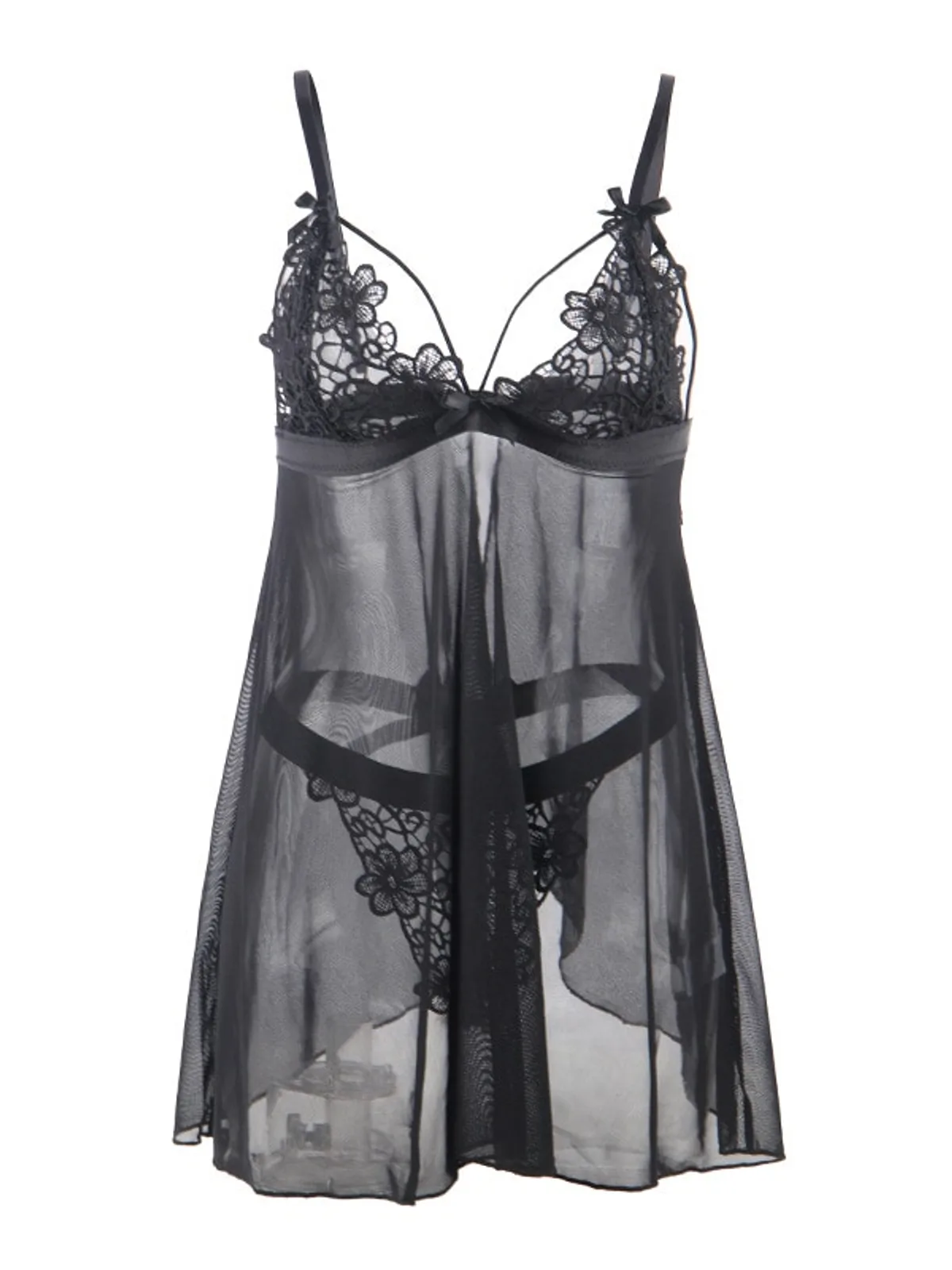 Garment photo
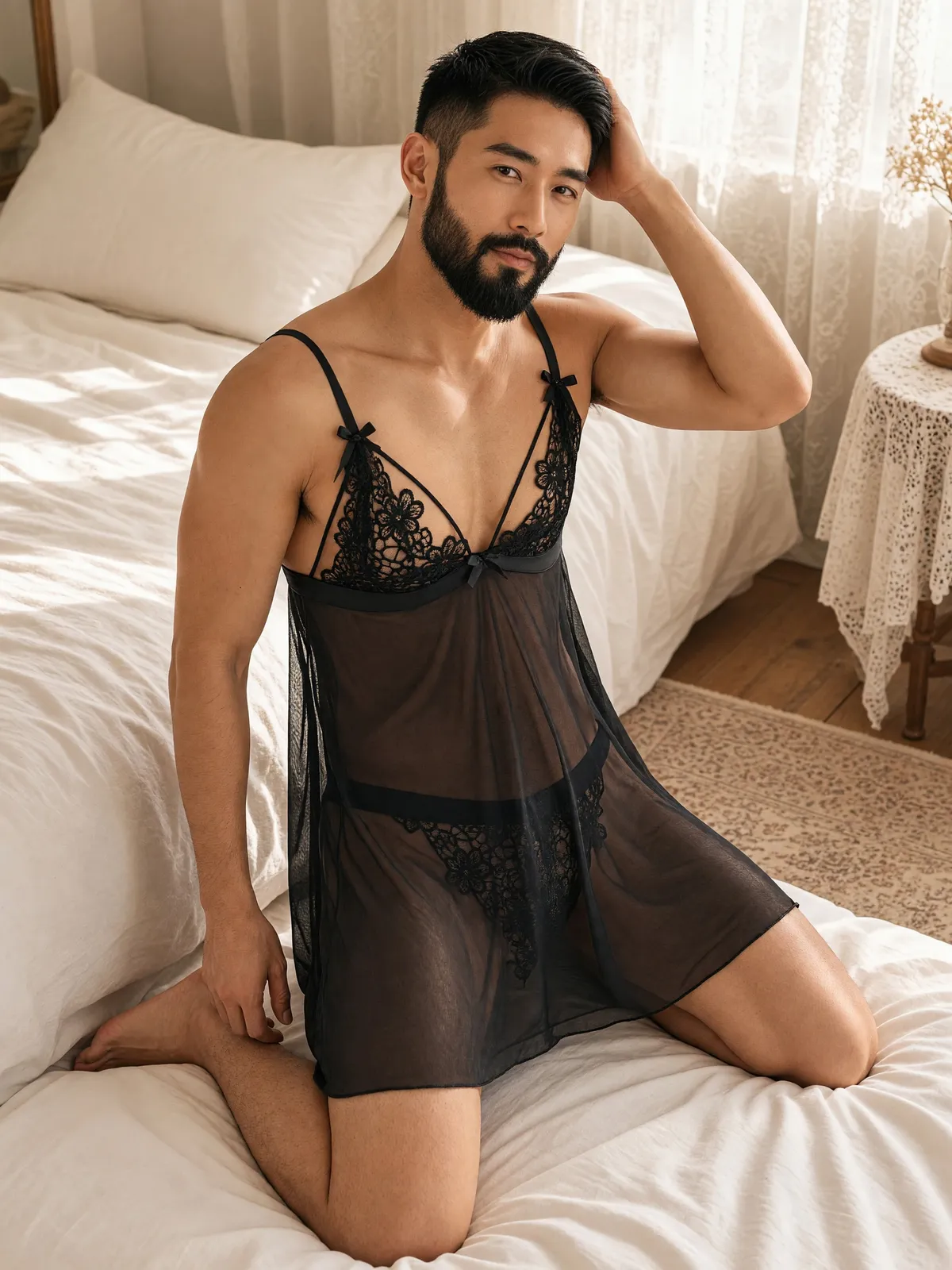 Male model
Chain-harness fancy wear: the standout parts must not vanish
Walk-in closet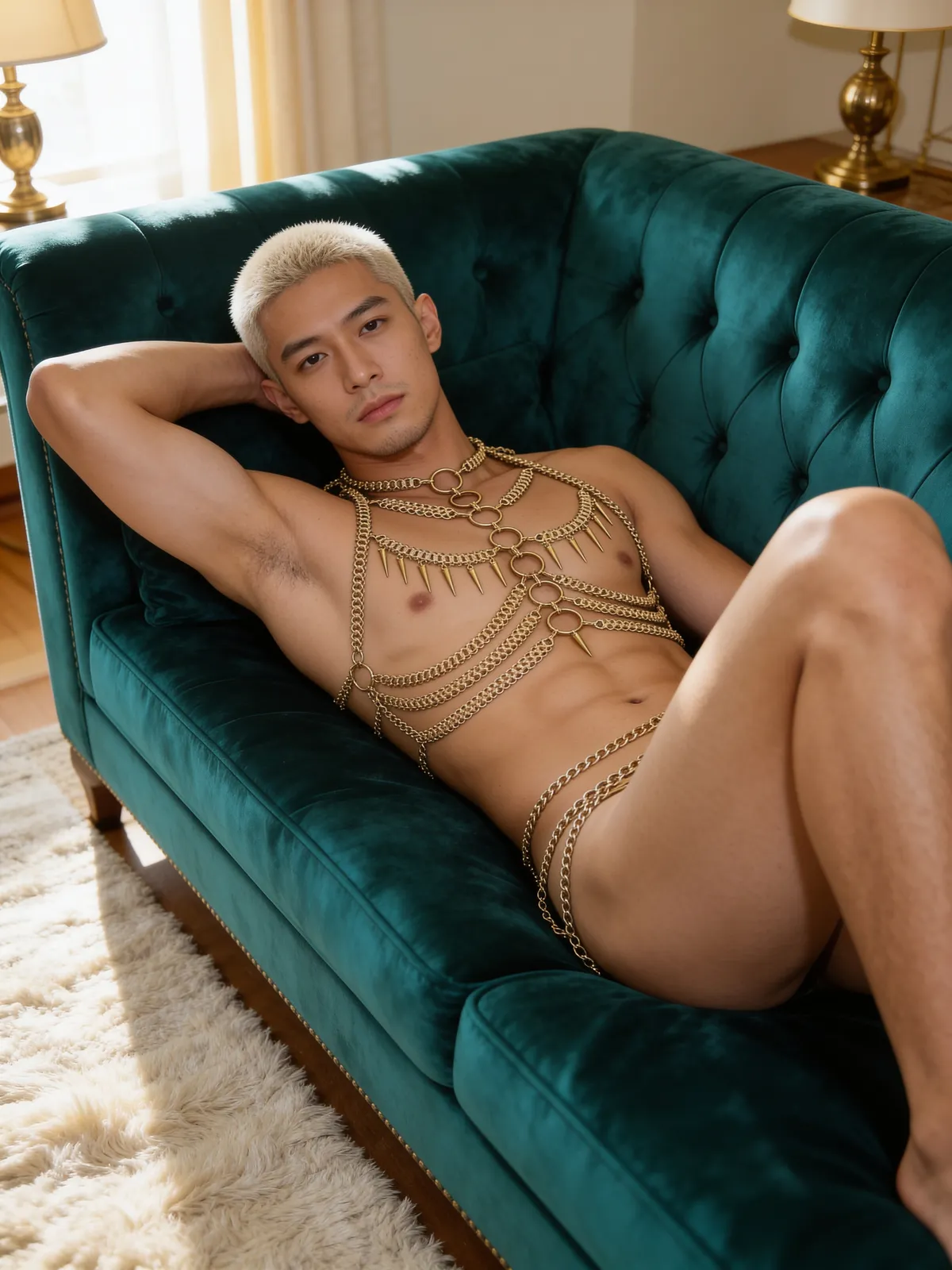 Velvet sofa
Fancy wear on this page means specially designed pieces such as harnesses, chains and sheer garments. Costume-party fancy dress is not among this tool's 7 garment types, so Plien Roob doesn't guarantee costume images.
The rules for the images you get
Every image is checked before delivery, and the person must clearly be an adult
A male model's chest can show, and an open or slit garment is a style, not a defect
No one's genitals are ever visible, whether the model is male or female
An image that fails isn't delivered and its credits are returned automatically
What you send in
- General AI tools
- Often a photo of a person or a long typed prompt
- Product-Sexy in Plien Roob
- A photo of the garment with nobody in it, then buttons
Control over the male model
- General AI tools
- You write the description yourself; results vary
- Product-Sexy in Plien Roob
- 12 hairstyles, 5 builds, facial hair and chest hair from buttons
If the image fails
- General AI tools
- Some providers still charge
- Product-Sexy in Plien Roob
- It fails the check before delivery and the credits are returned
Price
- General AI tools
- Varies by provider
- Product-Sexy in Plien Roob
- 3 credits an image, in 4K
| General AI tools | Product-Sexy in Plien Roob | |
|---|---|---|
| What you send in | Often a photo of a person or a long typed prompt | A photo of the garment with nobody in it, then buttons |
| Control over the male model | You write the description yourself; results vary | 12 hairstyles, 5 builds, facial hair and chest hair from buttons |
| If the image fails | Some providers still charge | It fails the check before delivery and the credits are returned |
| Price | Varies by provider | 3 credits an image, in 4K |
Frequently asked questions
Can AI make a male model in men's sheer wear
Yes. Upload a photo of the garment with nobody in it to Product-Sexy, pick the men's sheer wear type, then choose the male model, scene and pose from buttons. It's 3 credits an image and you get a portrait 3:4 image in 4K.
Does Plien Roob build an AI male model for my menswear shop
Nobody builds it for you; you pick the male model yourself from buttons in Plien Roob, including hairstyle, build, facial hair and chest hair, at 3 credits an image.
Can AI change clothes on a man in a photo
It can make a male model wearing your garment from a product photo. Use Product-Sexy for sheer wear and men's underwear, and the Product to Model tool for everyday menswear.
Can a shop that sells to gay customers use it
Yes. The tool offers the men's garment types, the male model, scenes and poses to every shop alike, every image goes through the same check, and there are no special conditions based on a shop's customer group.
Can it make costume-party fancy dress
Not guaranteed. Costumes are not among Product-Sexy's 7 garment types, which are sleepwear and lingerie, single-piece bra, single-piece underwear, swimwear, men's underwear, men's sheer wear and men's swim shorts.
Can I make AI male model images here right now
Yes, it's open. Sign up free for 10 credits, given once, with no card needed — enough for 3 Product-Sexy images. Your first free-plan image has no watermark; the images after it do.

Plien Roob
Ready for your first product photo?
Sign up free for 10 credits, given once, with no card needed — enough for 3 Product-Sexy images. Your first free-plan image has no watermark; the images after it do.