AI Tools
How far a free photo app gets you, and where the image stops being sellable
Last updated 2026-09-07From Plien Roob — AI model photography for online stores

You have tried a free photo app. The result was not broken, exactly, but it was still not something you would put at the top of your shop page. The obvious next question is whether it is time to pay for something. This page is written by Plien Roob, which sells a paid tool, so we are not going to tell you free tools are useless. The truth is that free tools do some kinds of work so well that there is no reason to pay anyone for them, and there is another kind of work they cannot reach for reasons of principle rather than price. More useful than comparing prices is working out which side of that line your problem sits on.
What free apps genuinely do well, and you should not pay for
Cropping and reframing, so the product sits centred and in the aspect ratio your sales channel wants.
Brightness and contrast, pulling a photo shot in a dim room back to something readable.
Colour-matching a whole set so it reads as one shop, which does more for a storefront than one individually beautiful photo.
Background removal on straightforward images, such as a dark garment on a light surface where the edge already contrasts with what is behind it.
If everything you need is on that list, you do not need to pay us, and we do not think you should. Background removal here costs 1 credit per image. If the app you already use gives you a clean edge, spending a credit for the same outcome makes no sense. The limits are the same for every cutout tool, ours included: very complex edges such as flyaway hair or sheer fabric may not cut cleanly everywhere, and a product close in colour to its background is always harder to separate.
 Illustration
The real line is not free versus paid
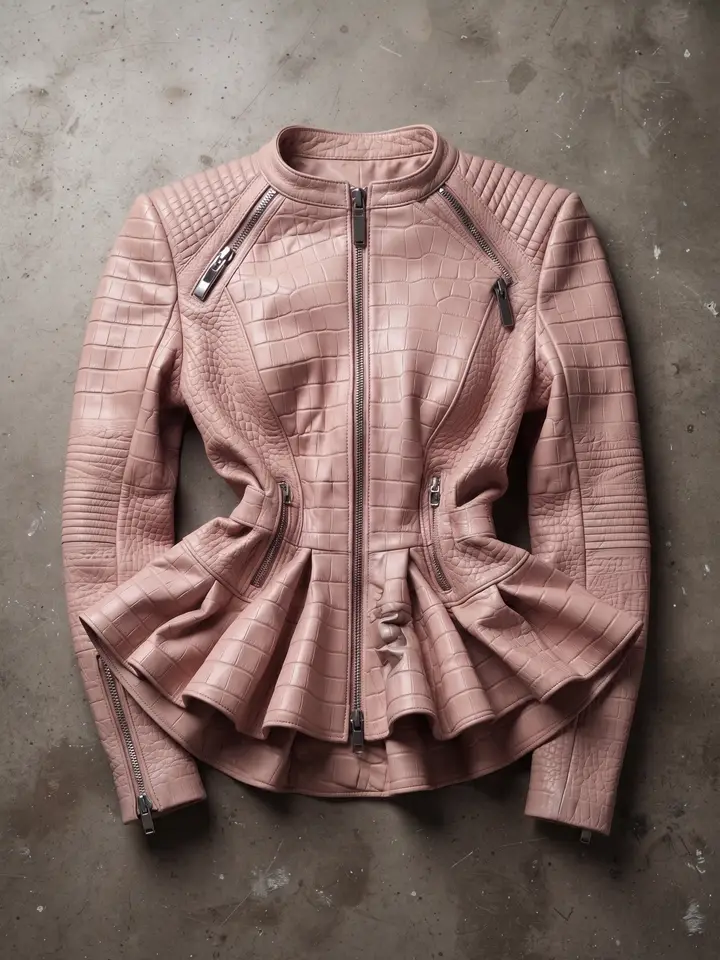
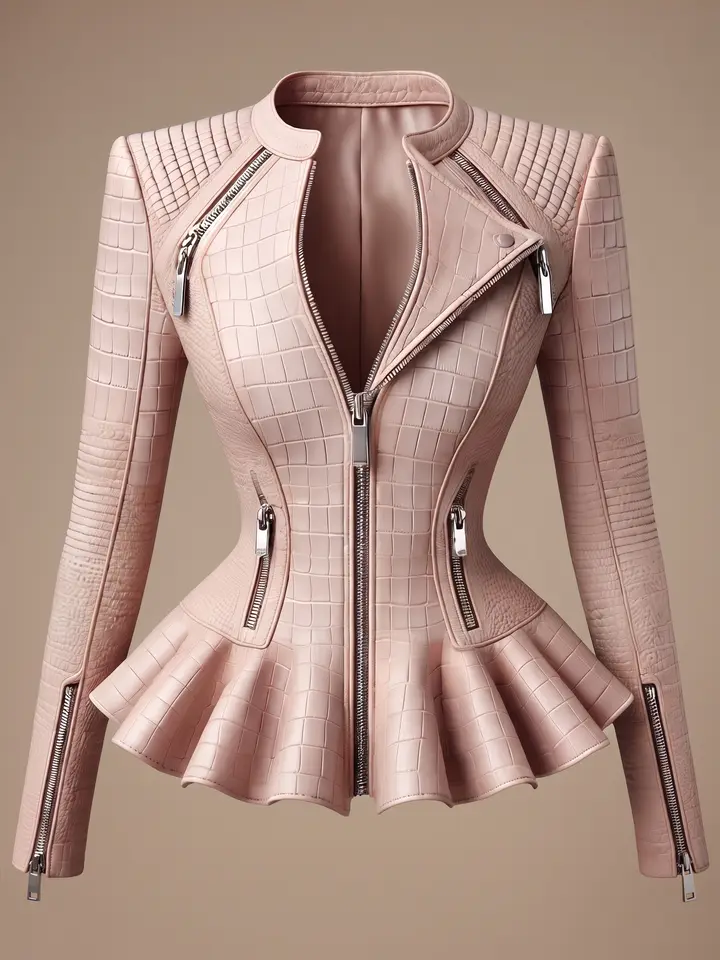
Editing tools work on pixels that are already in the file. A filter computes a new colour value for a point that exists. Sharpening increases contrast along an edge that exists. Background removal decides which existing points to keep and which to drop. None of the three adds a single piece of new information to the image. Now ask this of your flat-lay photo: what does the inside of the collar look like? The file simply does not contain that information. No slider will produce it, because the job is not adjusting the value of a point that exists — it is drawing points that never existed.
A photo of someone wearing the garment, when there was no person in the source photo at all. The person, the pose and the way the fabric falls on a body must all be drawn from nothing.
A flat garment holding its worn shape, which requires guessing what the inside of the collar and the thickness of the fabric look like, from a photo that shows neither.
The back of the garment, when you only photographed the front.
A new setting that is not your living-room floor. Not the product pasted onto another backdrop, but the light of that setting falling convincingly on the product itself.
If the app you use also has an AI button
Plenty of photo apps now hold both things at once: the familiar adjustment sliders, and a button that draws a new image for you. So the line is not the name of the app or its price, it is which kind of work the button you pressed is doing. And once something is drawing a new image, the questions are the same for every provider — including us. Here are our own answers to all five.
Do the print and the lettering on the garment stay as they are? Our product-to-model and ghost mannequin tools carry an instruction pinning the print artwork, the lettering and its spelling on every run, but how well that holds depends mostly on how sharp the photo you upload is.
Does it invent a brand tag that is not on the product? Ours is instructed not to, and while choosing tools we dropped a cheaper option because it fabricated a brand tag on the collar despite an explicit instruction not to.
Do the shape and the colour drift from the real item? We pin the silhouette, neckline, hemline and fabric texture. Colour sometimes comes back slightly lighter than the real garment, particularly on ghost mannequin.
Is the output watermarked, and may it be listed for sale? On our free plan your first image has no watermark, but every image after it carries a watermark burned into the file itself, so it cannot be removed and the image cannot be listed. Paid plans have no watermark.
Does a second run give the same result? Ours does not. The output is probabilistic, the same photo run twice will not be identical, and some jobs need another run.
The photo is blurred. Why does the sharpen button not fix it?
A sharpen slider works on edges that are already in the file. It raises contrast along those edges until your eye reads the image as crisper, but detail the camera never captured still is not there. We do sell an upscaler, at 1 credit per image, which makes a file larger without it falling apart — and our own help centre says plainly that it does not add detail that was not in the source. On fine fabrics such as lace, our upscaler removed the pattern and replaced it with a smooth raised texture, which is worse than the original. The blunt conclusion: if the photo was blurred to begin with, no tool, free or paid, takes you back to detail that was never recorded.
A number we measured ourselves, on the ghost mannequin tool: five runs per photo, every setting held constant, changing only the image going in. A sharp 1280-pixel photo held the correct shape 5 times out of 5. A blurred 720-pixel photo held it 3 out of 5, and the Thai lettering on the garment came out wrong all 5 times. The dangerous part is that it did not produce obvious gibberish — it guessed and wrote a new, correctly spelled Thai word over the original, which is easy to miss. The limit of this number: we measured two sizes only. Everything between 720 and 1280 we have never tested.
What we actually charge for
Background removal: 1 credit per image.
Upscale: 1 credit per image.
Try-on: 2 credits per image, at a single quality level.
Product to model: 2 credits per image at standard quality, 5 at premium.
Ghost mannequin: 2 credits per image at standard quality and 4 at premium.
On product to model only, picking a scene, a pose or styling pieces is charged as a step rather than one by one: one or two of them together add 1 credit, three or more add 2. Picking a model from the system library adds 1 further credit on standard quality only. The screen shows the total before you press generate.
Signing up gives you 10 free credits, once, with no card required — enough to find out whether your products suit the system. One thing to know before you spend them: your first image on the free plan has no watermark, but every image after it carries our watermark burned into the file itself, not laid over the screen, so it cannot be removed and the image cannot be listed for sale. The free plan is there to let you judge the quality, not to do real work with.
Our drawbacks, which free apps do not have
The output is probabilistic. The same photo run twice will not be identical, whereas a slider in an app gives the same result every time. If you need results you can reproduce exactly, that is a genuine drawback.
Lettering on garments is still a weak point for us, especially Thai script and small type. If the text on the shirt is the selling point, zoom in and check every frame before listing.
Colour sometimes comes back slightly lighter than the real garment. If colour is what closes the sale, compare against the physical item every time.
You still have to photograph the product yourself at least once. There is no shortcut past that, and how sharp that photo is sets the ceiling on the result.
It needs an account and runs in a browser, unlike an app on your phone that opens and edits immediately with no connection.
Decide with three questions
Ask what the photo you already have is missing. If the answer is too dark, crooked, badly framed or a cluttered background, a free tool finishes the job. You can stop reading here.
If the answer is a missing person, a missing worn shape, a missing back of the garment or a missing setting, then what you need is a new image drawn — and no adjustment slider reaches that.
Before paying anyone, test with your hardest product rather than your easiest. Slippery fabric, fine prints and garments with lettering are the three things that separate a tool that works from a tool that only looks good in its own samples.
Frequently asked questions
Can I just use a free photo editing app instead?
Yes, if what you need is cropping, brightness, colour-matching a set, or removing the background from an image where the product already contrasts with what is behind it. Free tools do those four things well and there is no reason to pay anyone. What photo editing cannot do, as a matter of principle, is create something the source photo never contained: a person wearing the garment when there was no person in the original, the worn shape that shows the inside of the collar, the back of a garment you only photographed from the front, and a new setting whose light falls convincingly on the product. Those four require new pixels to be drawn, not existing pixels to be adjusted.
How is background removal here different from a free app?
It is the same kind of work: deciding which existing points to keep and which to drop. If the app you already use gives you a clean edge, keep using it. Ours costs 1 credit per image and carries the same limits as every cutout tool: very complex edges such as flyaway hair or sheer fabric may not cut cleanly, and a product close in colour to its background is harder to separate. The one real advantage is that it sits alongside the other tools, so a ghost mannequin result can go straight into background removal without downloading it and opening another app.
My photo is blurred. Can I just sharpen it in an app and use it?
No. A sharpen slider works on edges already present in the file and does not restore detail the camera never captured. Our upscaler costs 1 credit per image and makes a file larger without it falling apart, but it does not add detail that was not in the source either. We measured this on the ghost mannequin tool with five runs per photo and every setting held constant: a sharp 1280-pixel photo held the correct shape 5 times out of 5, a blurred 720-pixel photo held it 3 out of 5, and the Thai lettering on the garment came out wrong all 5 times — not as obvious gibberish, but as a new, correctly spelled Thai word written over the original.
How much do I have to pay to get an image I can actually list?
Signing up gives you 10 free credits, once, with no card required. Per image: background removal 1 credit, upscale 1, try-on 2, product to model 2 at standard quality and 5 at premium, ghost mannequin 2 at standard quality and 4 at premium. On product to model, picking a scene, a pose or styling pieces adds credits as a step, and picking a model from the library adds 1 further credit on standard quality only. The screen shows the total before you press generate. The thing to know is that every image after your first on the free plan carries a watermark burned into the file, which cannot be removed and cannot be listed for sale, so the free credits are for judging quality rather than for real work.

Plien Roob