Photo Guide
Shooting in hard sun: how to get rid of the glare spots
Last updated 2026-09-23From Plien Roob — AI model photography for online stores
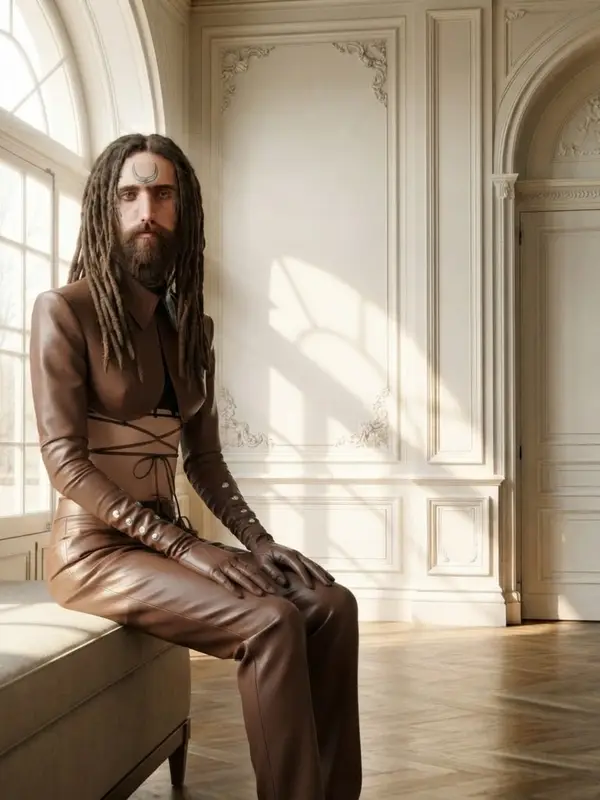

You shoot on a rooftop, outside the shop or at the side of the road in strong sun, and the photo comes back with white spots on the bottle, on the glossy leather bag, on the patent shoe or on the phone screen. Inside those spots the label is unreadable and the pattern has vanished. This is not a bad camera or a shaky hand — it is what a small, strong light source does to a glossy surface.
Why that spot cannot be fixed afterwards
An image file stores the brightness of each point as a number. When a point is brighter than the maximum, its number is clipped to pure white — even though the real object there had lettering, a label edge and shadow. Once they are all recorded as the same white, the information that told them apart is no longer in the file.
So an editing tool that reduces glare is not restoring what was there; it is guessing what might have been under the white. On a plain single-colour surface that guess is usually fine. On a label with small lettering, what you get back is usually lettering it invented.
Six fixes that work, all of them at the shoot
Move into shade — under an eave, under an awning or on the shaded side of a building. There the light comes from the whole sky instead of one point, and the hotspot becomes a wide soft band instead of a white dot
If you have to stay in the sun, turn the product itself until the hotspot slides off the label or the pattern. You don't have to move; turning the object is enough
Raise or lower the camera angle slightly. The hotspot moves with your viewpoint, because it is a reflection of the sun bouncing into the lens, not a mark on the product
Hold a sheet of white A4 paper, a white shirt or a translucent white bag between the sun and the product. The light that comes through is instantly wider and softer
Avoid the part of the day when the sun is almost overhead — you can tell by your own shadow being at its shortest. Morning or towards evening puts the light at a lower angle through more atmosphere, so the hotspot is weaker
Take several frames in a row, shifting a little each time, then pick the one where the whole label is readable. Extra frames cost nothing; repairing a ruined photo always costs something
Different glossy surfaces give different hotspots
Glass and glossy plastic give one or two small sharp spots, and a tiny turn of the object moves them a long way
Patent leather and satin give a long band that follows the curve of the material — blocking the light works better here than turning the object
Metal reflects everything around it as a picture: the photographer's hand, the shirt being worn, the window. A dark shirt and more distance both help
Matte fabric, paper and wood barely have this problem. A white patch on matte fabric means the whole photo is overexposed, not that something is reflecting
What changes once you upload, and what doesn't
When the system generates a new photo, the lighting in it is built fresh rather than carried over from your upload. When you pick a setting from the library, a further set of lighting instructions goes out: one single lighting setup covers the whole photograph, the person is lit exactly as the location is lit, and if the location is dim the person is not brighter than everything around them. In Plien Roob's Product Showcase, one line goes out every time: wherever the product has a glossy or polished surface, what is mirrored in it is the place it is standing in, never highlights from a studio that isn't in the photograph.
But the colours, the pattern, the materials and the lettering on the product are instructed to follow the photo you uploaded. That means a blown-out white spot in your source photo can be read as part of what the product actually looks like, and carried into the new image. There is no remove-glare button, and no instruction telling the AI to remove one.

If your source photo already has a white spot sitting on the label or the pattern, the fix is to reshoot in shade — not to press generate repeatedly. Running it again changes the pose and the setting, but it cannot bring back what is missing from your file.
The file to upload
A shorter side of 1024 pixels or more. Below 480 pixels the system will not accept it
Use the original file from the camera or your photo library, not one forwarded through a chat app — chat apps compress files until small lettering falls apart
The label and the lettering have to be readable to your own eye in the source file first. If you cannot read it, neither can the system
Frequently asked questions
How do I get rid of the glare spot on a bottle when shooting in the sun?
Fixing it at the shoot works best. Move into shade or under an eave so the light comes from the whole sky rather than one point. If you must stay in the sun, turn the bottle until the spot slides off the label, or hold white paper between the sun and the bottle, then take several frames and pick the one where the label is readable.
Can AI remove glare from a product photo?
A spot that is blown to pure white is a spot where the data has already gone from the file. A glare-reduction tool is guessing what was underneath rather than restoring it, and on a label with small lettering the result is usually lettering it invented. Reshooting in shade is the reliable route.
What time of day is best for product photos?
Morning or late afternoon beats the part of the day when the sun is almost overhead, which you can spot by your own shadow being at its shortest. Lower light travels through more atmosphere, so hotspots on glossy surfaces are weaker and shadows are less harsh. If you cannot choose the time, find shade instead.
Can I shoot products on an overcast day?
Yes, and for glossy items it is often easier than bright sun, because the cloud acts as one very large diffuser and the hotspot becomes a wide soft band. The thing to watch is that the photo can look flat, so check the product's colour still matches the real thing before uploading.
Does the system relight the photo when it generates?
Yes. When you pick a setting from the library, the instructions call for one single lighting setup across the whole photograph, with the person lit as the location is lit. In Product Showcase a line goes out every time saying the product's glossy surfaces must mirror the place it is standing in rather than a studio that isn't there. But the colours, pattern and lettering follow your uploaded photo, so a blown-out spot in the source can carry through.

Plien Roob
Ready for your first product photo?
Sign up free for 10 credits, given once, with no card needed. Your first free-plan image has no watermark; the images after it do.