AI Tools
AI food photos with a person in the shot, and an instruction never to add anything to the plate
Last updated 2026-09-16From Plien Roob — AI model photography for online stores
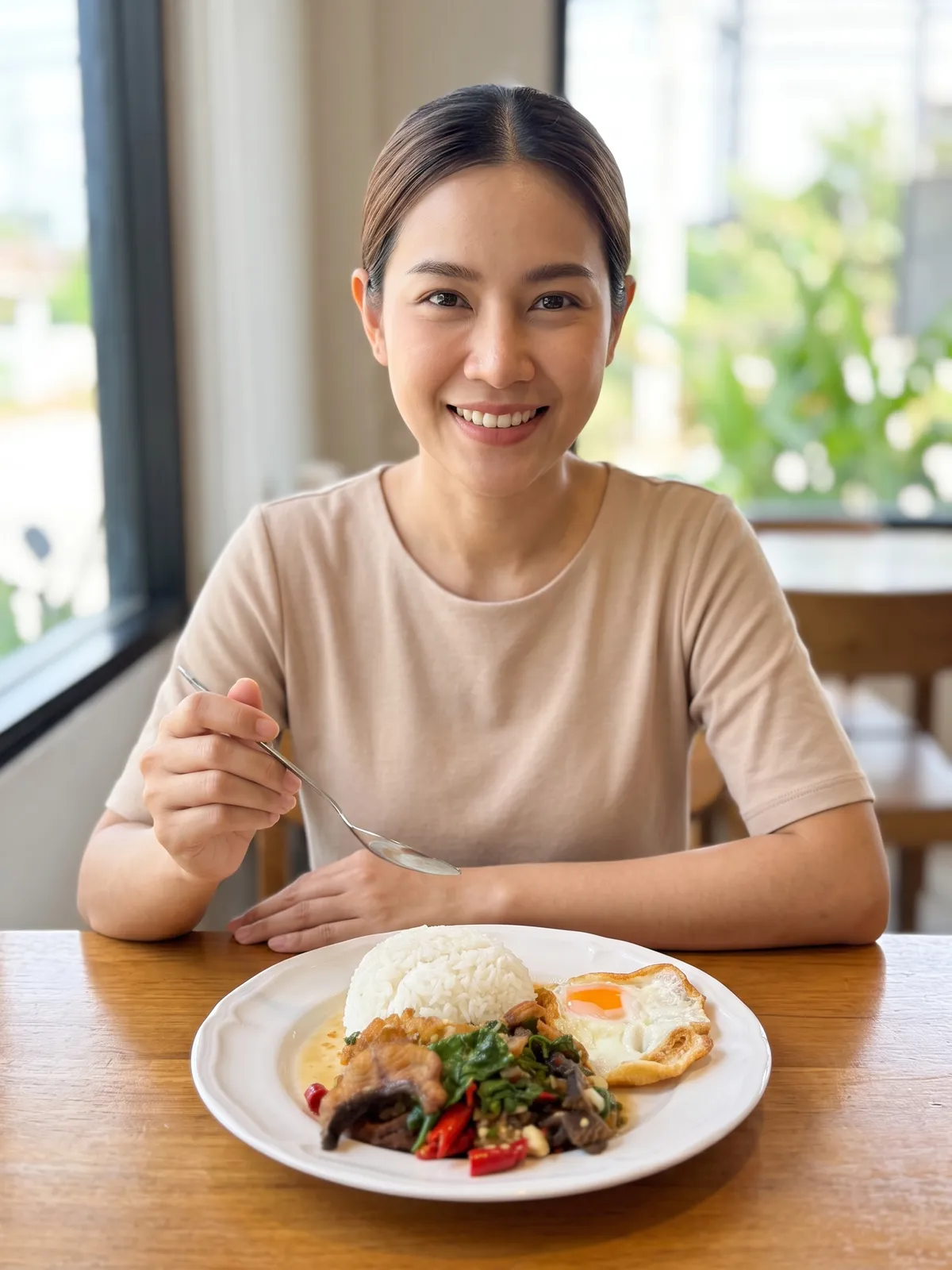

A food photo with someone at the table or holding the plate shows how big the dish is next to a person. Shooting one means finding someone to help and getting a table ready. The plated-food category in Product Showcase makes that kind of photo from a single photo of the dish.
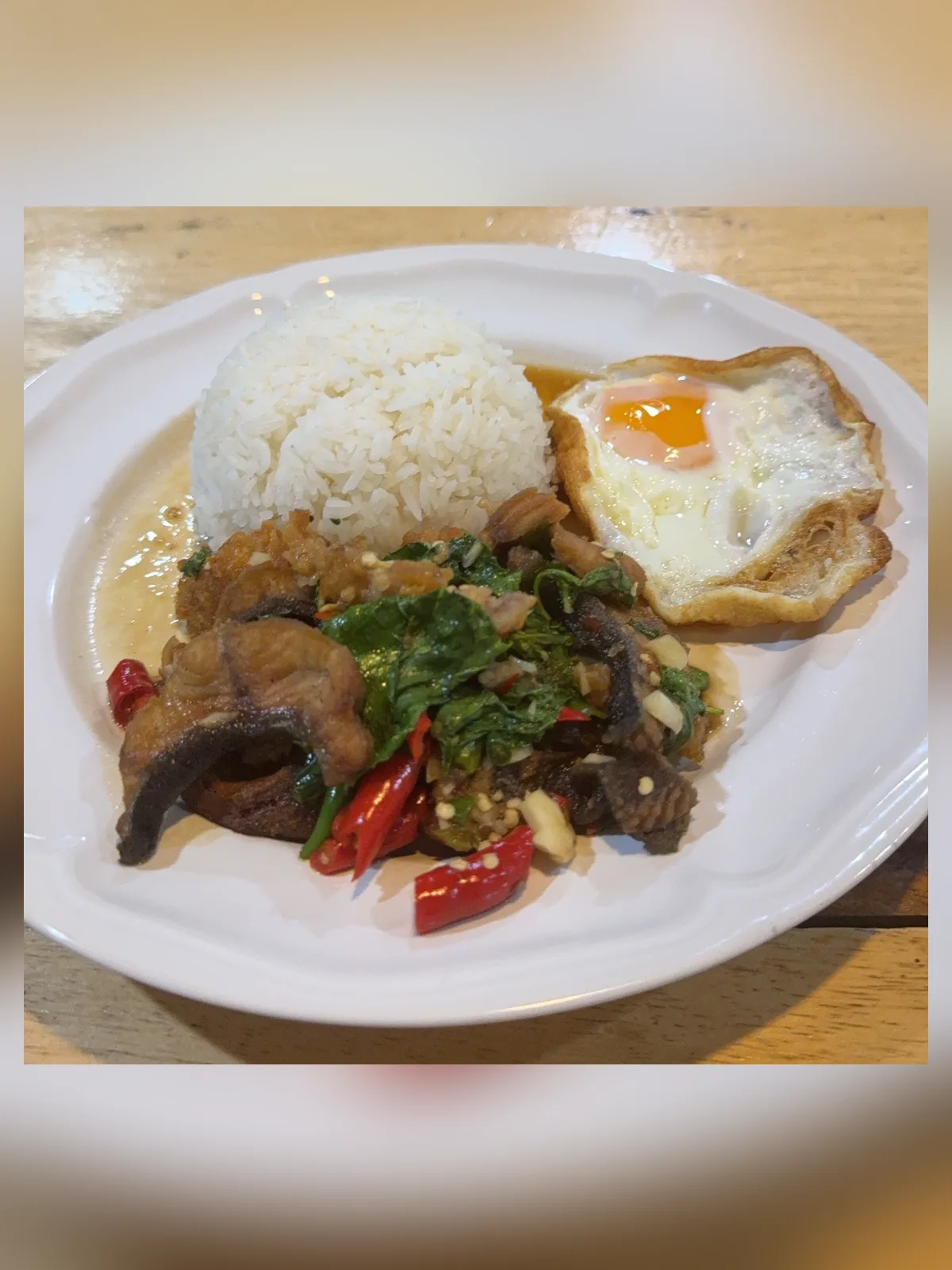
Why a food photo shouldn't look better than the food
Customers order from the photo. If what arrives doesn't match it, the shop is the one answering for it. A dish dressed up beyond reality — a garnish the kitchen never adds, extra sauce, a heaped-up portion — may look more appetising, but it isn't what the customer is going to get.
What the plated-food category already tells the AI
Plien Roob instructs the AI to keep every item of food exactly as in your photo: the same number of pieces, the same size, the same arrangement, the same colour and doneness. Nothing added, nothing removed, nothing enlarged, and never made to look more generous, glossier or more colourful. The plate stays the same plate, and the food is never re-plated.
You don't type any of these rules, and there is no box to type them into. Tap Plated food and the same instructions go out every time.
How to photograph the dish before uploading
Get the whole plate in the shot, with no edge of the photo cutting it off
Plate it the way you actually serve it — the system follows your photo and does not re-plate it
Keep it sharp: a shorter side of 1280 pixels or more works best. Use the original file, not one sent through a chat app
Camera angle matters: a shot showing only hands setting the plate on a table uses the same angle as your photo
 Illustration
What you tap
Upload the photo of the dish
Tap Plated food, in the Food & home group
Choose the plate size: 6, 8, 10 or 12 inches
Pick a model from the library, or skip it
Check the credit count on the button, then generate
The plate size buttons exist because a small plate and a large one look much alike once photographed on a table. The system tells the AI how big your plate is compared with the model's hand, and instructs it never to enlarge the plate beyond its real size.
What you get back
A photo of a person with your dish — for example sitting at a table about to take a bite, carrying the plate to serve, or just hands setting the plate down
Food the system instructs the AI to keep as in your photo, with nothing added that isn't on the plate
With the 6-image set, each image gets a different setting — a wooden table by a window, a restaurant, a kitchen counter, a café or a street-food stall, for example. Every setting is generated by AI, not a real place
The system does instruct the AI not to add food, but AI output is still probabilistic. Before you list anything, compare every image with the real dish to check nothing has appeared or disappeared. If the first result misses, run it again or change the source photo.
Frequently asked questions
Will AI food photo editing add vegetables or sauce to make the dish look tastier?
The plated-food category instructs the AI to keep every item of food as in your photo — nothing added, removed or enlarged, and never made to look more generous, glossier or more colourful. AI output is still probabilistic, though, so compare every image with the real dish before listing it.
Can it make menu photos with no person in them?
This tool doesn't make that kind of photo. Every pose in the plated-food category has a person or a person's hands in the shot — at the very least, the hands setting the plate on the table.
Is a phone good enough for photographing the food?
Yes, as long as the photo is sharp and shows the whole plate. A shorter side of 1280 pixels or more works best, and use the original file rather than one forwarded through a chat app.
How many credits does one food photo cost?
Standard 2K is 3 credits per image and Premium 4K is 5. A model from the library adds 1 credit at 2K. A 6-image set at 2K costs 18 credits. The total is shown on the button before you generate, and if a job fails the credits come back automatically.
Can I start making food photos like this now?
Yes. The plated-food category is part of Product Showcase. Sign up free for 10 credits, given once, with no card needed — enough for 3 Product Showcase images at 2K. Your first free-plan image has no watermark; the images after it do.

Plien Roob
Ready for your first product photo?
Sign up free for 10 credits, given once, with no card needed — enough for 3 Product Showcase images at 2K. Your first free-plan image has no watermark; the images after it do.
Photos by Trương Tuyết Ly on Unsplash