AI Tools
How to enlarge a photo without it breaking up, and which photos still look right
Last updated 2026-10-02From Plien Roob — AI model photography for online stores
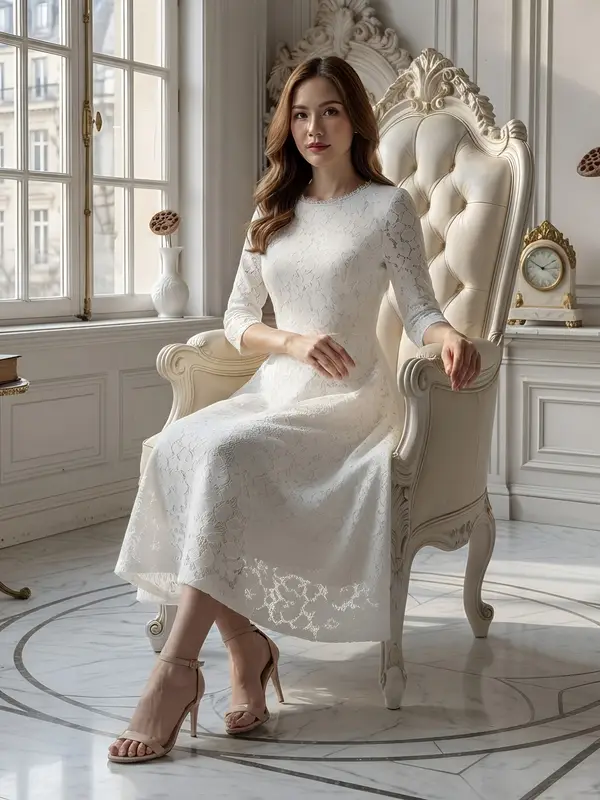

A photo breaks up when enlarged because it has a fixed number of pixels. Dragging a corner to make it bigger just stretches the same pixels wider and adds no detail, so edges turn blocky or soft. If a photo is already sharp but too small, an AI upscaler can make it larger; a photo that was blurry when it was taken stays blurry after enlarging.
Why a photo breaks up when you enlarge it
A photo is made of a fixed number of tiny coloured dots, for example a thousand wide and a thousand high. When you drag it bigger in any program, whether a document, a photo editor or a design app, the program has to calculate new dots to fit between the old ones. The edges look softer or blocky, because detail the camera never recorded is not in the file. Dragging it bigger adds no detail.
What is still usable after enlarging, and how to tell
A photo that is already sharp but too small
- What happens when enlarged
- Still looks right when enlarged; edges and seams stay clear
- What to do
- Use an upscaling tool
A photo that was blurry when it was taken
- What happens when enlarged
- Stays blurry; no tool can bring the detail back
- What to do
- Find the original file or reshoot
A photo shrunk by a chat app
- What happens when enlarged
- Small, and usually already compressed
- What to do
- Ask for the original from the camera or phone first
Lace, knit or fine embroidery
- What happens when enlarged
- The pattern may be erased and replaced with a smooth surface, worse than the original
- What to do
- Not recommended to enlarge; reshoot large to begin with
| Your photo | What happens when enlarged | What to do |
|---|---|---|
| A photo that is already sharp but too small | Still looks right when enlarged; edges and seams stay clear | Use an upscaling tool |
| A photo that was blurry when it was taken | Stays blurry; no tool can bring the detail back | Find the original file or reshoot |
| A photo shrunk by a chat app | Small, and usually already compressed | Ask for the original from the camera or phone first |
| Lace, knit or fine embroidery | The pattern may be erased and replaced with a smooth surface, worse than the original | Not recommended to enlarge; reshoot large to begin with |
Enlarging with Plien Roob's upscale tool
 Before
 Upscaled
Our upscale tool takes your original photo and enlarges it up to 4 times on each side, up to 4,096 pixels on the longest side. It costs 1 credit per image, about ฿2.09–฿3.50 depending on your plan. The tool accepts images up to 2048x2048 pixels, and if a job fails the credits come back automatically.
Choose a photo that is already sharp but too small.
Check the credit count on the button, then press upscale.
Zoom in on the result at full size and check the edges, seams and any lettering on the product before you use it.
What to do if the photo is blurry
If a photo was blurry when it was taken, enlarging does not help. We have a sharpness check, and a photo that is too blurry is rejected at upload because the result would be unusable. Find the original file or reshoot; the guide to shooting sharp photos is linked below.
Frequently asked questions
How do I enlarge a photo without it breaking up?
A photo has a fixed number of pixels, and dragging it bigger adds no detail, which is why it breaks up when enlarged a lot. If a photo is already sharp but too small, an AI upscaler can make it bigger. Plien Roob's tool enlarges up to 4 times on each side. A photo that was blurry when taken stays blurry after enlarging.
Can I make a photo clearer?
In some cases. A photo that is sharp but too small can be enlarged. A photo that was blurry when it was taken cannot be rescued by any tool, ours included, because detail the camera never recorded is not in the file. To check, zoom the photo to full screen: if you cannot read the lettering or see the seams with your own eyes, it will not be clear after enlarging either.
Can I enlarge a photo and sharpen it for free?
You can try it free, but the amount is limited. Signing up gives you 10 credits, once, with no card needed, enough to upscale 10 images. Your first free-plan image has no watermark; the images after it do. It is not an unlimited free upscaler.
A photo breaks up when I enlarge it in Word. How do I fix it?
Dragging a corner of a photo in Word to make it bigger adds no detail, so it breaks up when enlarged a lot. To get a larger photo that still looks right, start from a sharper and larger file, or enlarge it first with an upscaling tool and then place it in the document.
Can I enlarge lace or knit fabric?
We don't recommend it. Our upscaler often erases the lace pattern and replaces it with a smooth surface, which is worse than the original, and knits and fine embroidery are not suited either. If you need a sharp fabric pattern, reshoot it large to begin with.

Plien Roob
Ready for your first product photo?
Sign up free for 10 credits, given once, with no card needed, enough to upscale 10 images. Your first free-plan image has no watermark; the images after it do.